




Connect Capy to your Tailscale tailnet

Teams using Capy often ask us if we have static outbound IPs they can allow-list, or if there is some way to expose internal services to Capy. Since every Capy thread runs in its own isolated sandbox machine with dynamic addresses, it's hard for us to provide a static list of IP addresses.
When working on real production codebases, an agent that can only see the code and reach GitHub only sees half of the story. It can't access internal logs and traces, reproduce a bug against staging, hit an internal API to verify a fix, or pull from a private registry to run the tests.
Some other solutions exist here, such as building an MCP or exposing an API with secure environment variables, but they all have something in common: they require opening up firewalls and exposing internal infrastructure to the public.
The solution: Tailscale, a mesh networking tool built on WireGuard. With Tailscale, Capy machines can access your infrastructure securely. Each Capy machine gets its own tagged identity on your tailnet, and your ACLs decide what that identity can reach.
How it works
1. Define a tag. In your tailnet policy file, add a tag for Capy machines under tagOwners. We recommend tag:capy.
"tagOwners": {
  "tag:capy": ["autogroup:admin"],
}
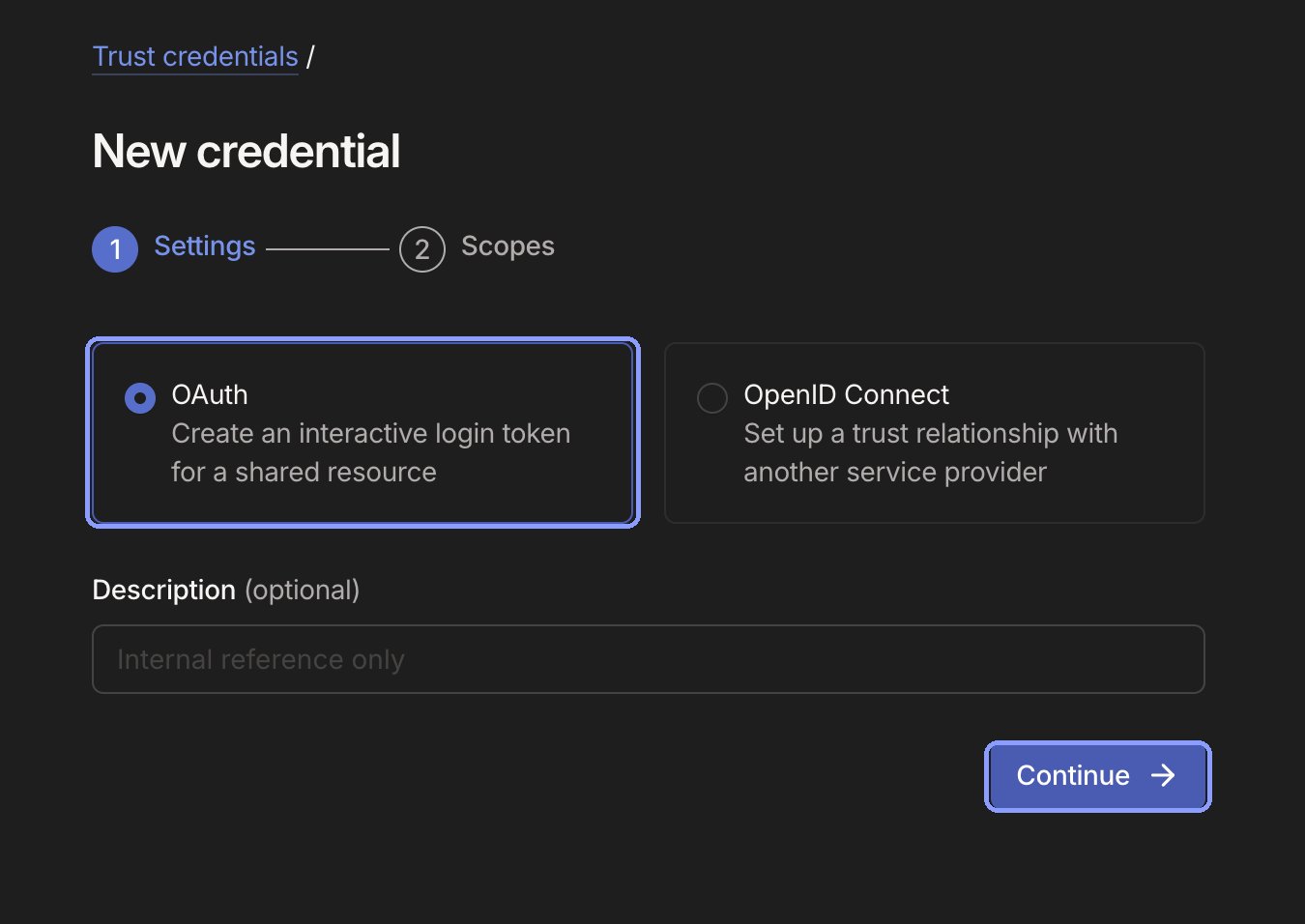
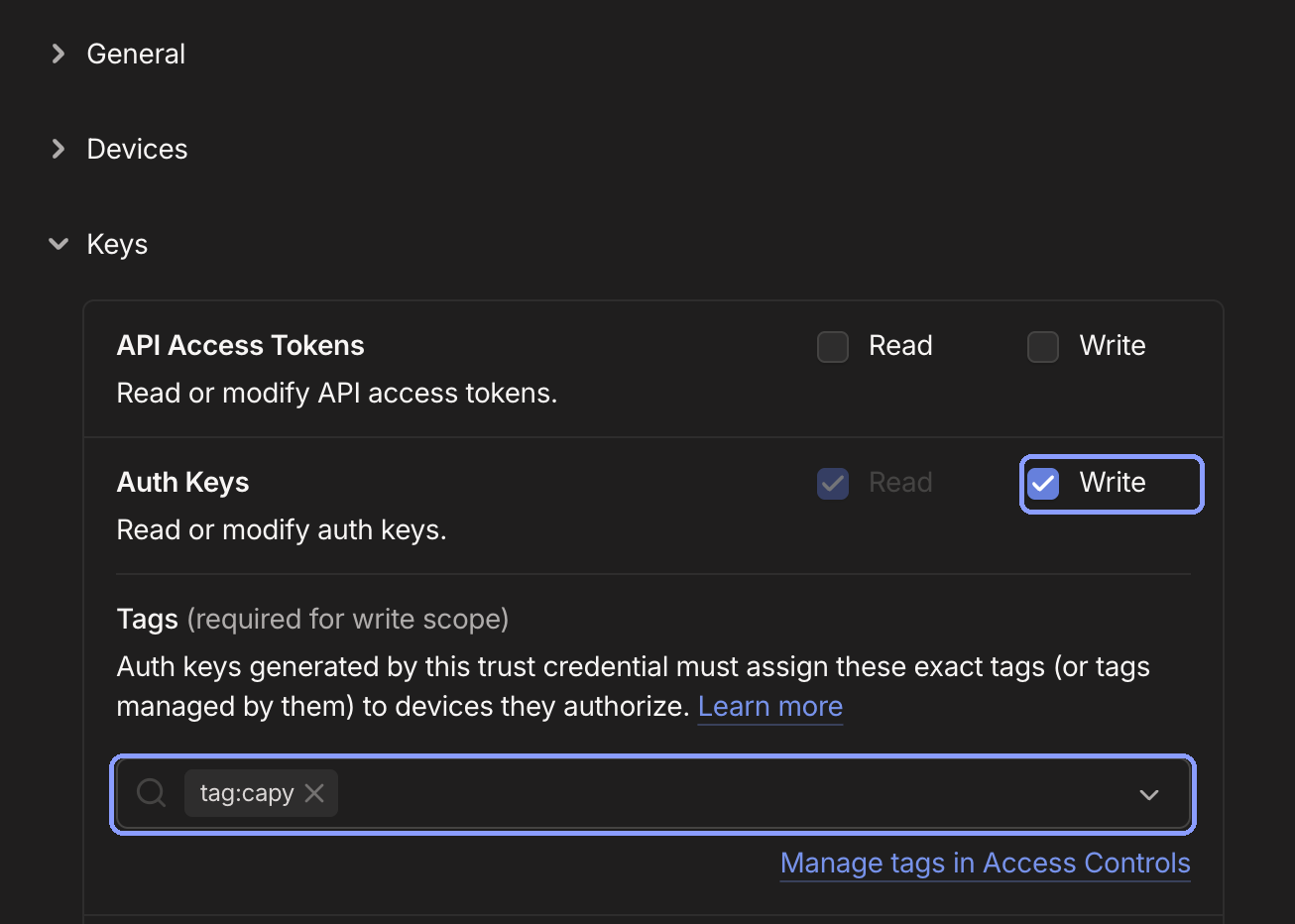
2. Create an OAuth client. On the Trust credentials page, create an OAuth credential with Write on Keys › Auth Keys, scoped to the tag from step one. Copy the client ID and secret.
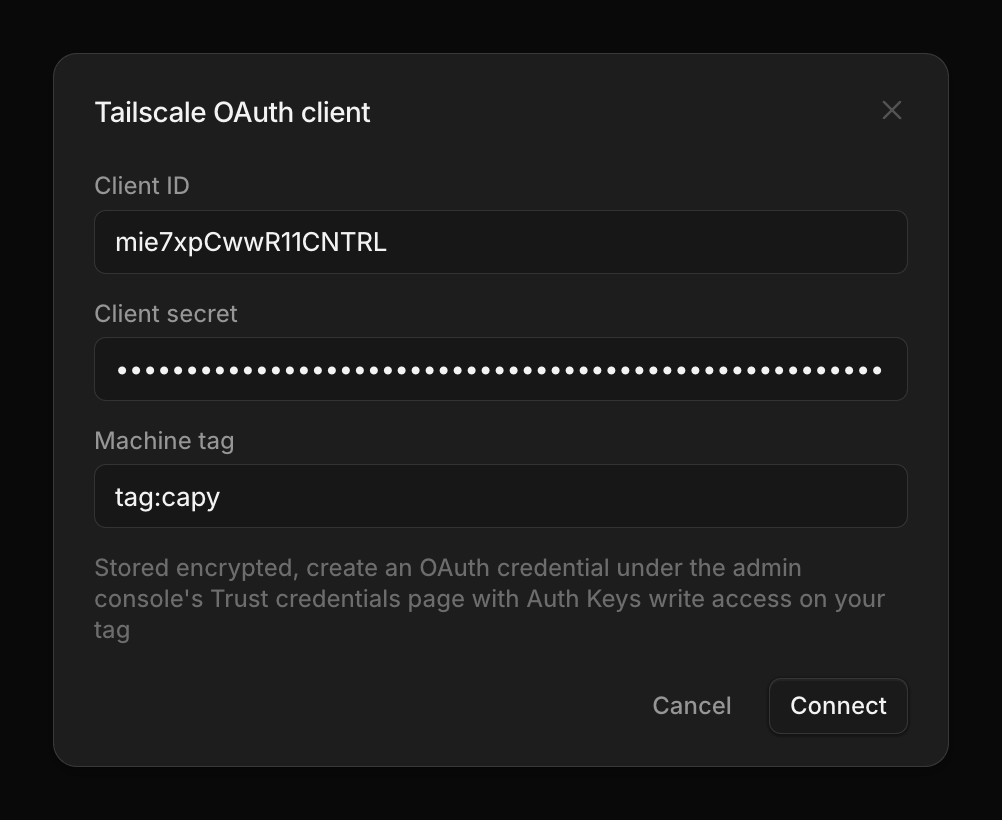
3. Connect Capy. In Settings › Integrations › Tailscale, click Connect and paste in the client ID, secret, and tag. Capy checks the credentials against your tailnet before saving anything. Then turn on each project whose machines should join. Nothing joins until you do.
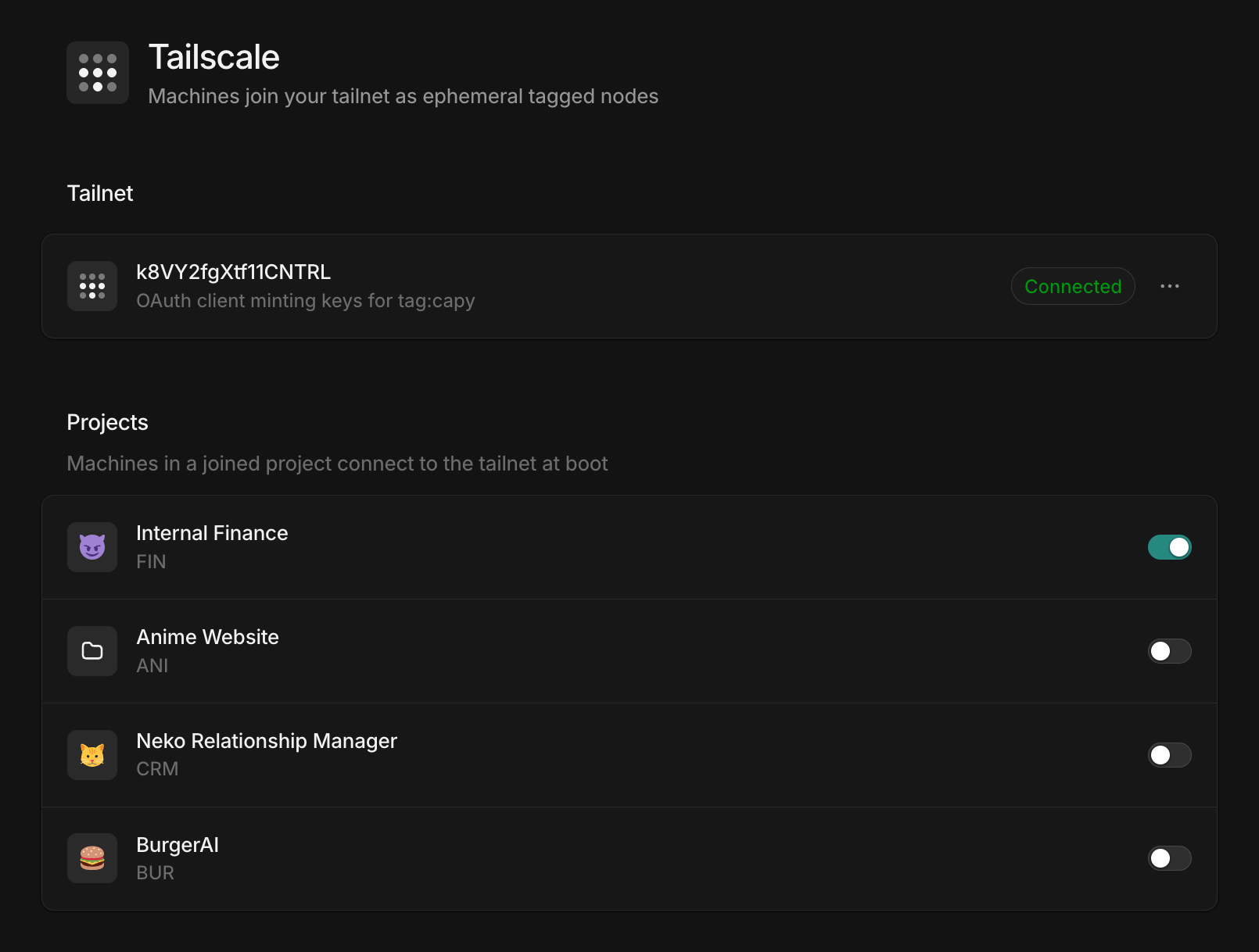
That's it. From then on, whenever a machine in one of those projects boots or wakes, Capy mints a single-use auth key and the machine joins your tailnet as capy-<machine-id> with your tag. When the machine pauses or is destroyed, Tailscale drops the node, and a resumed machine rejoins with a fresh key.
Granting access
Capy machines can reach exactly what your ACLs allow their tag, and nothing else. To let agents reach a database on your tailnet:
"acls": [
  { "action": "accept", "src": ["tag:capy"], "dst": ["staging-db:5432"] },
]
The destination can be a host alias, a tailnet IP or CIDR, or another tag. If you run a subnet router, the same rule shape opens up a whole VPC or on-prem subnet:
"acls": [
  { "action": "accept", "src": ["tag:capy"], "dst": ["10.20.0.0/16:*"] },
]
You probably don't want to hand agents the whole subnet though, so keep the rules to the services they need.
How we handle your credentials
Your OAuth client secret is stored encrypted and never leaves Capy. Machines never see it either: every time a machine boots or wakes, Capy uses the secret to mint a fresh single-use auth key just for that join. The key expires five minutes after it's minted, and once the machine is on the tailnet it doesn't need one, as Tailscale keeps the node connected with its own node key.
To stop joins, turn a project off or disconnect the integration in Settings; Capy deletes the credentials on disconnect. Machines already on the tailnet stay until they pause or stop, and you can remove them from the Tailscale admin console any time.
Full setup details, more ACL examples, and troubleshooting are in the docs. If you hit anything odd, let us know in Slack.
Ship your next feature with Capy