





Capy 0.4.4
Plugins and guided review
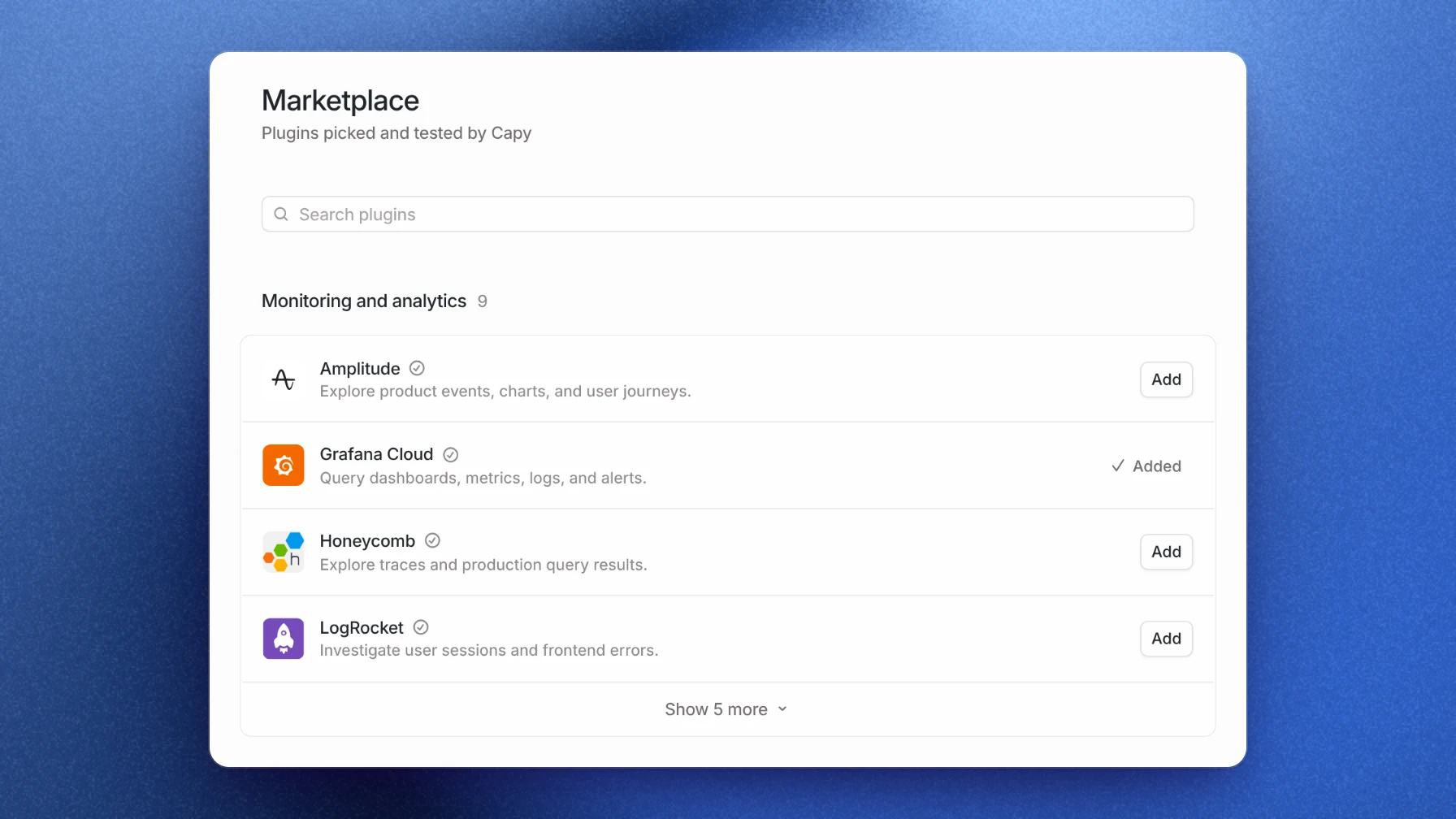
Capy now has plugins: add one from the marketplace, and its MCP servers and skills are ready in every thread. Every reviewed pull request gets a guide, you can run models Capy doesn't list yet on your own key, and the desktop app starts threads with no project.
This release also reduces per-step latency, and adds a commit author setting, tool call output inside codemode programs, an unread badge on the app icon, and a fix for creating a second organization.
Plugins
The MCP & plugins page now has a Marketplace of plugins that Capy picks and tests. Add one, and its MCP servers and skills are ready in every thread in your organization.
When a thread needs a service you haven't connected, Capy finds the plugin and proposes it in the thread for you to add.
Guided review
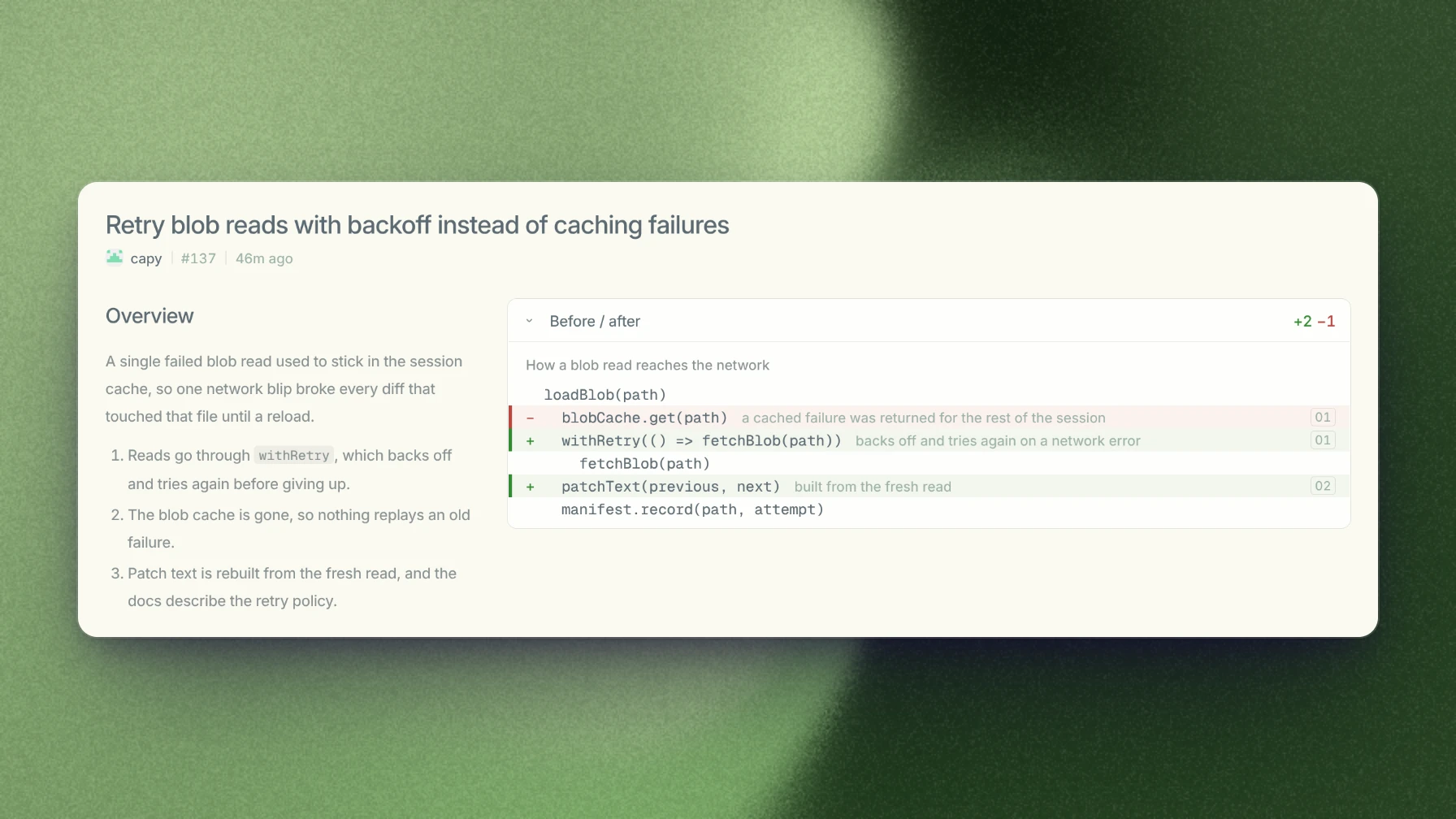
Every reviewed pull request now comes with a guide. It opens on an Overview: a sentence of context, the steps the pull request takes, and before and after views of what changed.
Custom models
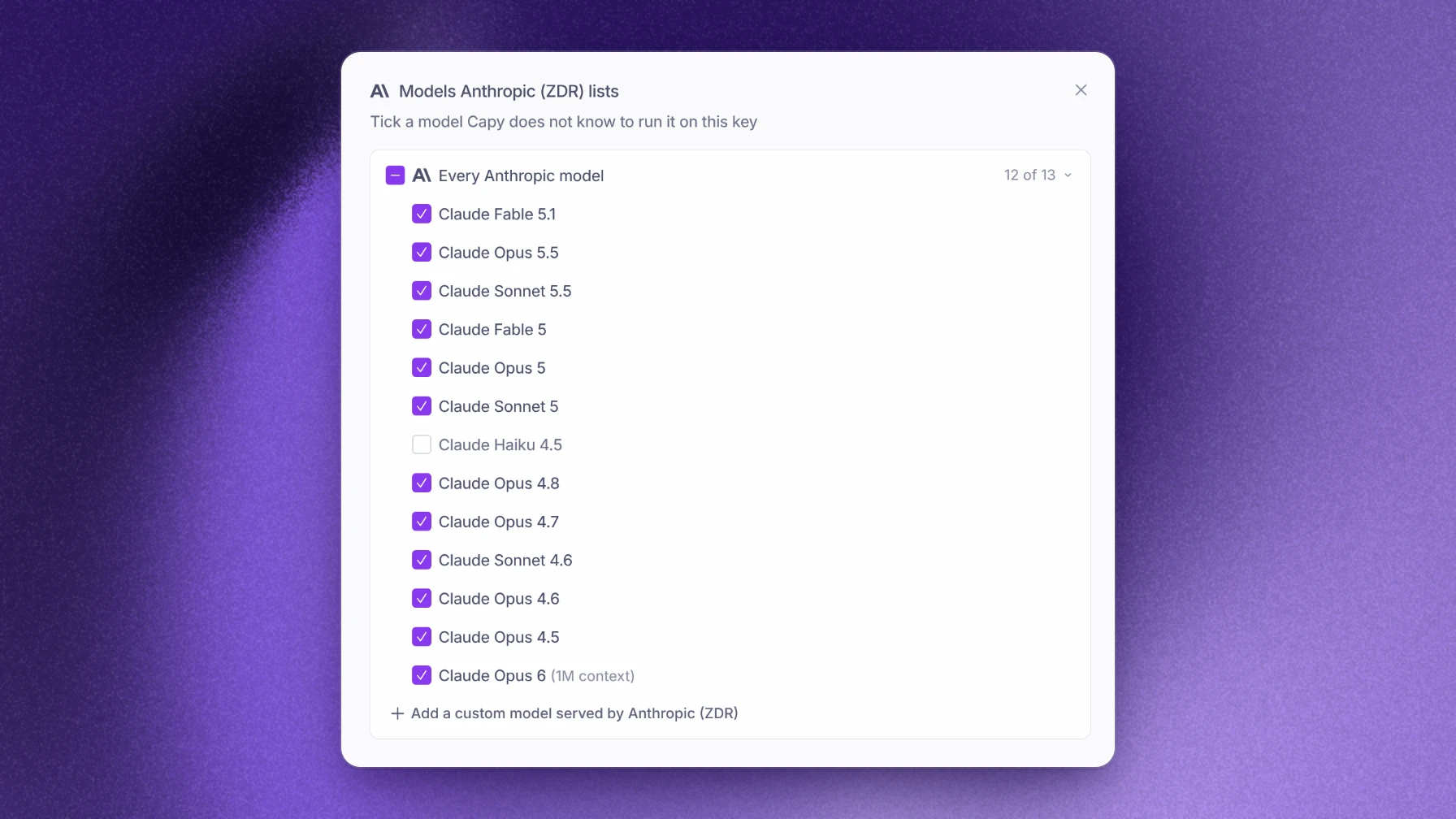
You can now run a model Capy's catalog doesn't list yet on your own Anthropic, OpenAI, Google, or xAI key. On the Models page, Find models lists every model the key can use; pick one, or add it by id.
Threads without a project
On the desktop app, pick No project in the project picker, and the thread runs on This Mac with no repository, for general work on your computer.
Also in this release
- Reduced per-step latency.
- The Commit author setting chooses who authors Capy's commits, and Capy is credited as co-author by default.
- Tool calls inside a codemode program show their input and output in the thread.
- The Dock and taskbar icon shows how many mentions you haven't read.
- Mark all as read clears unread on every thread, archived ones included.
- The Appearance page has a Code font size setting.
- Your color theme follows you across devices.
Creating a second organization now sets it up and finishes on a new thread.