




Changelog

Capy 0.4.2

Push notifications, free models on This Mac, and fixes

Capy can now send push notifications to your browser, even when Capy is closed. A free model now runs on This Mac for an organization with no plan, and a thread that moved to the cloud can move back to your Mac.

This release also adds Linear automation triggers, check name suggestions for the Check completed trigger, and a menu for the thread's tabs. It fixes moving threads to the cloud, Captains and their crew threads, the Files and Diffs tabs, attachment images, the Paper tab's clipboard, table rows in the Markdown editor, and keep awake.

Push notifications

Turn on push in Settings → Notifications, under Devices, with Enable on this device. Capy then notifies that browser when a thread mentions you or fails, even with Capy closed. The first time you send a message, Capy offers to turn it on.

On an iPhone, add Capy to your Home Screen first. Capy shows the steps when you try to turn on push in Safari.

Free models on This Mac

A model that costs nothing in Capy credits, such as MiMo-V2.6 Pro, now runs on This Mac for an organization with no plan and no credits. Sending a message with it no longer opens the paywall. Cloud machines and paid models still need a plan.

Return to your Mac

A thread that moved from your Mac to the cloud can now move back. Choose Return to your device in the machine menu of a cloud thread while the device is connected. If the folder the thread started in hasn't changed, the work lands there. Otherwise it lands in a new worktree.

When a thread's Mac goes offline, the thread now keeps working and is told the device is offline, instead of ending its turn and moving to the cloud on its own.

Automation triggers

Linear triggers now run automations. Issue created, Status changed, and Cycle ended start an automation, filtered by team and label, including a label group such as Access or one of its labels such as Access › Anywhere.

The Check completed trigger now suggests the check names from your repositories' recent pull requests, as they appear on the pull request's Checks tab.

Thread tab menu

Right-click a tab in a thread to close it, close the others, close the tabs to its right, or close all of them. Reopen closed tab brings back a tab you closed, and a middle click closes a tab.

Moving threads to the cloud

Moving a thread from your Mac to the cloud now works on a Mac signed in to more than one organization. Before, the move could fail with an upload error, and automatic checkpoints from that Mac could be lost.

When one thread moves to the cloud, the other threads on the same Mac keep working. Before, their file edits were refused until the move finished.

Captains and crew threads

When a crew thread answers you directly, its Captain now hears what happened. Before, the Captain missed those answers, including merges you approved in the crew thread.

A thread added to a Captain's crew while it is running now gets the Captain Drive on its next step, instead of on its next run. Files a thread writes into a drive folder before the drive mounts are now kept and shared, instead of never reaching the other machines.

Other fixes

A thread's needs-you badge now clears once you reply, and a thread at rest that's waiting on its pull request's checks says so. A thread you switch away from stops loading its Diffs tab, so scrolling another thread no longer freezes.

While a cloud thread works, its Files and Diffs tabs now update with every change on the machine instead of waiting for the turn to end. A diff card on a sleeping machine now shows Machine is asleep with a button to wake it, instead of loading for over a minute.

On This Mac, files a thread reads open from your Mac, including files outside the thread's folder. The Files and Diffs tabs show an unavailable state instead of staying blank when a read stalls, and the Diffs tab offers Retry. You can rename This Mac on its device page, and the new name shows wherever the device appears. A cloud thread's diffs use less memory, because they're released 30 seconds after you stop viewing them.

The @-mention list stays inside the window when the composer sits in the middle of the page. The pull view's buttons fold into icons and then into the ··· menu as the row narrows. Every row in the waiting-on list shows its stop-watching button.

Attachment images load right after you send them and after your computer wakes from sleep. The Paper tab can copy and paste through its menus, including Copy as PNG and Copy as SVG. Backspace and Delete remove selected table rows in the Markdown editor. Keep awake on a cloud machine now lasts its full time after a turn ends. The sidebar scrolls more smoothly through long thread lists. On Windows and Linux with the tray off, closing the last window while it asks to quit now quits Capy. The Apple silicon app no longer contains an Intel-only file. The desktop app retries a file it briefly can't read instead of breaking the page, and if Capy's files were replaced while it ran, it offers Relaunch Capy.
Capy 0.4.1

Fixes and shortcuts

This release is mostly fixes. Switching organizations on an open thread now keeps the organization you picked, tables and list rows work on phones, and the pull request tab in the thread pane is simpler.

This release also adds pull request status to sidebar rows, and keyboard shortcuts for the thread menu and for commenting on a message.

Organization switch stays put

Switching organizations while a thread is open now keeps the organization you picked. Before, the app switched back to the thread's organization.

Pull request status in the sidebar

Once a thread is at rest, its sidebar row says where its pull request stands. PR failing means its checks failed or it has a conflict, Checks means its checks are still running, and PR ready means it's ready to merge.

Thread menu shortcuts

With a thread's menu open, press u to mark it unread, a to archive it, or d to delete it. Press ⇧⌘M to open the comment box on a selected message.

Phone layout fixes

On a phone, tables scroll sideways with their first column pinned, and list rows open their detail page instead of a hidden panel.

Pull request tab

The pull request tab in the thread pane no longer shows a second title bar. When the GitHub App covers a repository that isn't in a project, the tab names the missing project instead of pointing at the App.

Capy 0.4.0

Model connections and pull request reviews

Model connections and pull request reviews

Capy can now run threads on your own subscriptions and API keys, and you can review pull requests without leaving it. The Models page puts your connections in the order threads use them, with new coding plans and gateways. The pull view has a Review button, per-file Reviewed checkboxes, and merges stacked pull requests.

This release also adds filters to the command menu, editing a sent message, starting a thread in an existing worktree, the Activity page, and Claude Opus 5.5 as the default model.

Model connections

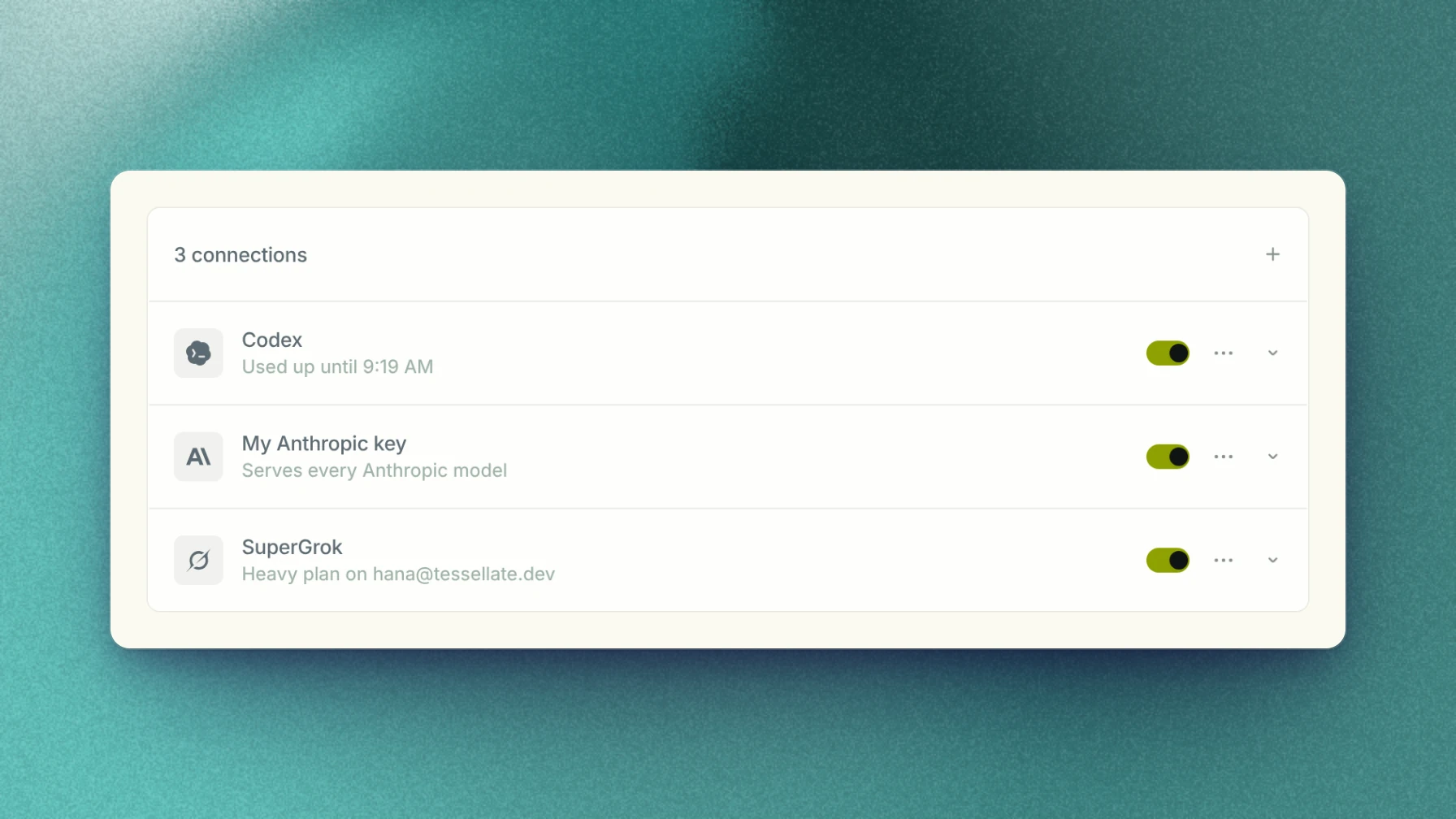
The Models page now lists your subscriptions and API keys, and your organization's, in the order Capy uses them. Drag to reorder, and add a subscription, key, coding plan, or gateway from the Add menu.

A thread runs on the first connection that serves its model. When one is used up or turned off, it moves to the next, and asks before it falls back to Capy credits.

New connections

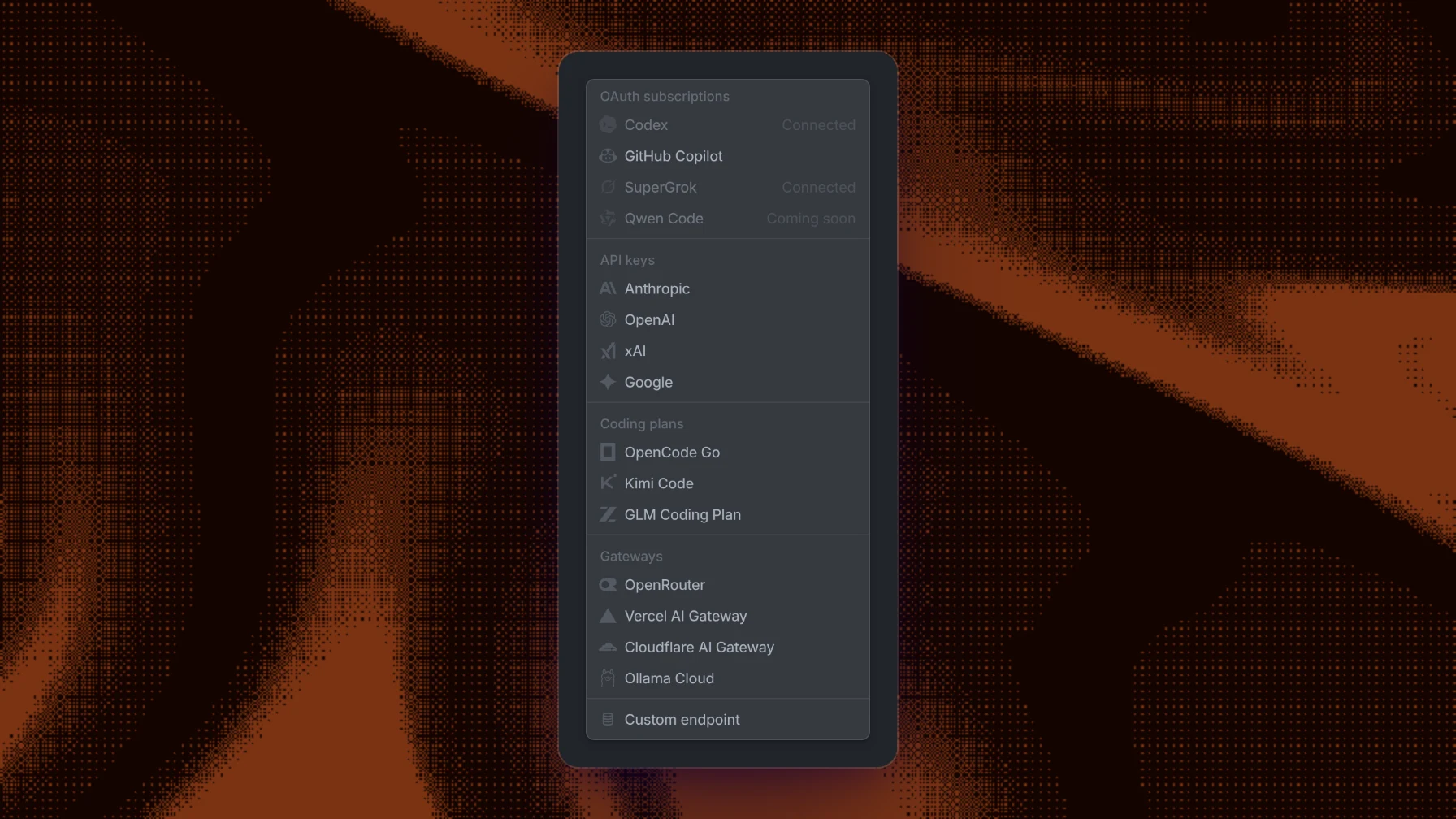
The Add connection menu with API keys, coding plans, and gateways

The Add menu has new connections. Coding plans add OpenCode Go, Kimi Code, and the GLM Coding Plan. Gateways add Vercel AI Gateway, Cloudflare AI Gateway, and Ollama Cloud, beside OpenRouter. An Anthropic, OpenAI, xAI, or Google key now covers every model from that provider, including models added later.

Review pull requests in Capy

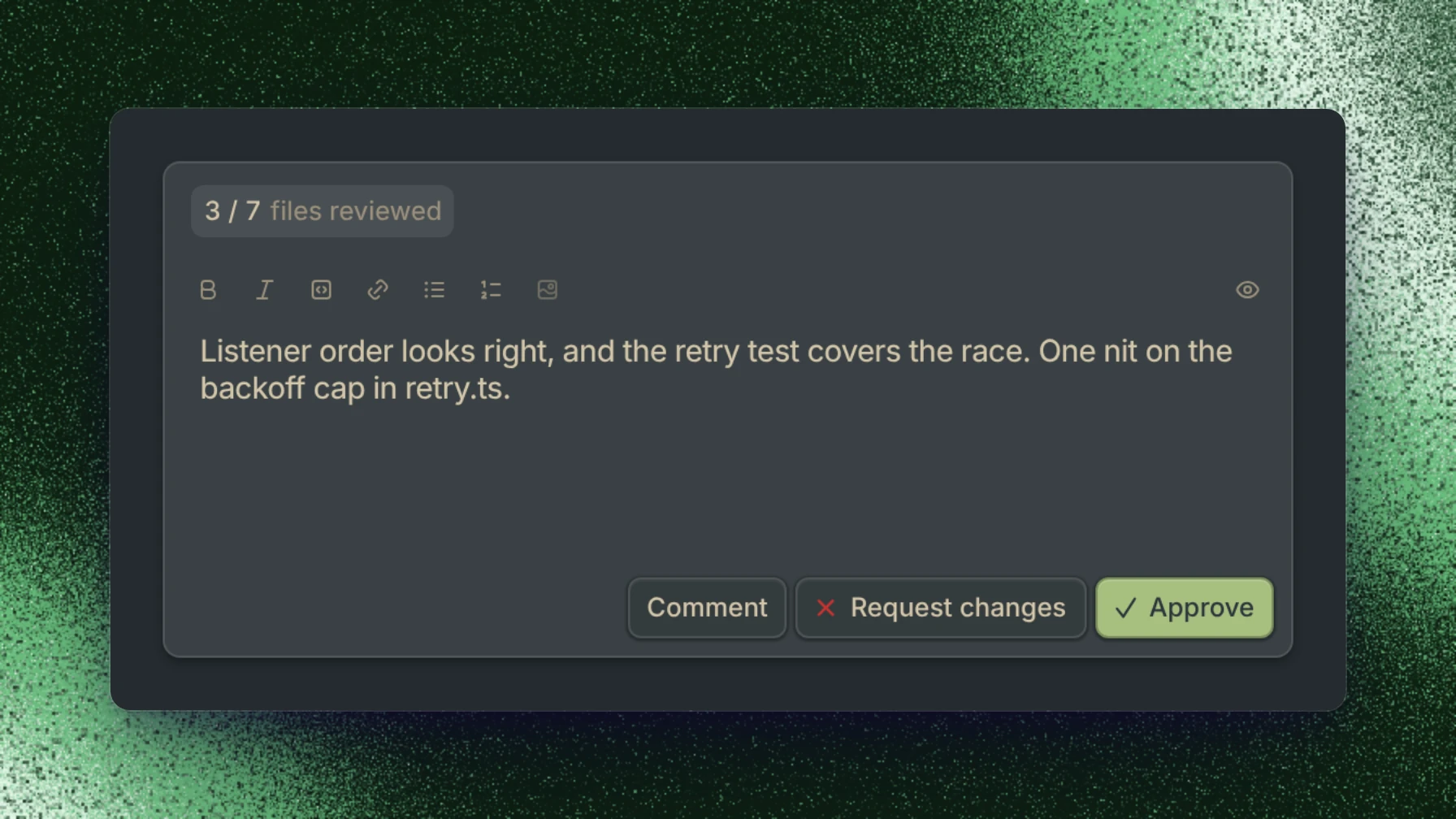
The Review popover with Comment, Request changes, and Approve

The pull view has a Review button. Write a summary, then comment, request changes, or approve, and the review posts to GitHub as you.

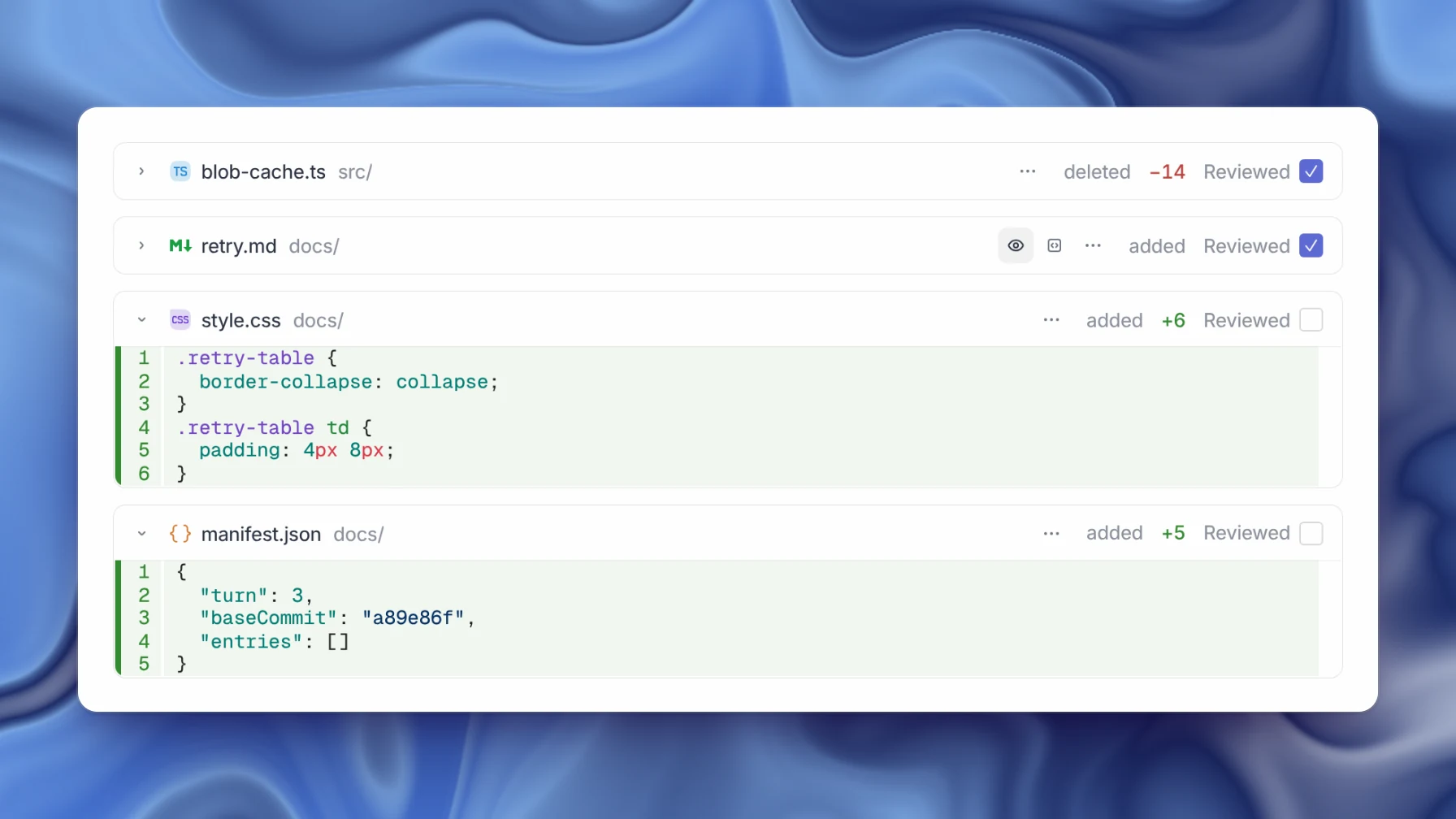
Diff files marked Reviewed

Each file has a Reviewed checkbox. Checking it collapses the file, and the review counts how many you've reviewed.

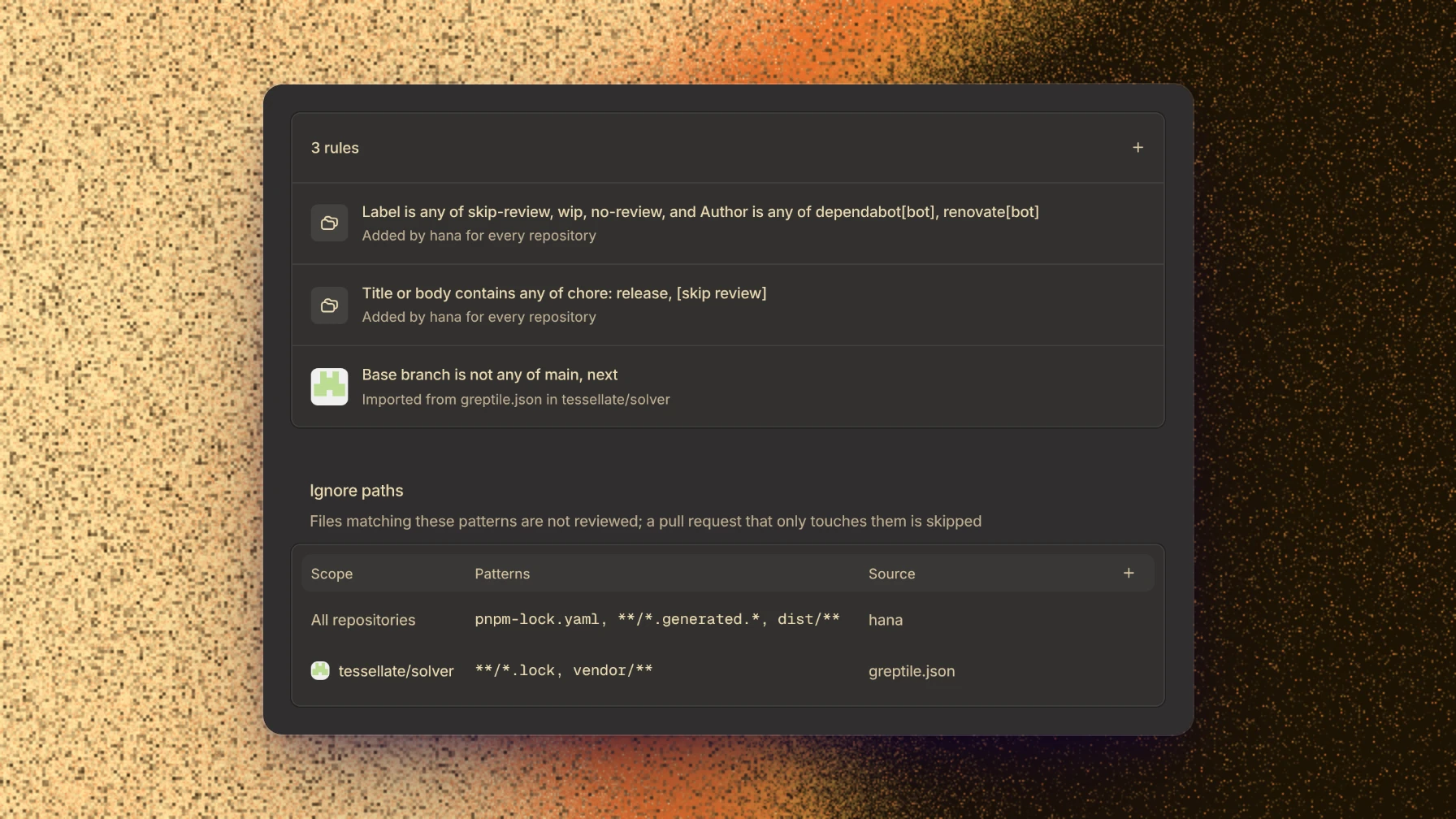
The Review filters page decides which pull requests automatic reviews cover. Add rules that skip pull requests by label, author, title, or base branch, and paths that reviews ignore.

Review filters with rules and ignored paths

Merge stacked pull requests

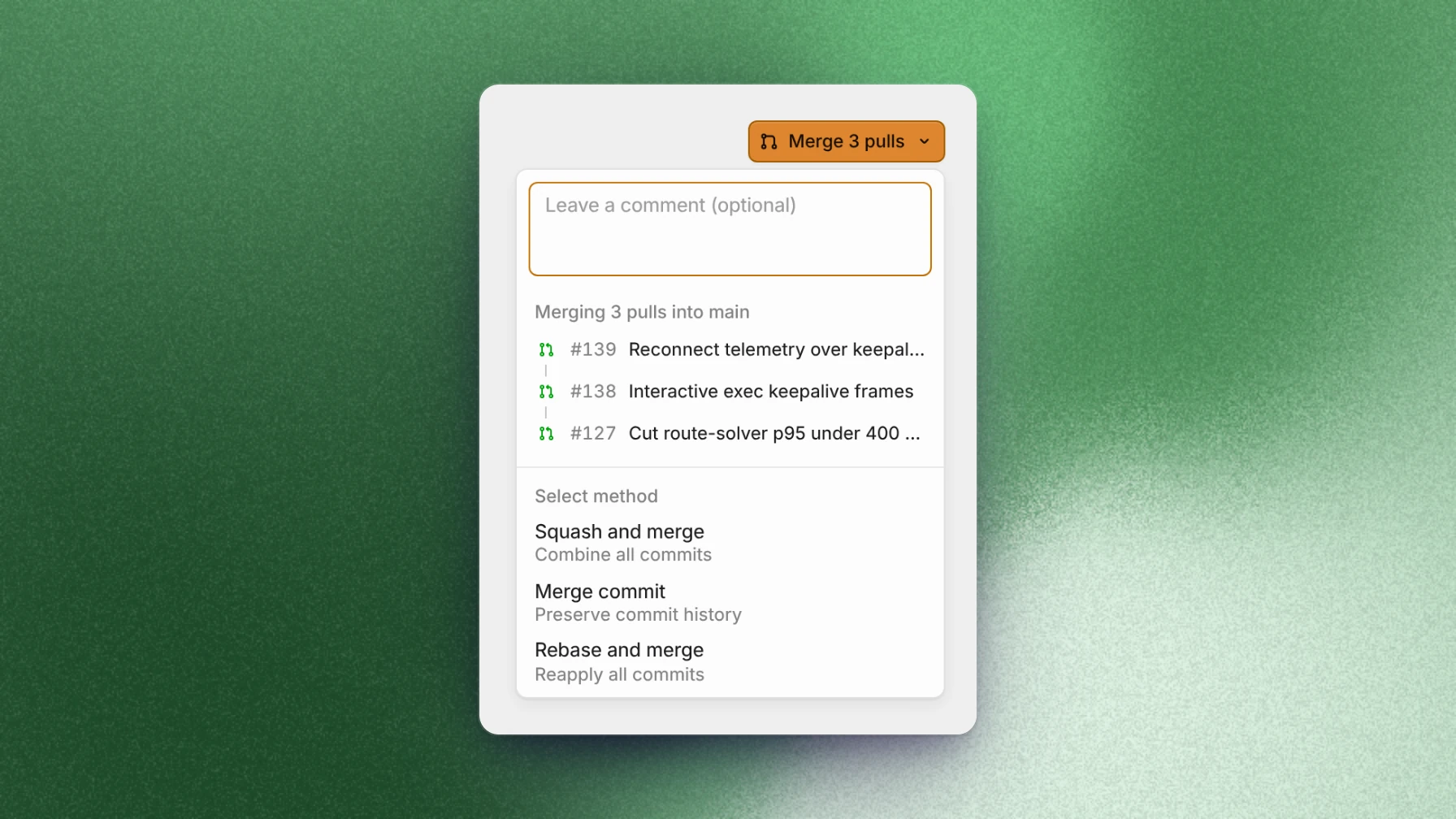
Merging a stack of three pull requests into main

Stacked pull requests now merge from Capy, and the merge button shows how many pull requests it will land.

Command menu filters

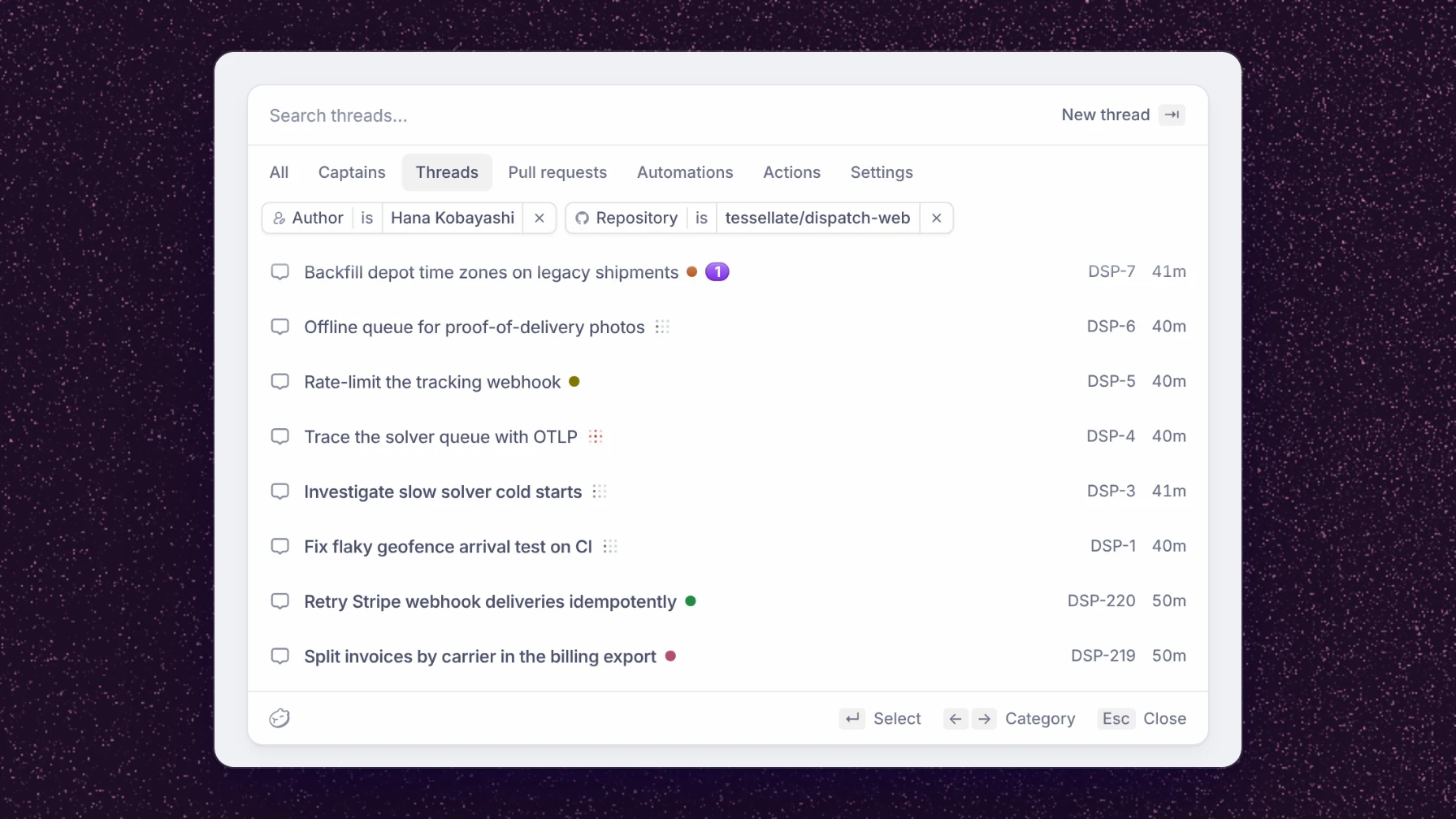
The command menu with the Threads pill and author and repository filters

The command menu now has category pills for threads, pull requests, automations, actions, and settings. Type author:, repo:, status:, label:, or since: to add a filter. The same filters work on the Threads and Pulls pages.

Edit a sent message

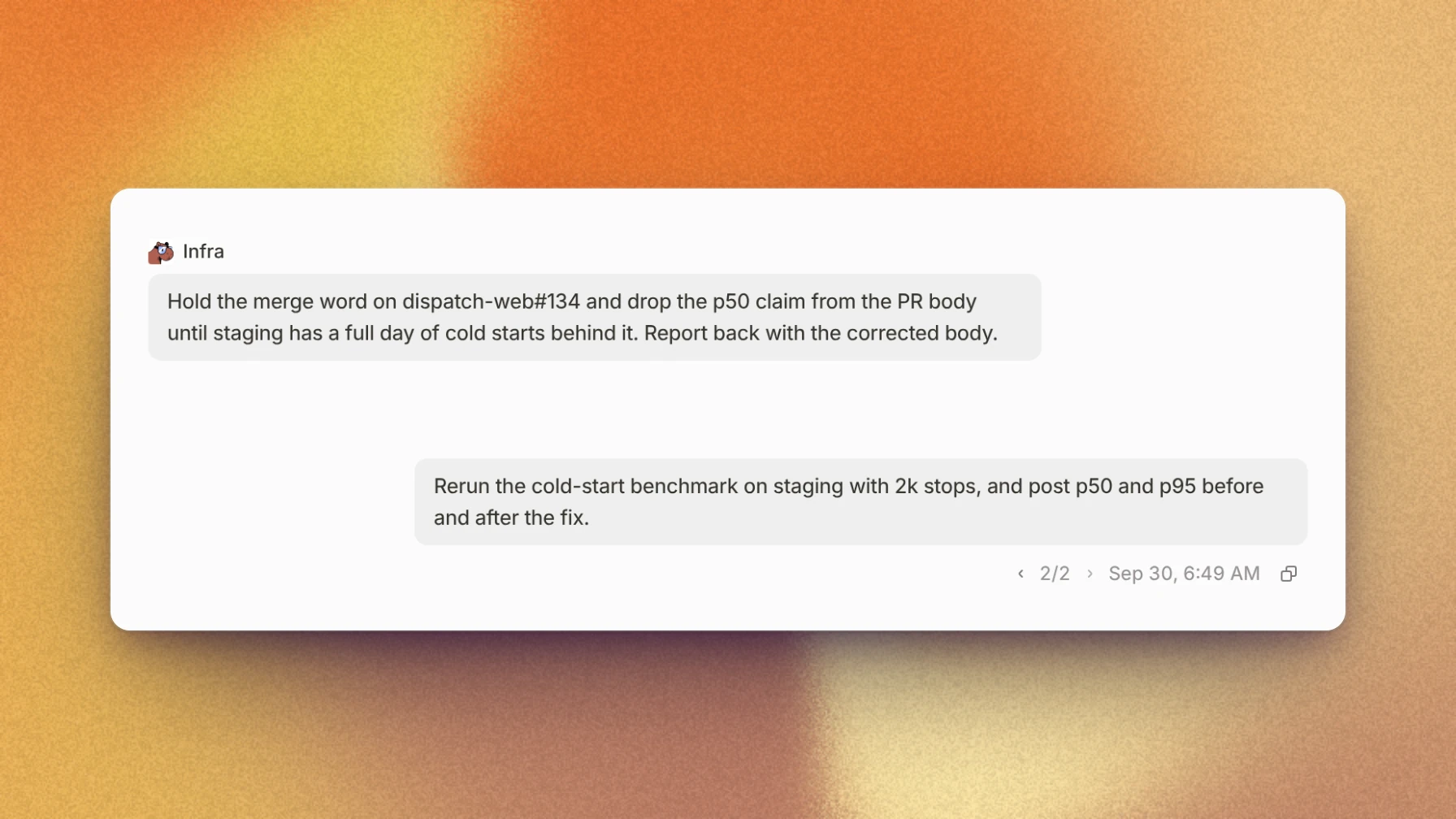
An edited message with its version switcher

Messages you've sent can now be edited. The thread picks up from the new version, and a switcher under the message moves between versions.

Existing worktrees

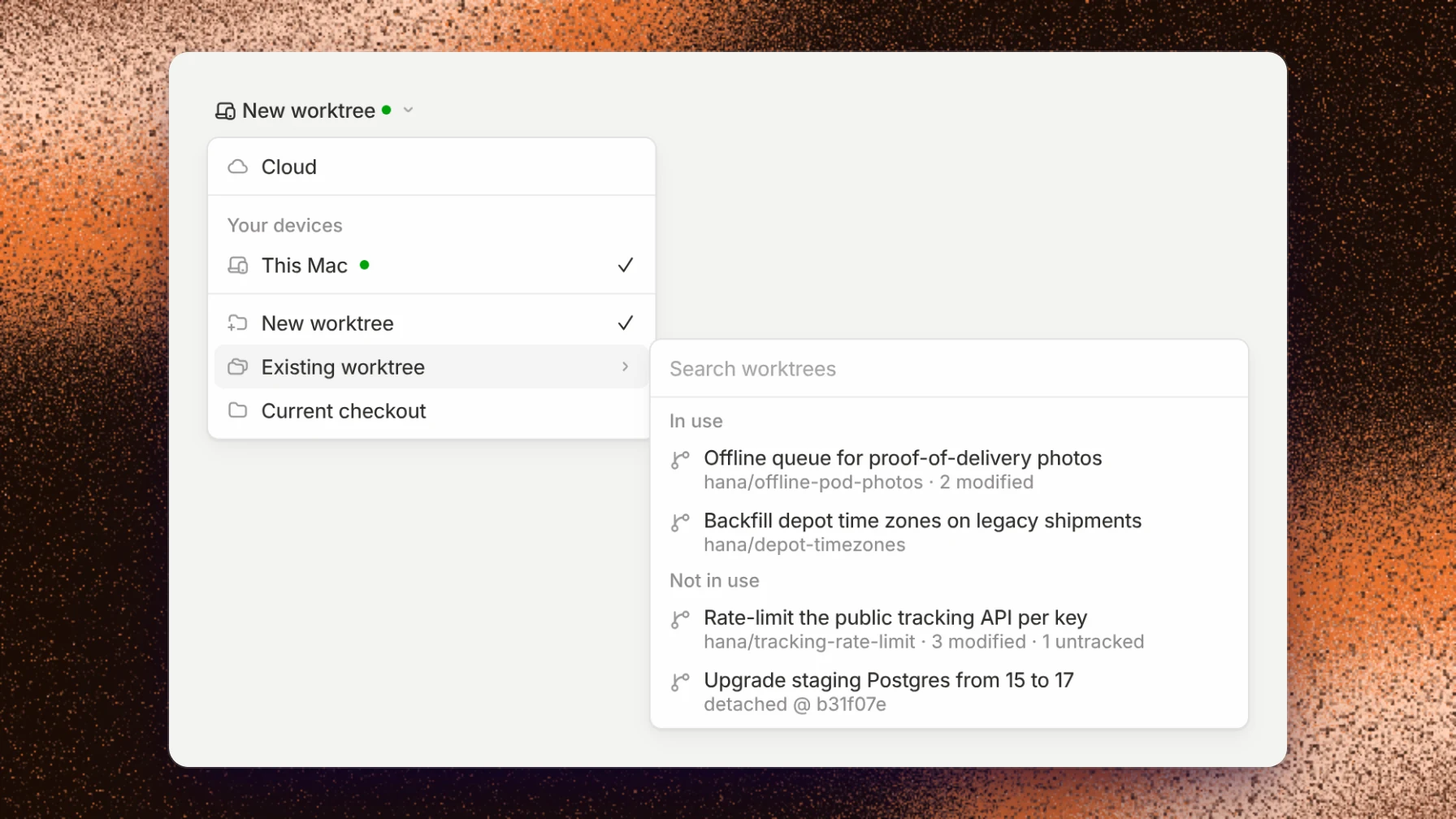
Run on with Existing worktree open on This Mac

Run on now lists the worktrees a device already has, under Existing worktree, so a thread can start in one of them.

Activity

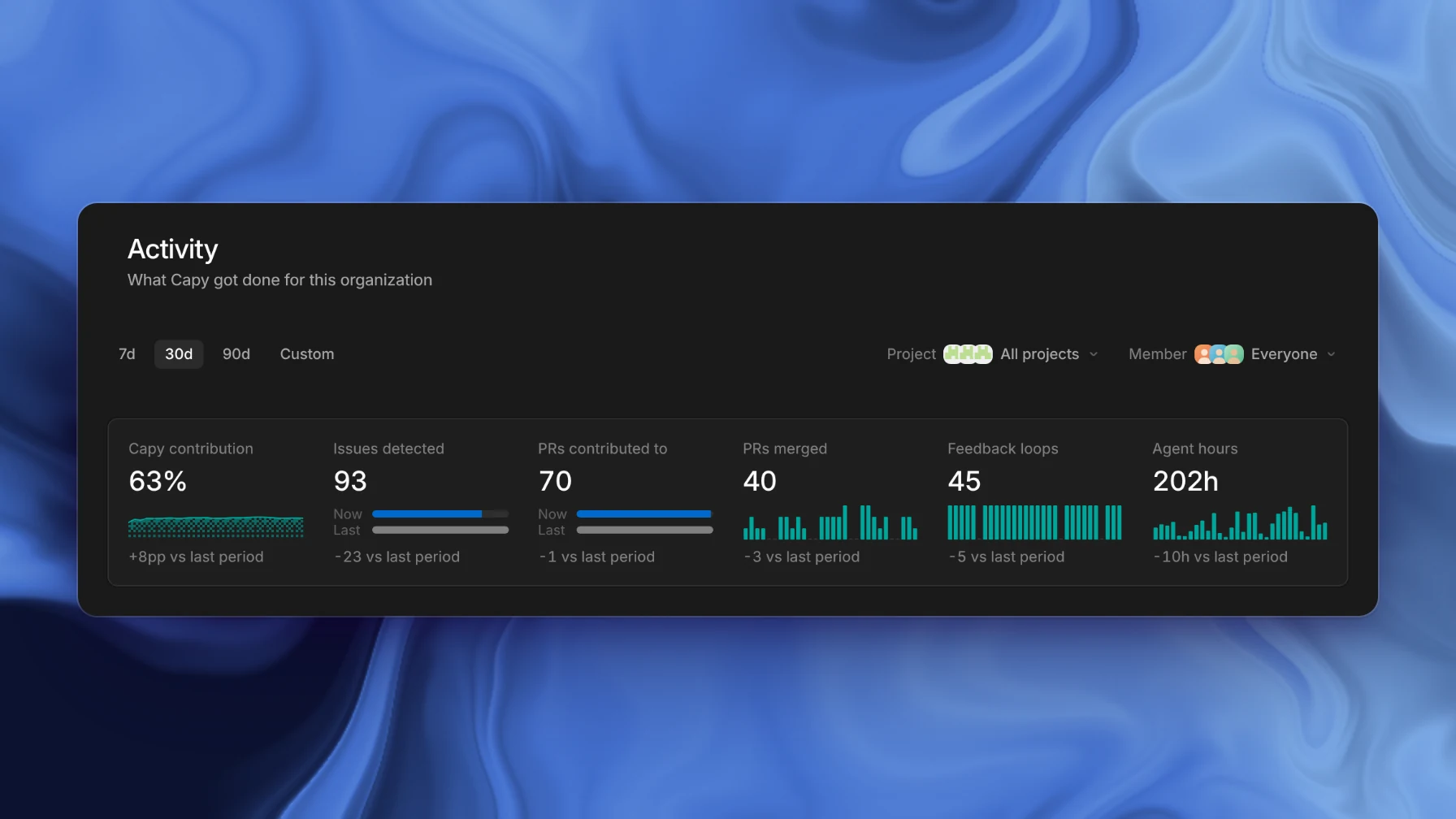
The Activity page with Capy's contribution, issues found, and pull requests merged

The Activity page shows what Capy did for your organization: its share of merged pull requests, the issues its reviews found, the pull requests it contributed to, and agent hours. Filter it by project and member.

New models

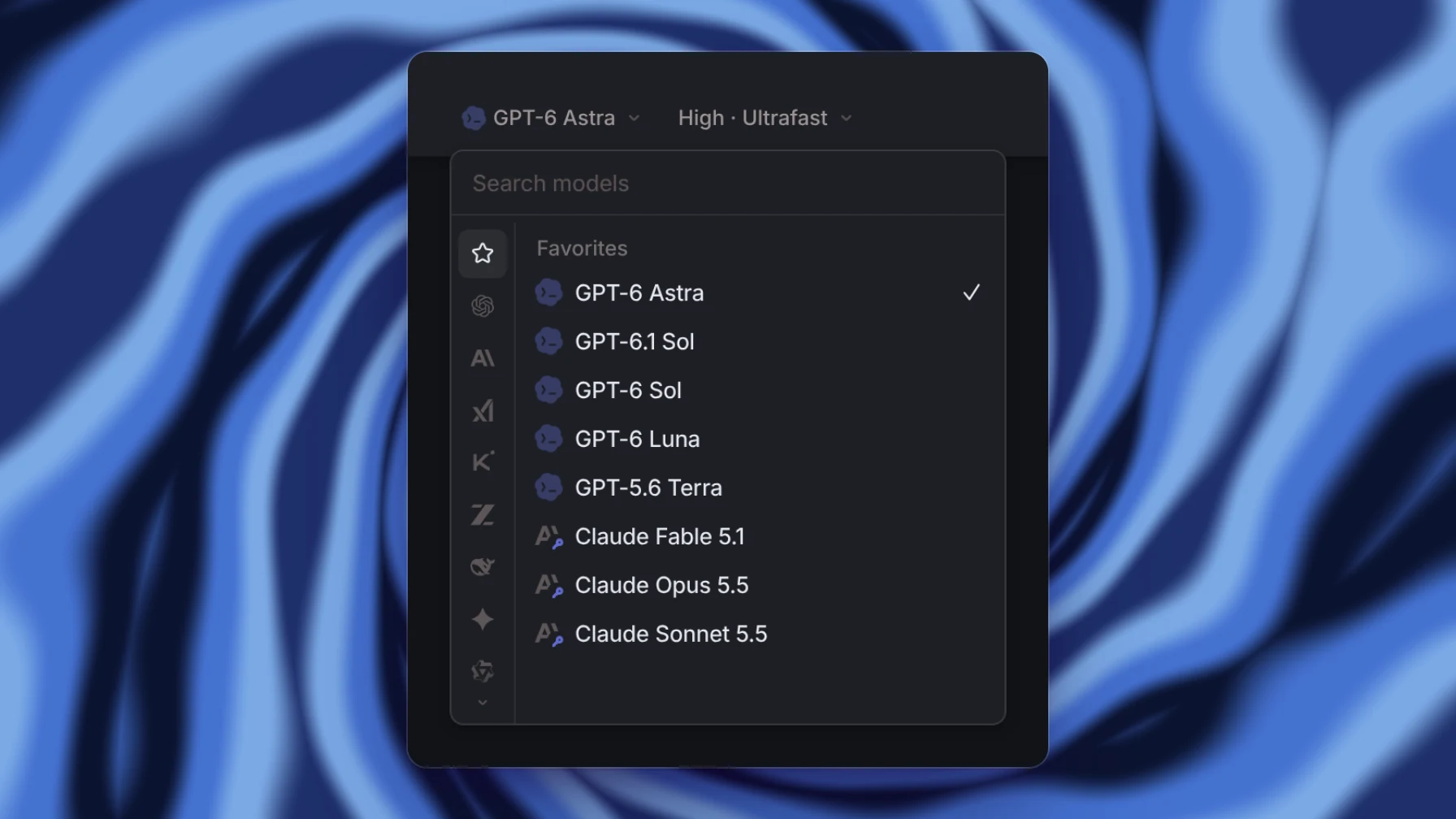
The model picker with GPT-6 Astra on Ultrafast, GPT-6.1 Sol, and Claude Opus 5.5 and Sonnet 5.5

Claude Opus 5.5 is now the default model. Claude Sonnet 5.5 and GPT-6.1 Sol are also available, and GPT-6 Astra has an Ultrafast mode.

Capy 0.3.0

MCP servers

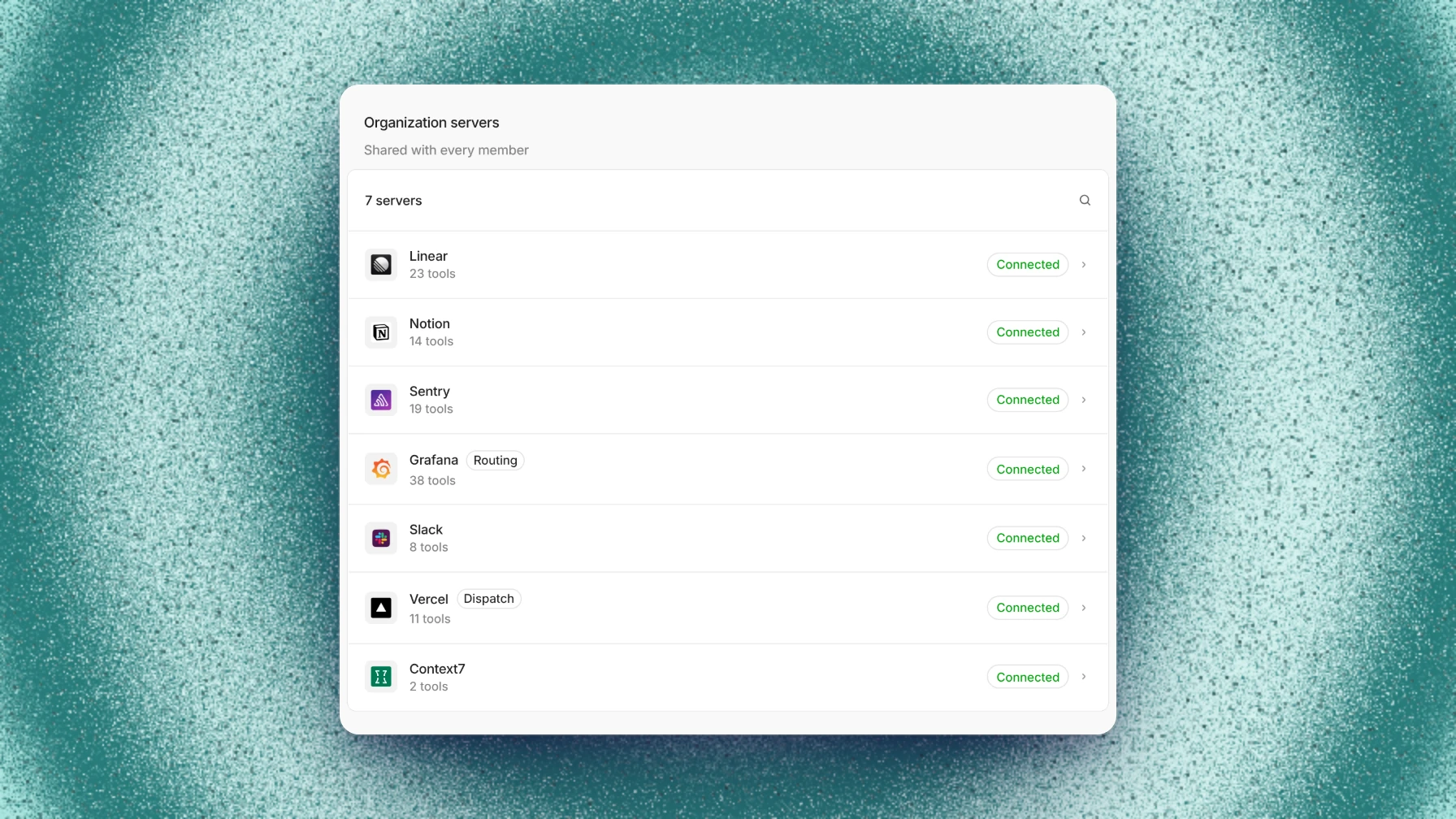
MCP servers

MCP servers now have their own settings page, with a page per server for its tools and connection. File transfers run in the background, and your Mac can stay awake while a thread works.

This release also adds one Share dialog for members and ownership, threads that wait up to seven days for an event, automations in existing threads, setup entries as terminal sessions, new models, the Review context page, and Experiments for Memory and Captain.

MCP servers

MCP servers now have their own MCP page in settings. Add a server by URL or command, and Capy checks the connection and lists its tools before saving.

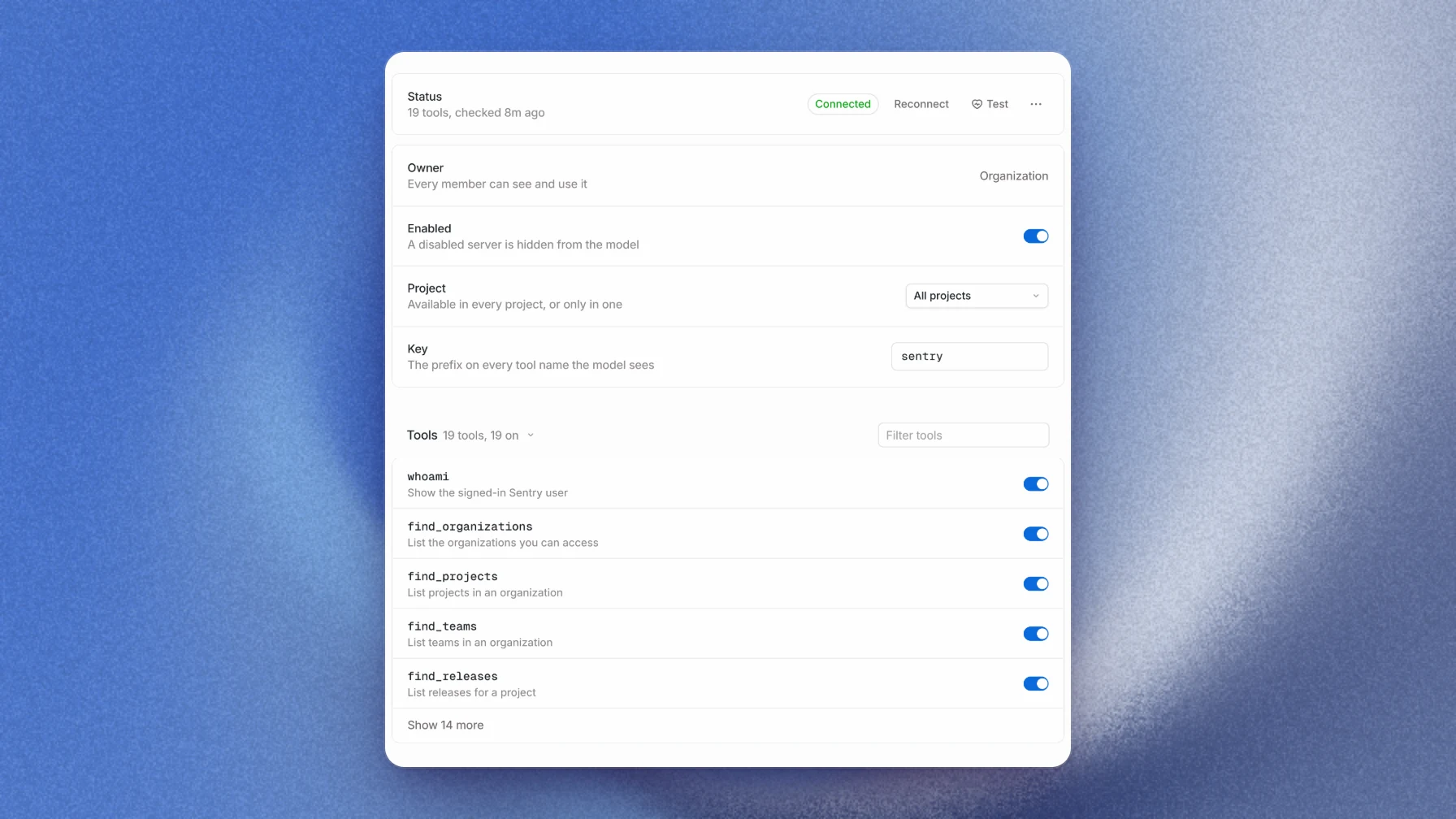
An MCP server page with its status, settings, and tools

Each server has a page where you turn individual tools on or off and test the connection.

Background file transfers

File transfers now run in the background, so a thread keeps working while files copy. They work between any two machines, including cloud machines in different tasks.

Keep awake on Mac

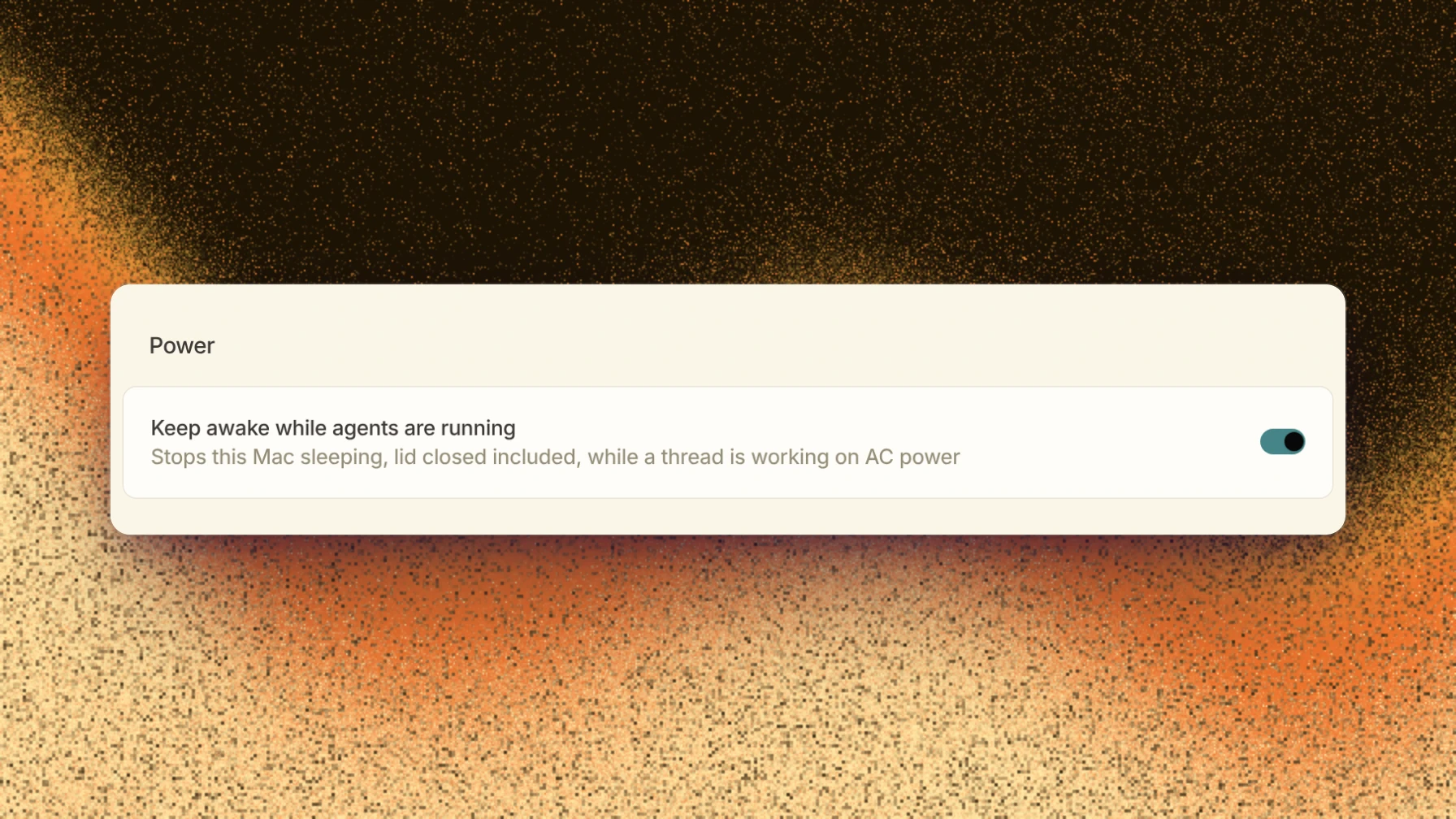
Keep awake while agents are running on the This Mac device page

Turn on Keep awake while agents are running on the This Mac device page, and your Mac stays awake while a thread is working, even with the lid closed. It's off by default, only works on power, and turns off ten minutes after the last activity.

Sharing and taking over threads

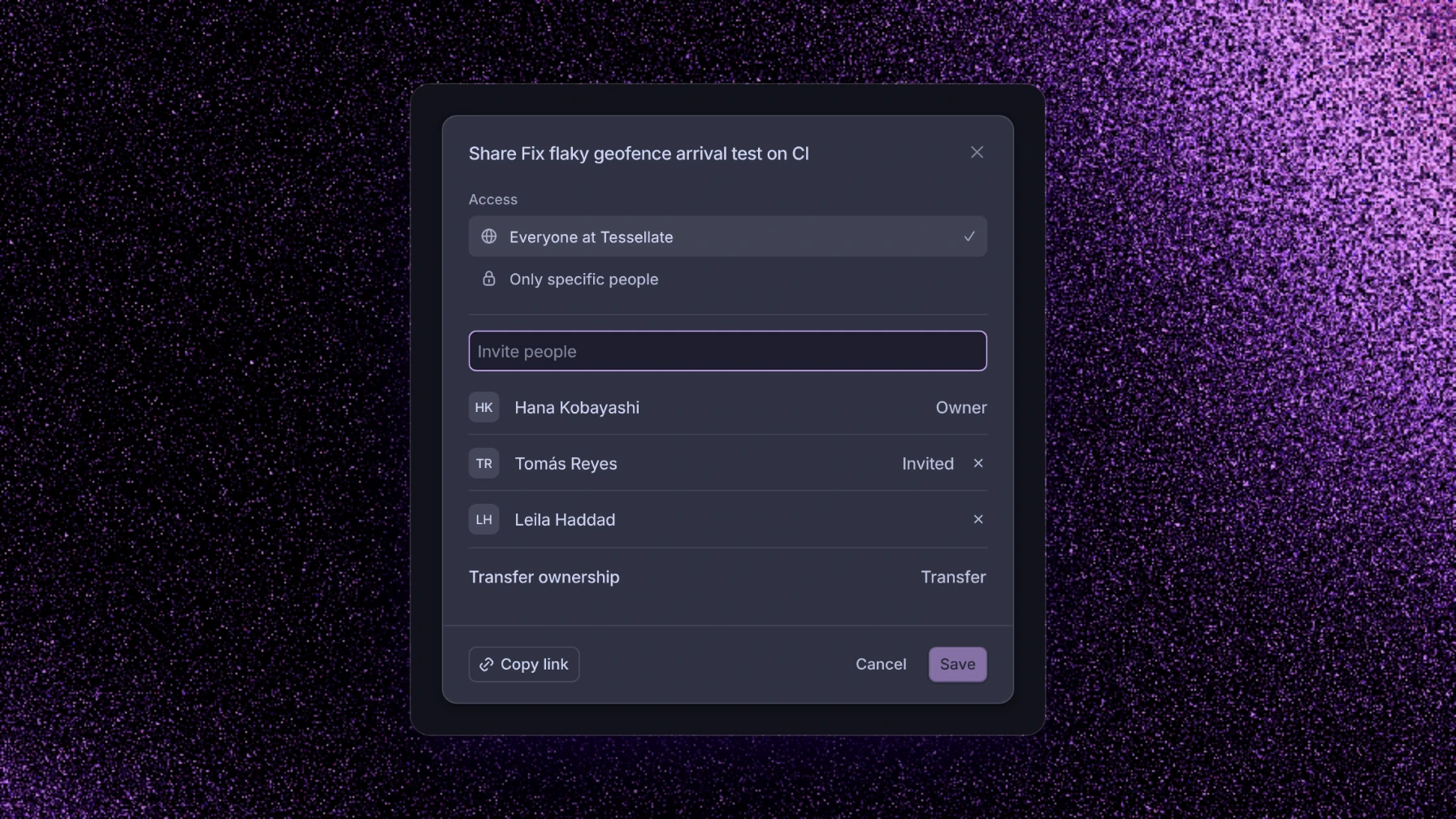
The Share dialog with members, an invite, and Transfer ownership

One Share dialog now handles members, invites, and transferring ownership. You can also take over a thread from its menu or the API.

Threads that wait for events

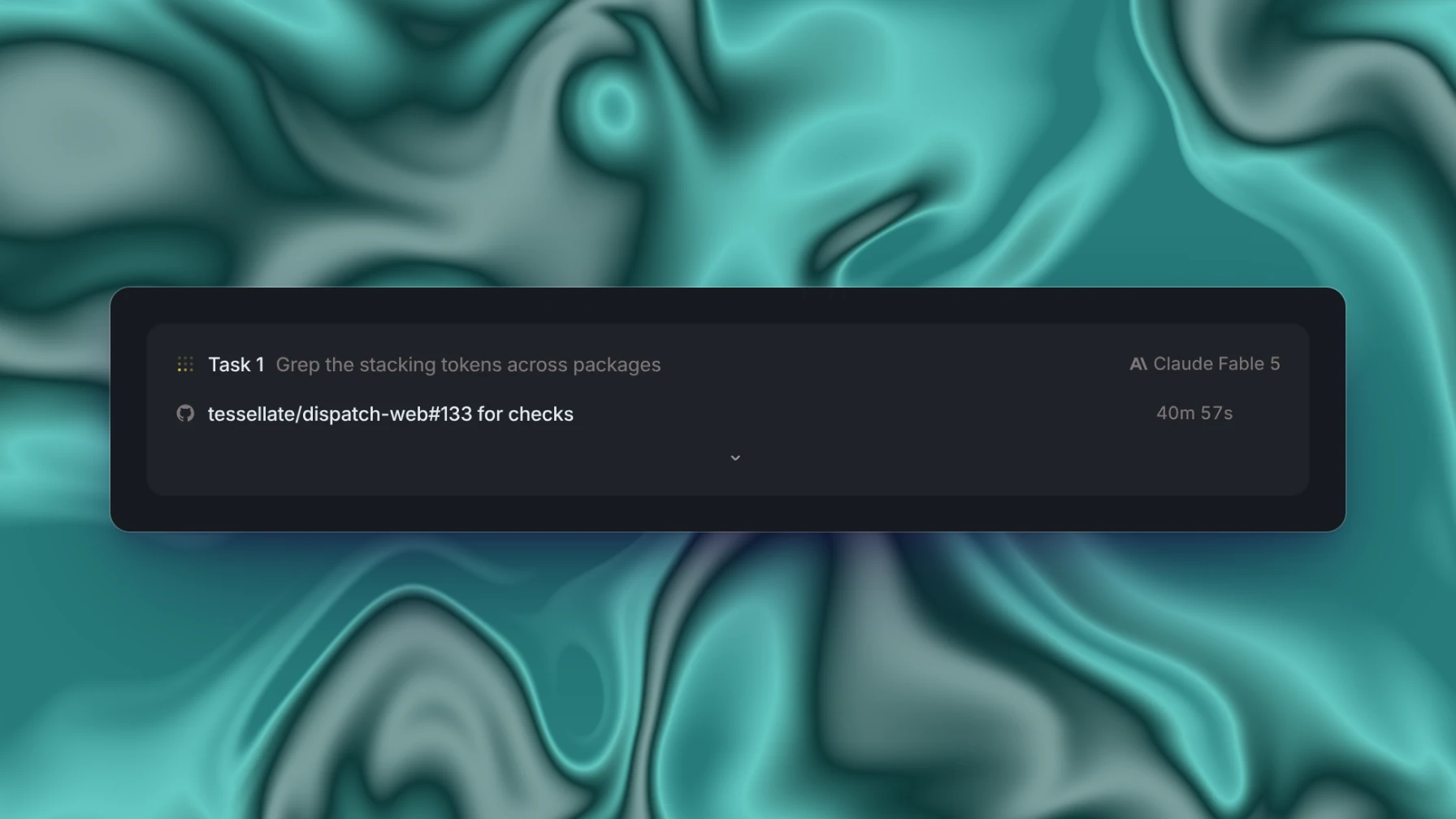
A thread waiting on a GitHub check run, in the activity panel

A thread can now wait up to seven days, and subscribe to GitHub runs, Slack channels, webhooks, or any pull request. It wakes when a matching event arrives.

Automations in existing threads

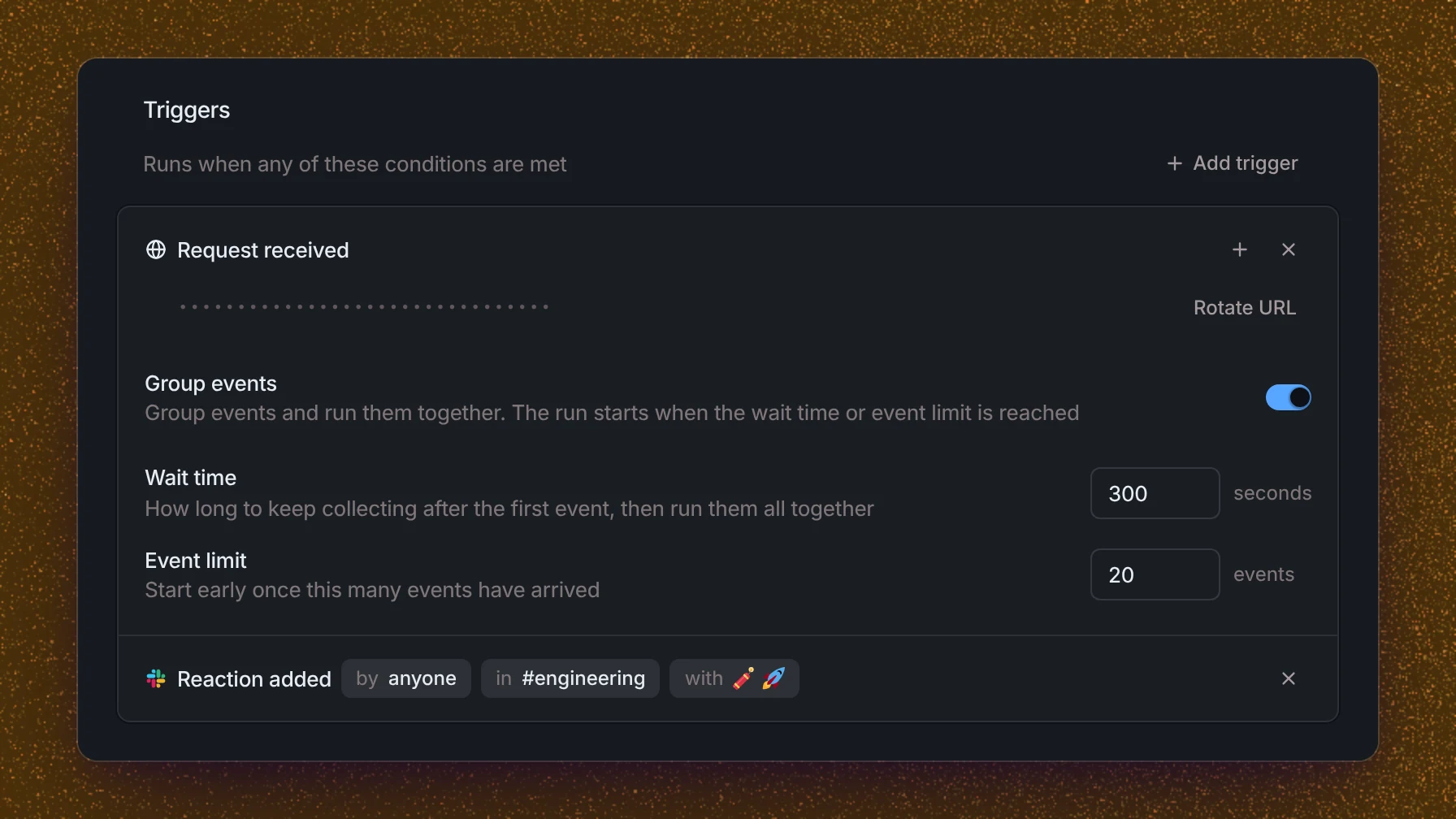
An automation triggered by a Slack reaction, with grouped webhook events

Automations can now run inside an existing thread instead of starting a new one. They can also start from a Slack reaction, and group a burst of webhook events into a single run.

Setup entries

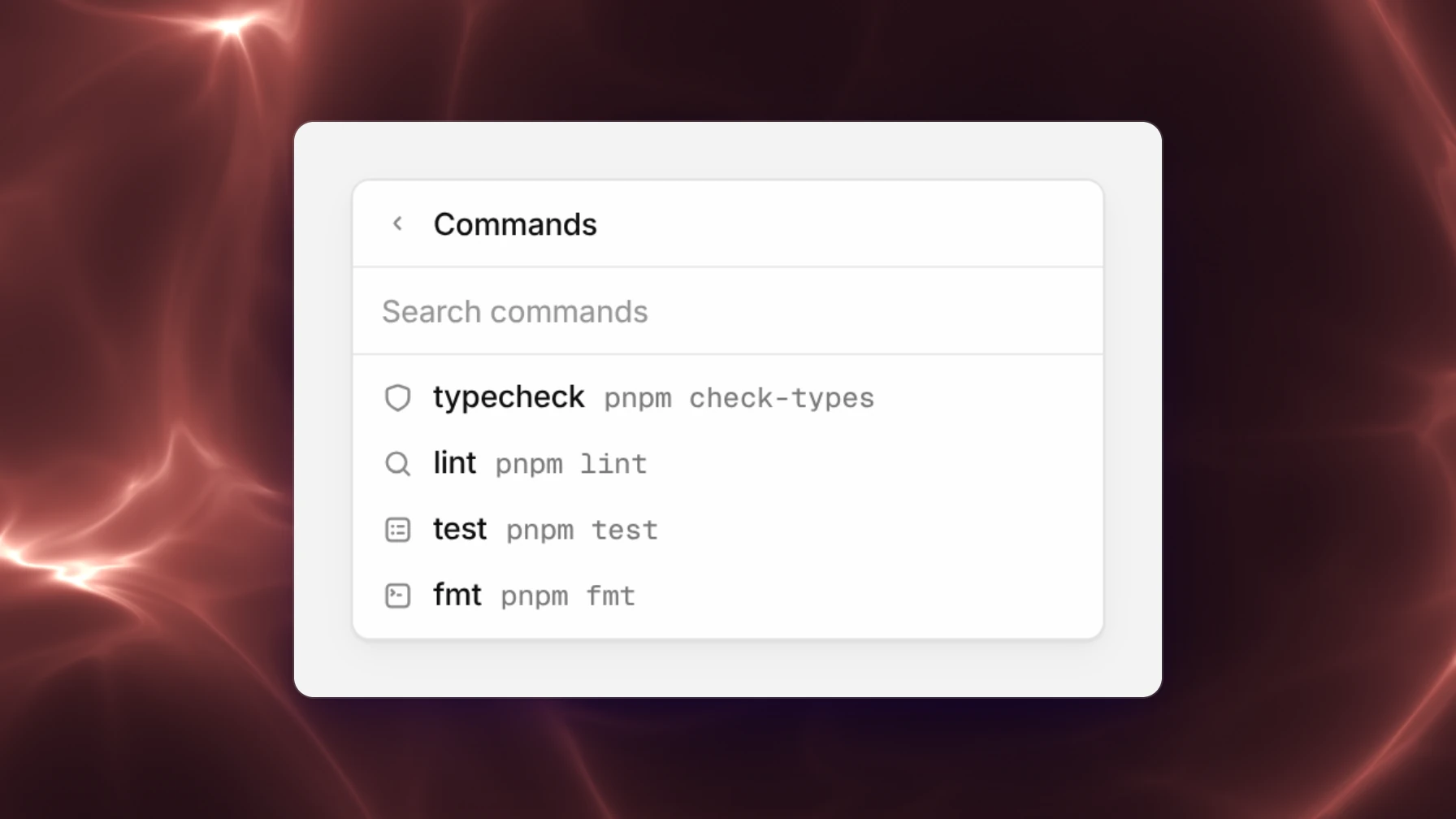
The Commands menu listing the setup entries typecheck, lint, test, and fmt

Setup entries now run as named terminal sessions, each with a readiness port and a preview. Launch them from the + menu, or keep them in the repository as .capy/setup.json.

New models

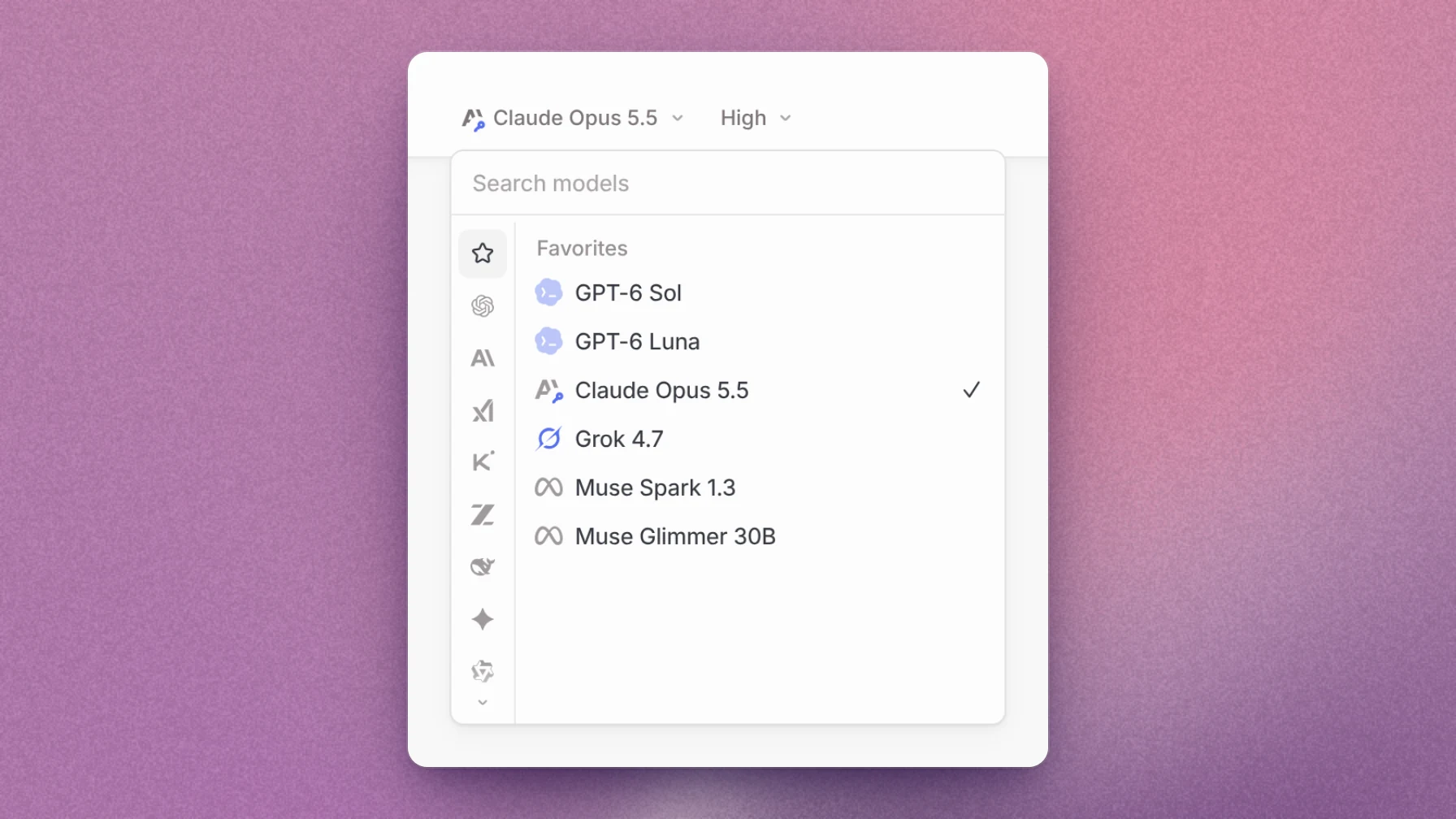
The model picker with Claude Opus 5.5, GPT-6 Sol and Luna, Grok 4.7, and Muse Spark and Glimmer

Claude Opus 5.5, GPT-6 Sol, GPT-6 Luna, Grok 4.7 with a SuperGrok subscription, and Meta's Muse Spark and Muse Glimmer are now available.

Review context

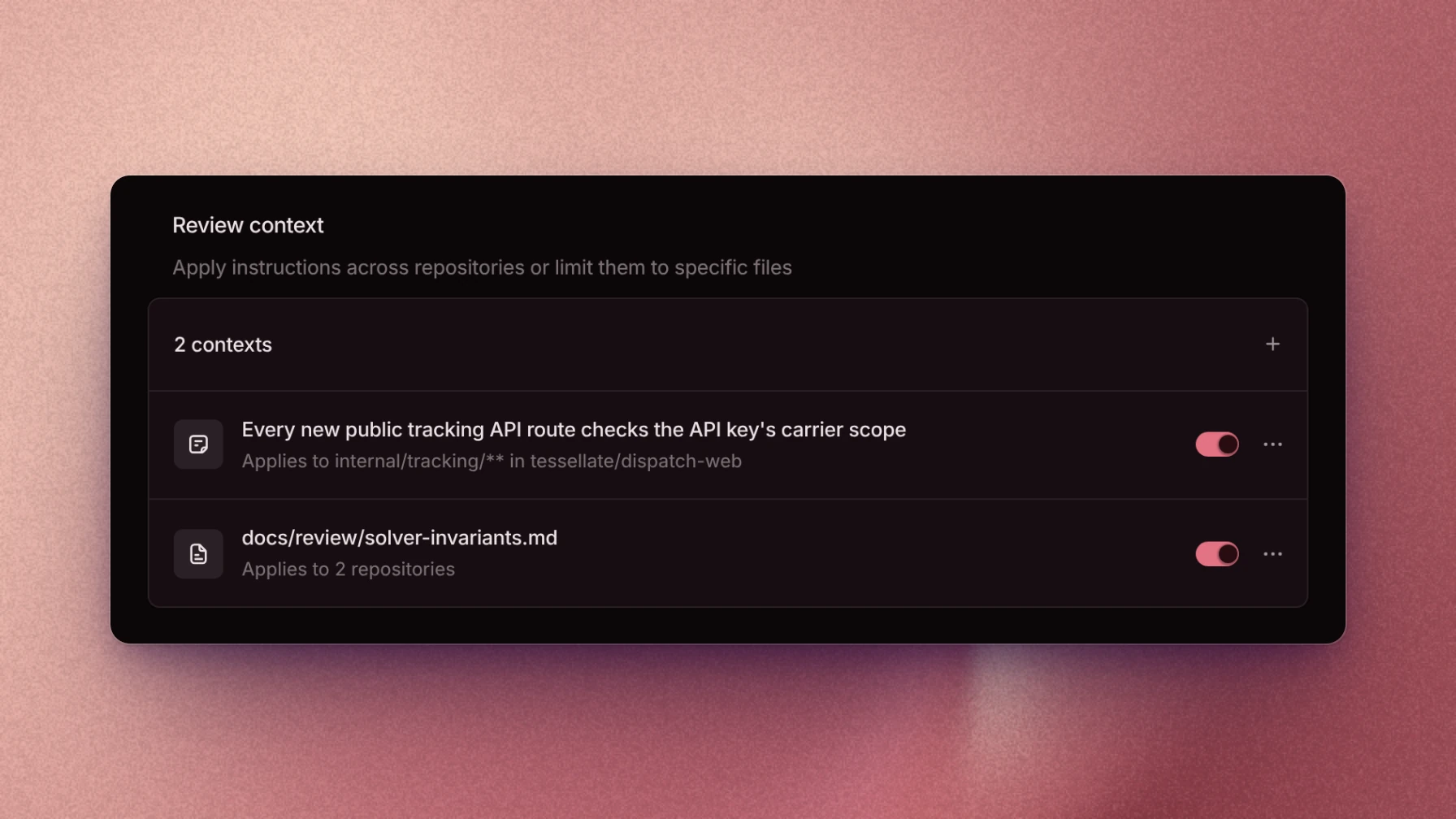
Review context with a rule and a repository file

The Review context page holds your organization's review rules and the repository files reviews should read. Each rule or file can be limited to specific repositories and paths.

Experiments

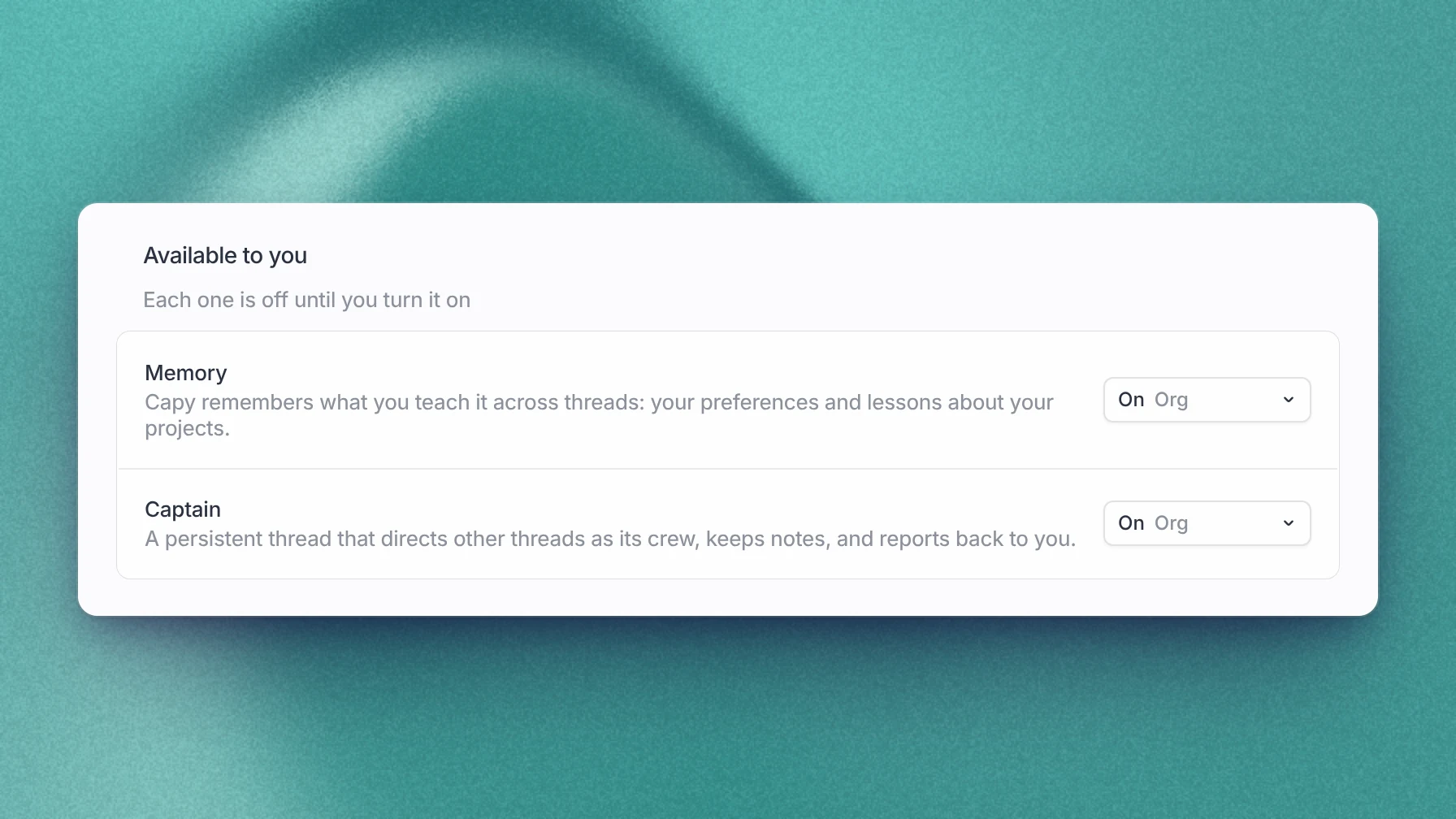
The Experiments page with Memory and Captain

The Experiments page turns on Memory and Captain, for yourself or for your whole organization. Memory keeps what you teach Capy across threads. A Captain is a long-running thread that directs other threads as its crew.

Capy 0.2.2

Desktop notifications

The desktop app now sends a notification when a thread finishes or needs you. Choose sounds and filters on the Notifications settings page.

Local pull requests now have a Diff tab, and you can mark them ready or draft, close, reopen, or merge them from the app.

Capy 0.2.1

Linux fixes

Fixes for Linux: the dock shows the Capy icon and name, the window opens under Wayland, sign-in persists without a keyring, and the app relaunches after an update.

Capy 0.2.0

Capy for Desktop

Capy for Desktop

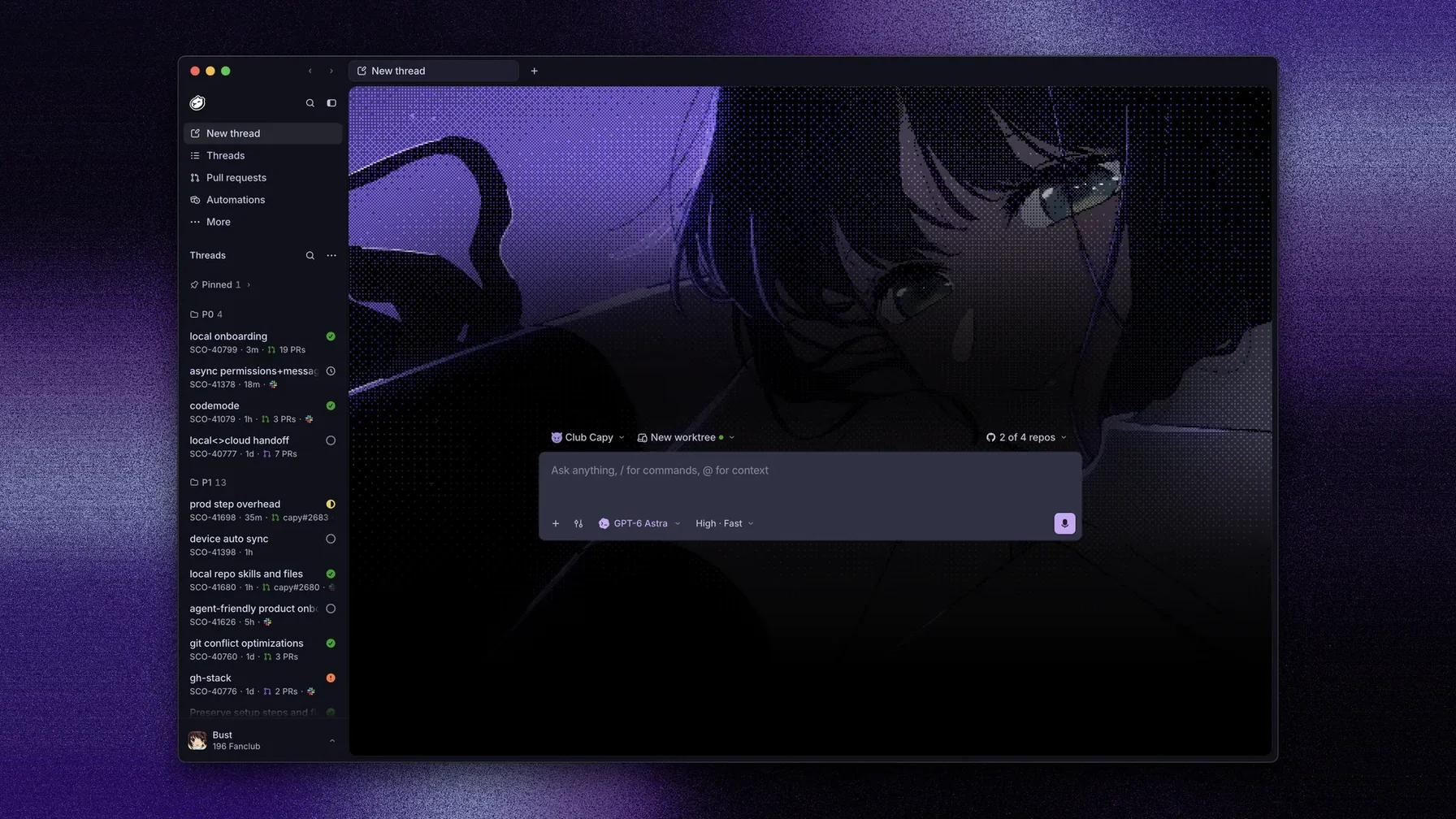
Capy is now a desktop app for macOS, Windows, and Linux. The macOS app first shipped on September 7 as 0.1.0 and 0.1.1; this release adds Windows and Linux.

Threads, pull requests, automations, and settings open in a native window, with tabs and multiple windows.

Threads can also run in a folder on your Mac or Windows PC, using your own git credentials and local terminal tabs.

When you first set up the app, Capy can import your Claude Code and Codex histories as threads.

Windows has a signed x64 installer. Linux has an AppImage and a .deb for x64 and arm64.

Capy Beta

Threads on cloud machines

Capy's first release: a coding agent that takes a task, works on a cloud machine with your repositories cloned, and opens the pull request.

Start a thread from the web app, Slack, Linear, or the API. Each thread gets its own cloud machine with a terminal and a live desktop, and wakes up when CI finishes, a review comes in, or its pull request merges. Tasks split a thread's work across child agents.

Capy also reviews pull requests, on request or automatically, and automations run a prompt on a schedule or on GitHub, Slack, and webhook events.