





Capy 0.8.0
Split panes, SSO and passkeys, and comments on images and videos
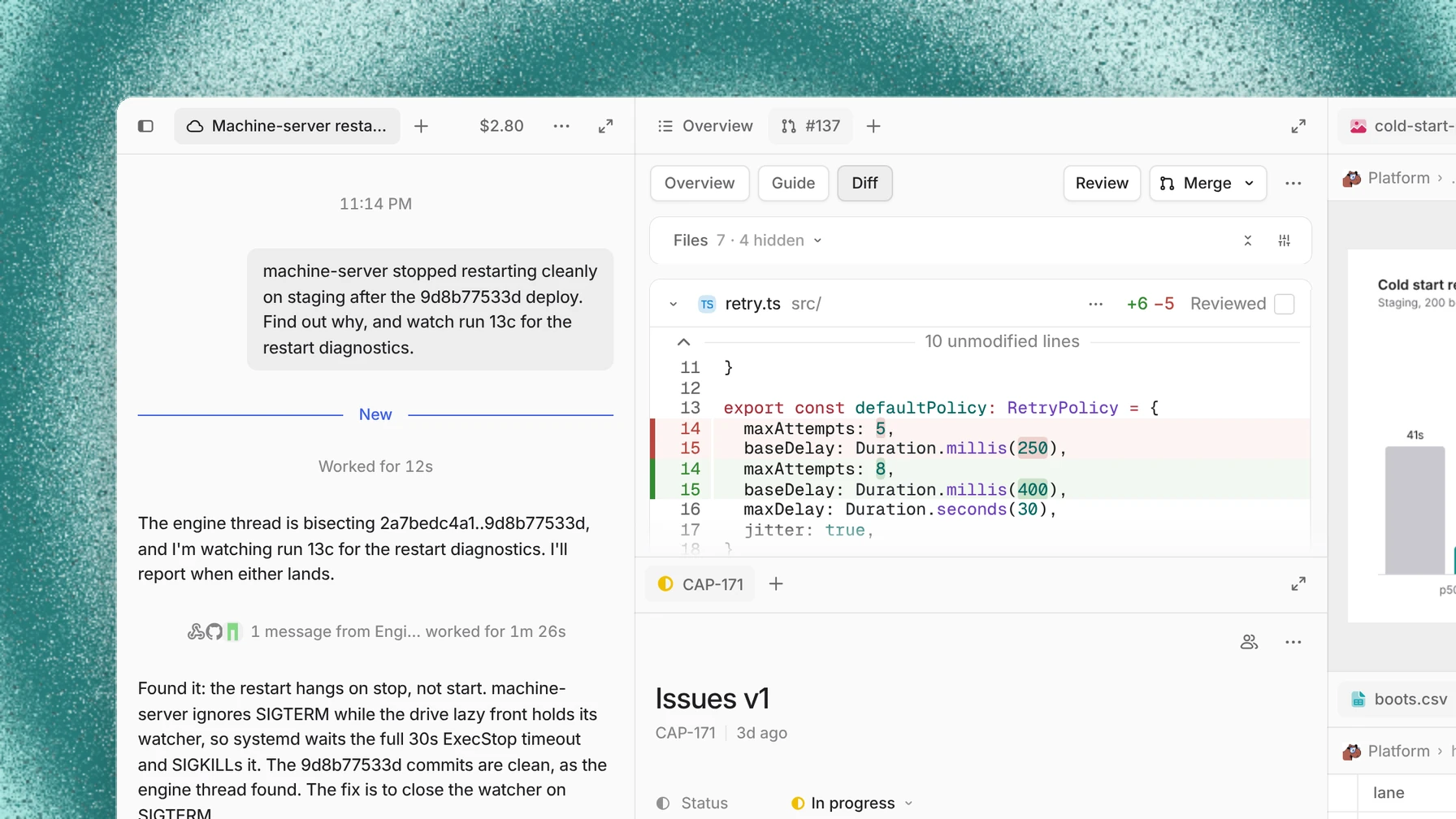
The thread view is now one surface you can split, so a file, an issue, or a pull request sits beside the chat. Organizations can sign in with Google Workspace and require two-step verification, and anyone can sign in with a passkey. You can also pin notes to an image or a video frame and send Capy all of them at once.
This release also writes pull request guides before you ask, shows stacks for any chain of branches, rebuilds the Files tab, and adds a long list of smaller improvements and fixes.
Split panes
The thread view is one surface you can split. Drag a tab onto the edge of a pane to put it beside or under another, or pick Split right or Split down from a tab's menu. The chat moves the same way, and Overview, Issues, and Files are tabs like any other, so you can move or close them. Each pane's + menu opens new tabs in that pane, links in the chat open in the pane to its right, and Backspace takes a tab back to the one that opened it.
Security for organizations
The new Identity and access page in organization settings is where admins decide how members sign in. Verify a domain with a DNS record and connect Google Workspace, available as an add-on, and everyone with an email on that domain signs in with their work Google account. For Microsoft Entra ID, Okta, or another SAML or OIDC provider, contact us.
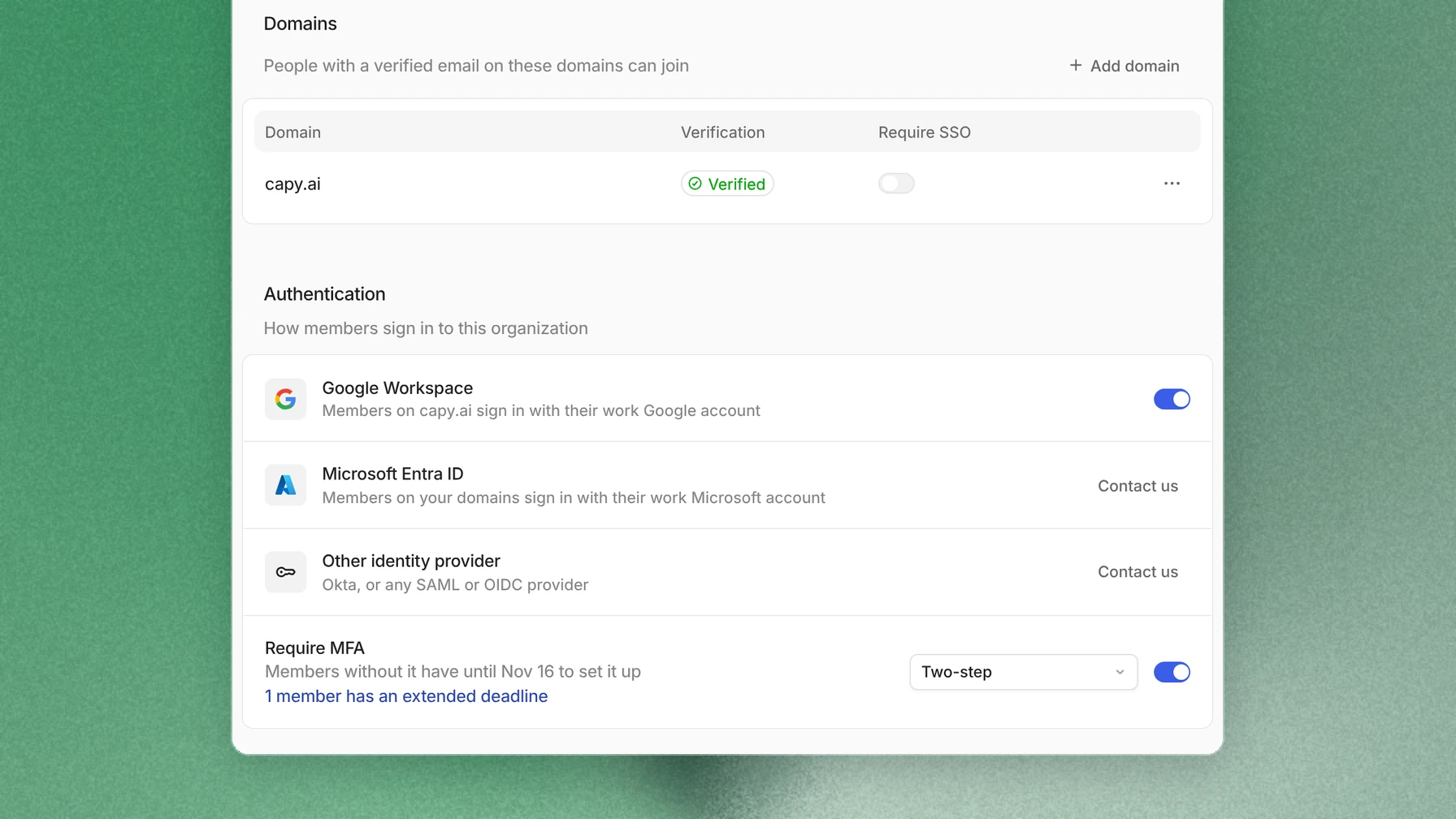
Turn on Require MFA and pick a deadline up to 30 days out, and every member needs a passkey or an authenticator app to use the organization. Passkeys only accepts passkeys alone. On Members, Extend two-step deadline gives one person more time. Each person adds passkeys, an authenticator app, and backup codes on the new Security page, and can sign in to the desktop app with a passkey. The sign-in page marks the method you used last.
Comments on images and videos
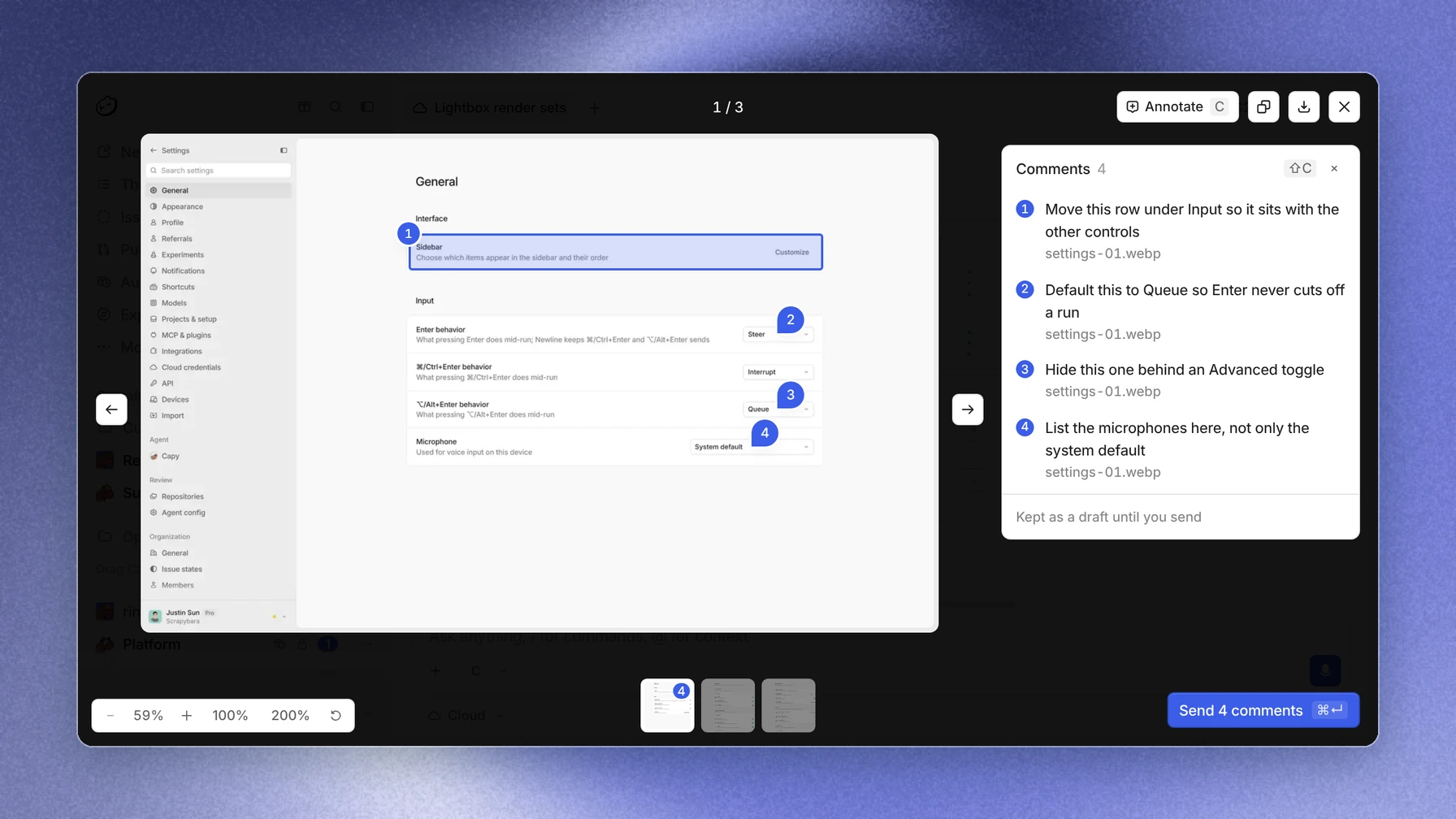
Open an image or a video from a thread or the composer, and a click zooms in. Press Annotate, or C, to mark it up: click to pin a spot or drag to box an area, then write the note in the Comments panel beside it. When notes are waiting, the Send button at the bottom right shows how many there are and sends them to Capy as one message, with each marked frame attached. Click a comment's frame in the sent message to reopen its image with every note pinned where you left it. A video opens paused on that comment's frame.
Also in this release
- Opening a thread, an issue, or a pull request is faster, the sidebar and long lists stay smooth while threads update, a large file open beside a busy thread no longer stutters, and the app does far less work while it sits idle.
- A pull request's Guide is written faster and puts each file in one chapter, and pull requests from Capy's threads have theirs ready before you look.
- The stack badge on a pull request also covers chains of branches made with Graphite, spr, or by hand.
- A thread's Files tab shows its repositories, drives, and uploads in one tree, and every file opens with the same header for sharing, downloading, and earlier versions.
- The Display menu on Issues groups and orders issues and hides the row properties you don't need. Issue comments and descriptions can tag skills, pull requests, and files, and the new-issue dialog and property pickers work from the keyboard.
- A drive can grow past 2 GiB, up to your plan's drive storage, and cloud machines copy as much of it as their disk holds.
- Upload your own logo for a project.
- Onboarding is a short set of steps that keeps its place through a reload, people who join an existing organization skip its setup, and the desktop app opens on a new intro screen.
- Links in HTML previews and Drive HTML files work: outside links open in your browser, and right-click offers Copy link.
- Cmd-click, Ctrl-click, or middle-click a pull request chip to open it on GitHub.
- Connecting GitHub, Slack, Linear, or an MCP server shows Finish in your browser with Cancel in its row, and the row clears once the connection lands.
- A cloud workspace that has been asleep for more than 14 days is cleared to free storage. The thread stays, its next run starts fresh from Setup, and the thread shows a quiet divider where it was cleared, so push any work you want to keep.
- In a Markdown file, Backspace undoes a formatting shortcut and
- [ ]starts a task. - Terminals have a find bar, and a finished command ends with a coloured line that shows how it exited.
- Pages, decks, and prototypes that Capy makes have a new default look and follow your Capy theme.
- Capy can show a chart or a diagram inline in the chat, and its Slack posts can include images.
- Voice input works in every composer and dialog, and holding Alt+M talks.
/btwopens a side thread, like/side. - Copying files between machines shows each step's progress on the row.
- Pinned Captains get their own group at the top of Captains,
captain=in a Linear mention sends the ask to that Captain, and a Captain you steer from Slack answers in that Slack thread. - Hovering a theme previews its background as well as its colors.
- Filter automations by project, state, and creation date in the app, the API, and from a thread.
- Claude Fable 5.2 is in the model picker, Morph Ultra connects with your Morph API key, Ramp Router connects as a gateway, gateway keys add MiMo Flash, MiniMax M3.1 Flash, Hy4, and Nemotron, and threads on a Claude subscription stay on one account until it stops working.
Fixed: Drive files that fail to load offer Retry instead of loading forever, Drive breadcrumbs lead back to their folders, a deleted file's history says it was deleted, voice input keeps its text when you stop, copying from the chat leaves out timestamps, long file names in a diff no longer cover its buttons, the app no longer sits on loading placeholders after you sign in, a saved comment draft no longer opens a pull request or issue scrolled to the bottom, a review cut off mid-turn reruns on its own, a pull request comment from a teammate with push access always wakes the thread, MCP connections such as Google stay signed in after their access token expires, and starting several subagents at once no longer fails.