





Capy 0.4.0
Model connections and pull request reviews
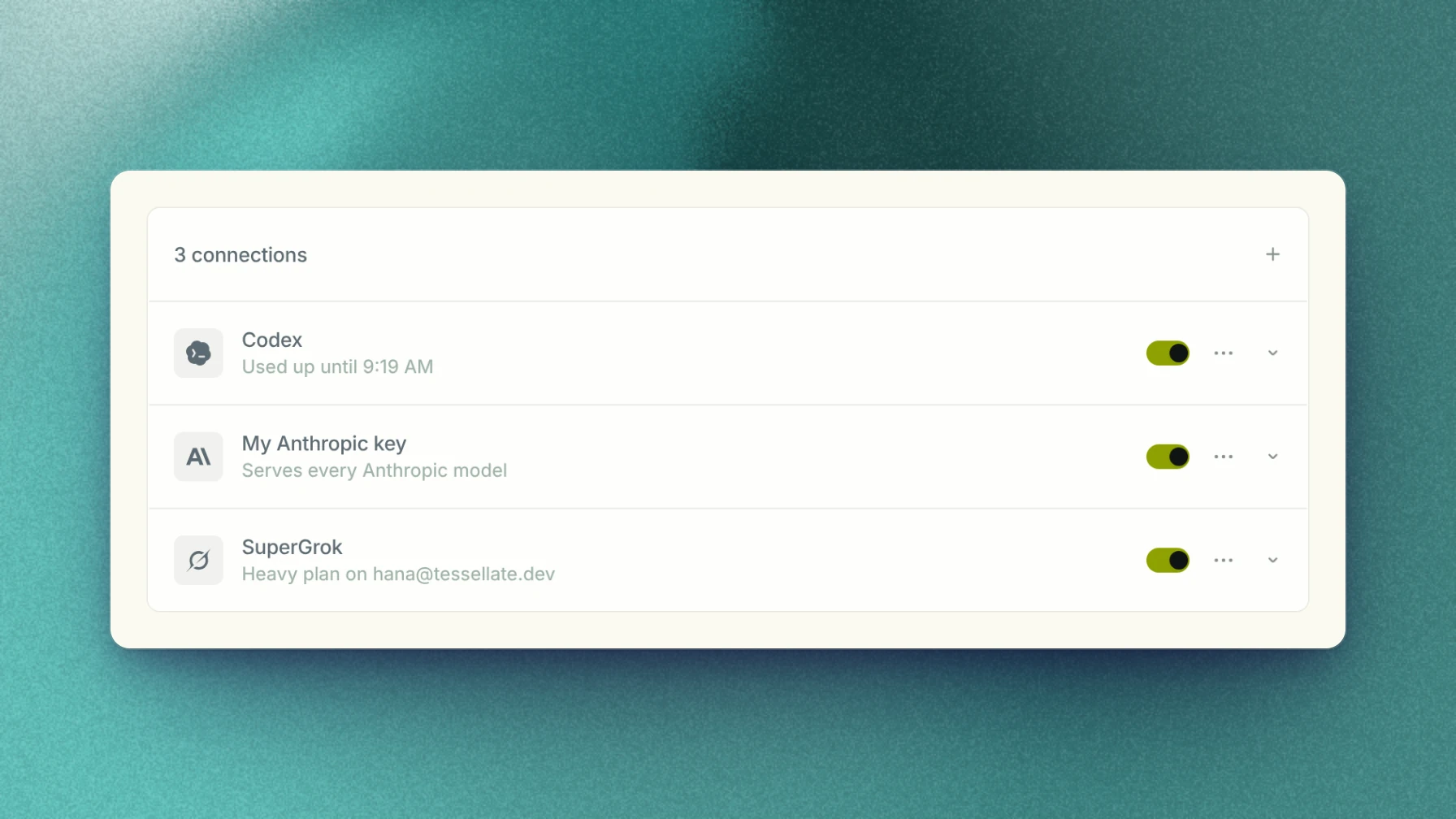
Capy can now run threads on your own subscriptions and API keys, and you can review pull requests without leaving it. The Models page puts your connections in the order threads use them, with new coding plans and gateways. The pull view has a Review button, per-file Reviewed checkboxes, and merges stacked pull requests.
This release also adds filters to the command menu, editing a sent message, starting a thread in an existing worktree, the Activity page, and Claude Opus 5.5 as the default model.
Model connections
The Models page now lists your subscriptions and API keys, and your organization's, in the order Capy uses them. Drag to reorder, and add a subscription, key, coding plan, or gateway from the Add menu.
A thread runs on the first connection that serves its model. When one is used up or turned off, it moves to the next, and asks before it falls back to Capy credits.
New connections
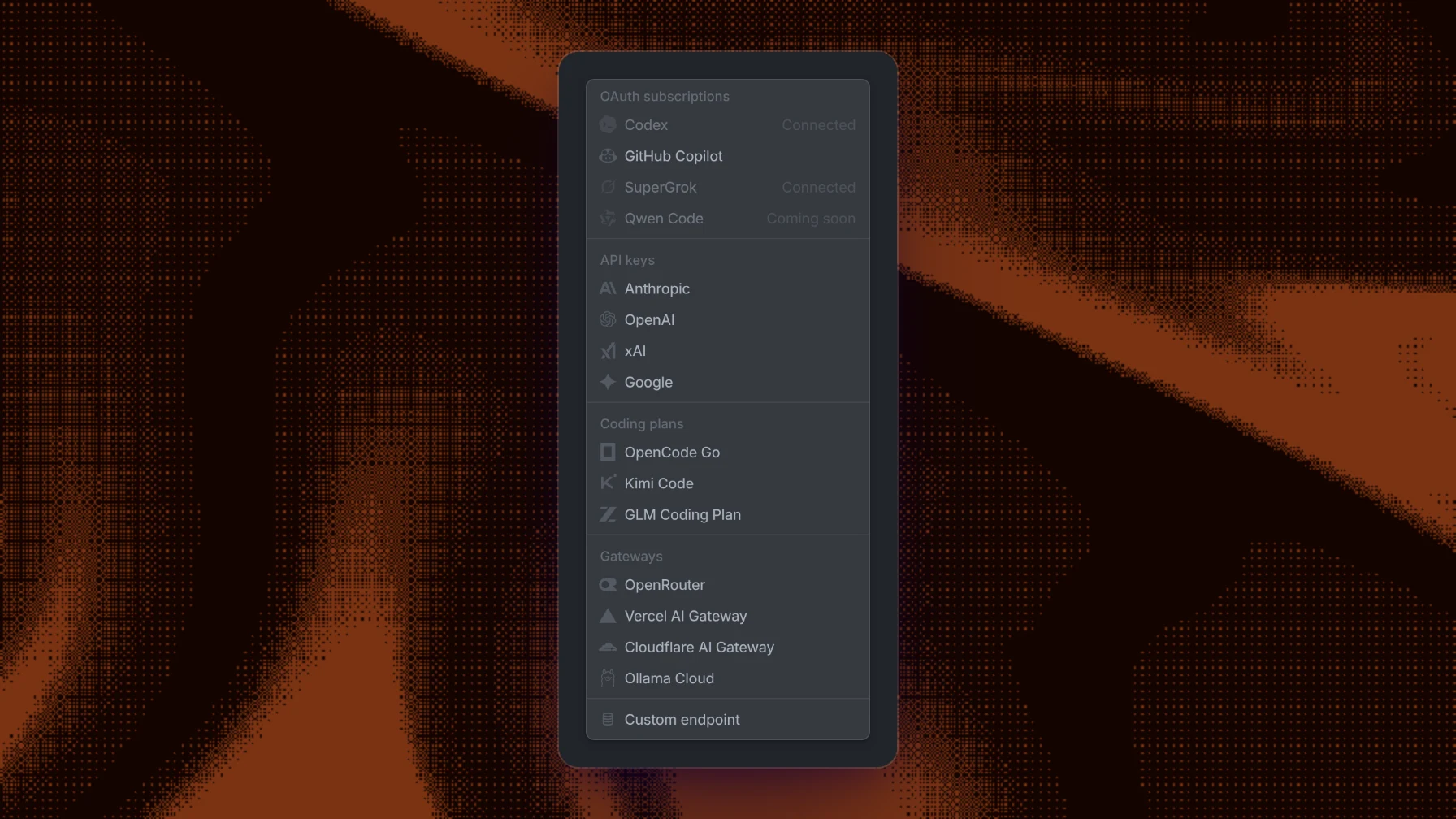
The Add menu has new connections. Coding plans add OpenCode Go, Kimi Code, and the GLM Coding Plan. Gateways add Vercel AI Gateway, Cloudflare AI Gateway, and Ollama Cloud, beside OpenRouter. An Anthropic, OpenAI, xAI, or Google key now covers every model from that provider, including models added later.
Review pull requests in Capy
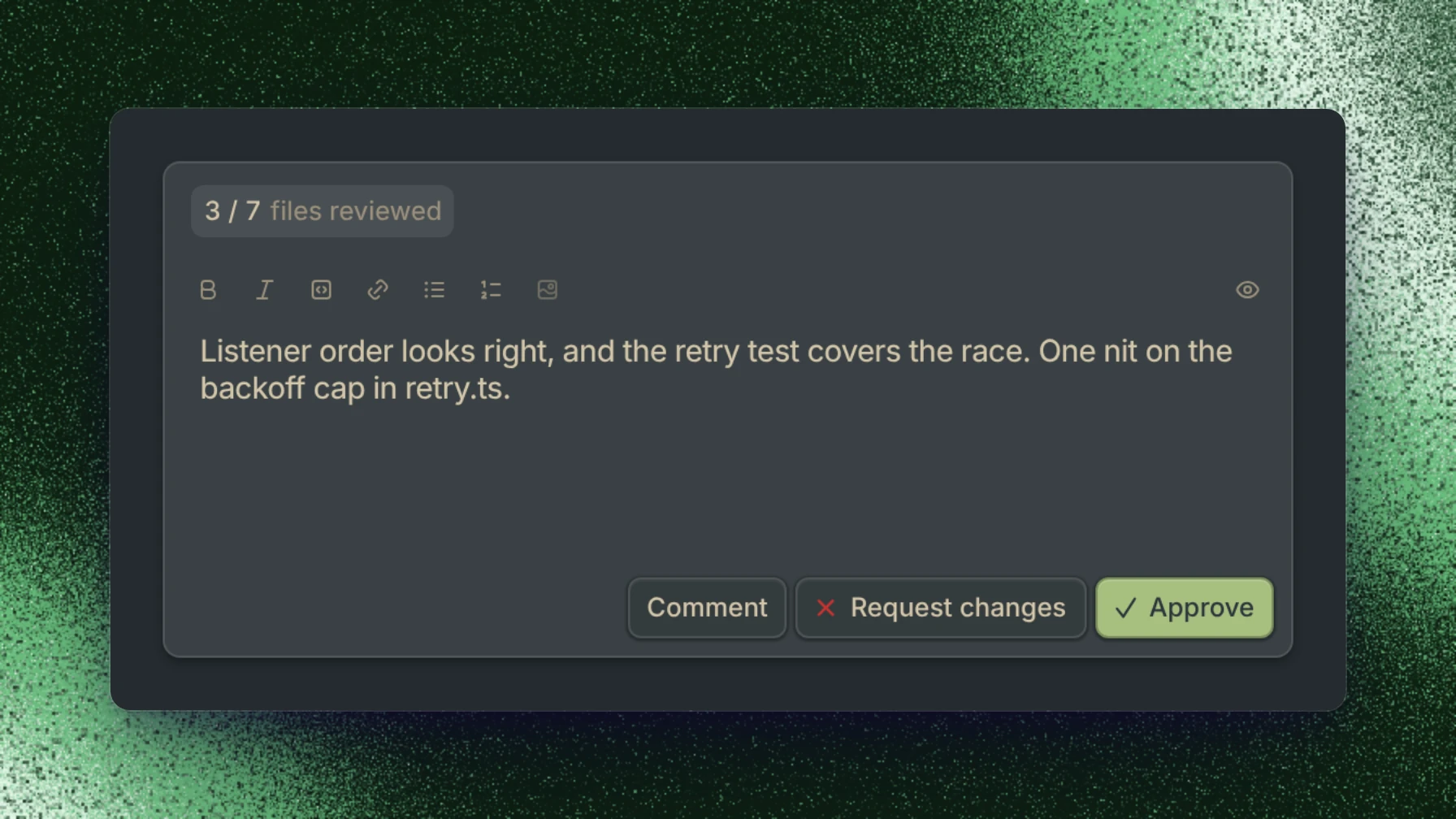
The pull view has a Review button. Write a summary, then comment, request changes, or approve, and the review posts to GitHub as you.
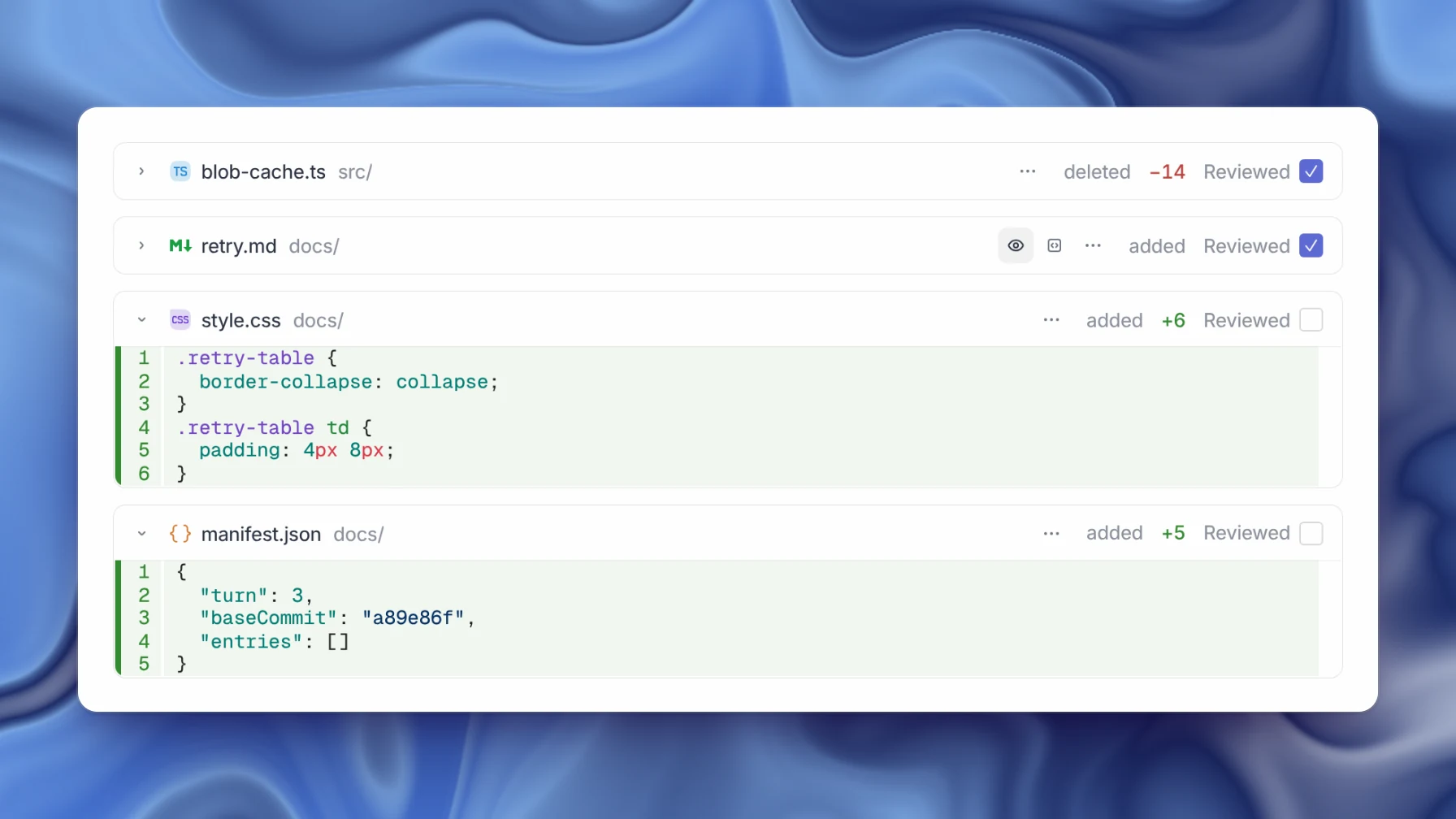
Each file has a Reviewed checkbox. Checking it collapses the file, and the review counts how many you've reviewed.
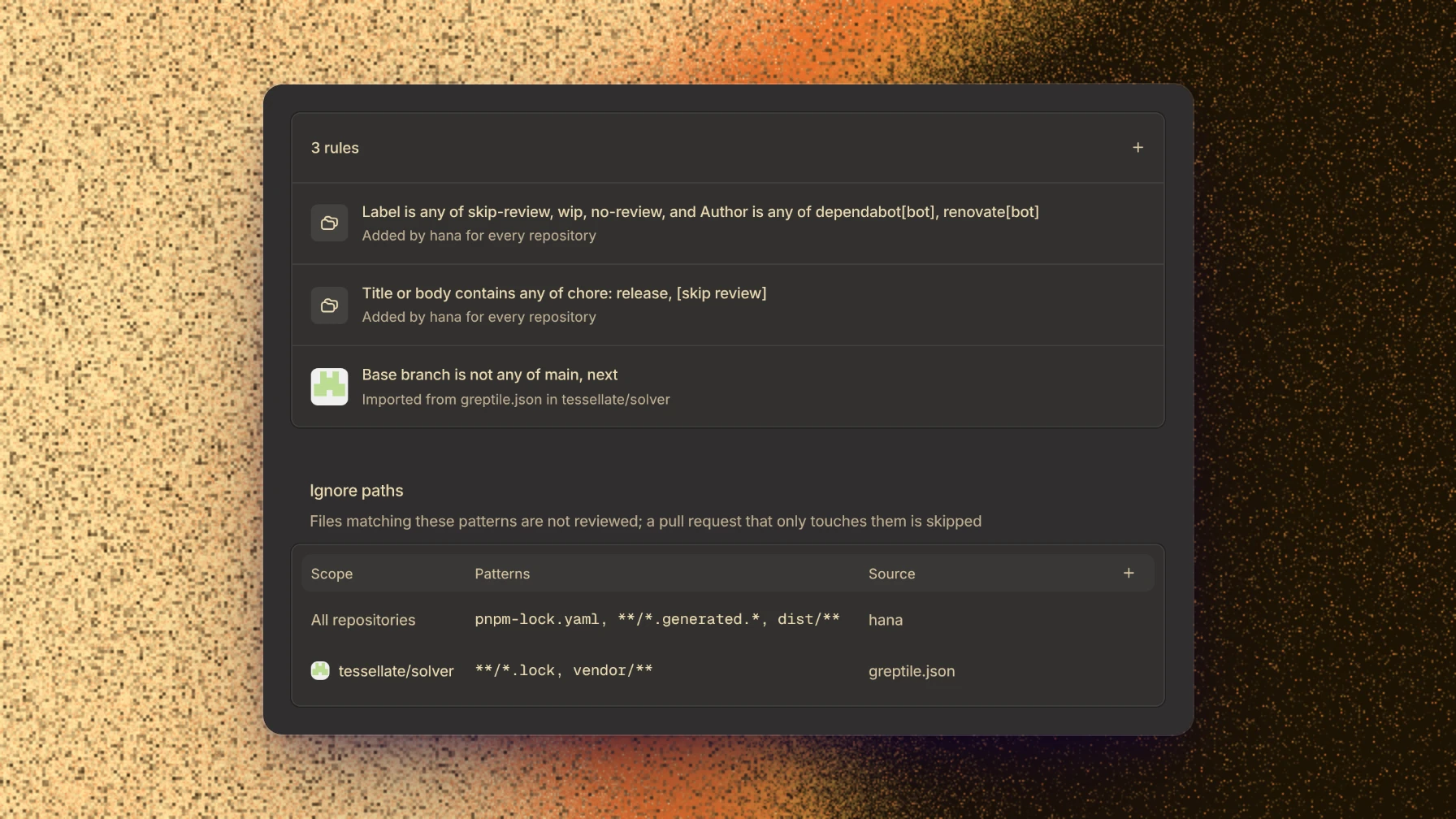
The Review filters page decides which pull requests automatic reviews cover. Add rules that skip pull requests by label, author, title, or base branch, and paths that reviews ignore.
Merge stacked pull requests
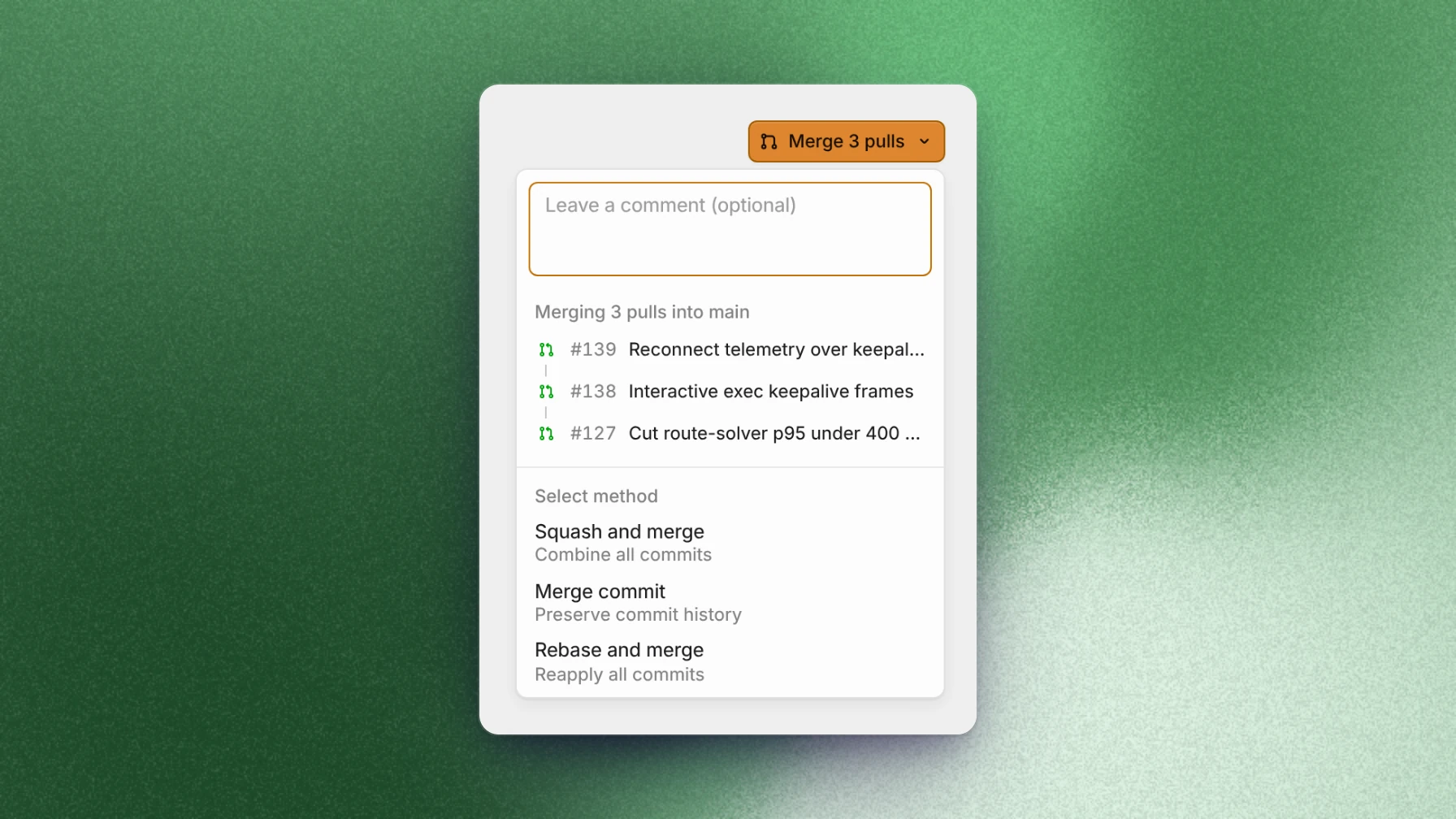
Stacked pull requests now merge from Capy, and the merge button shows how many pull requests it will land.
Command menu filters
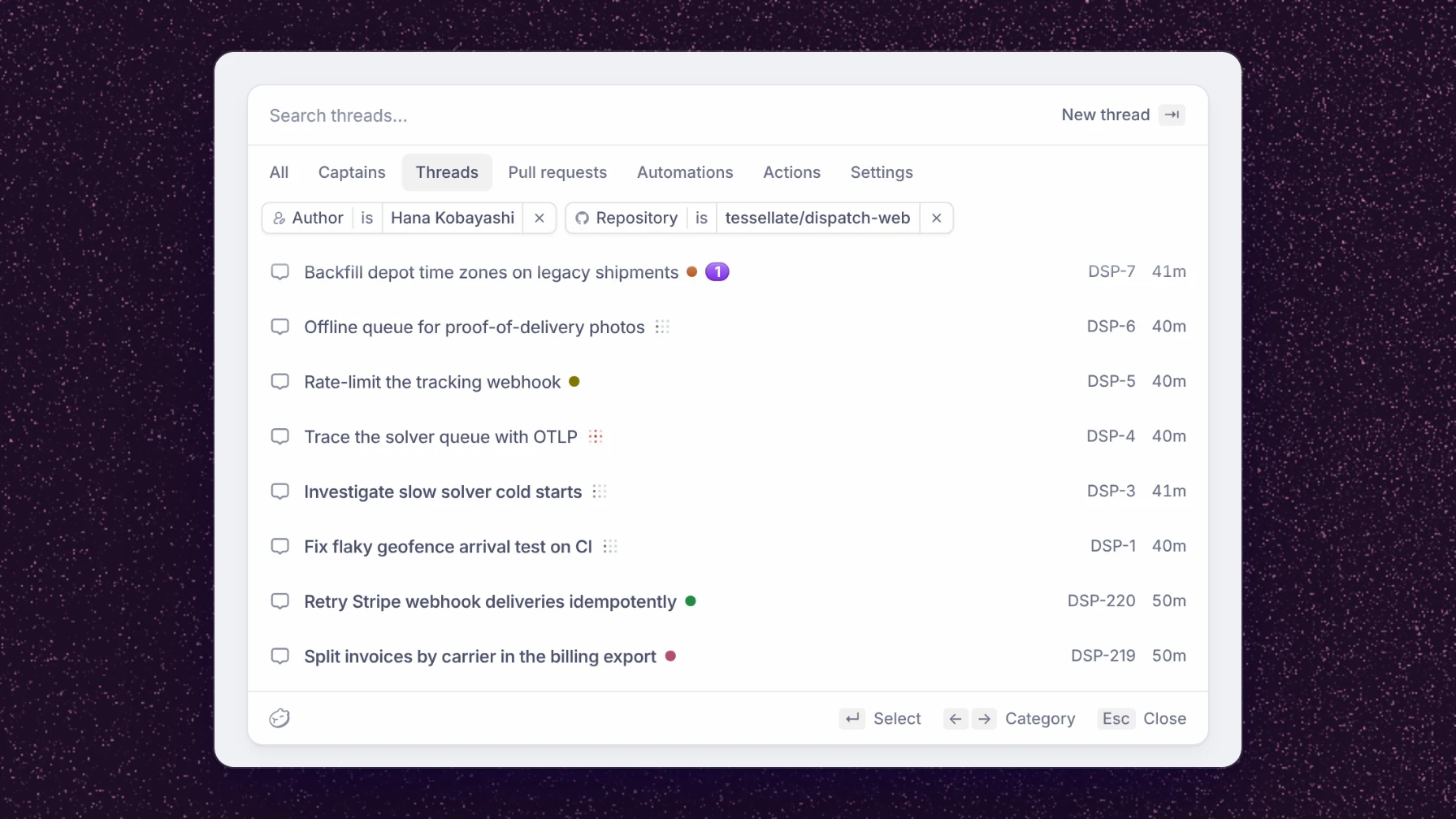
The command menu now has category pills for threads, pull requests, automations, actions, and settings. Type author:, repo:, status:, label:, or since: to add a filter. The same filters work on the Threads and Pulls pages.
Edit a sent message
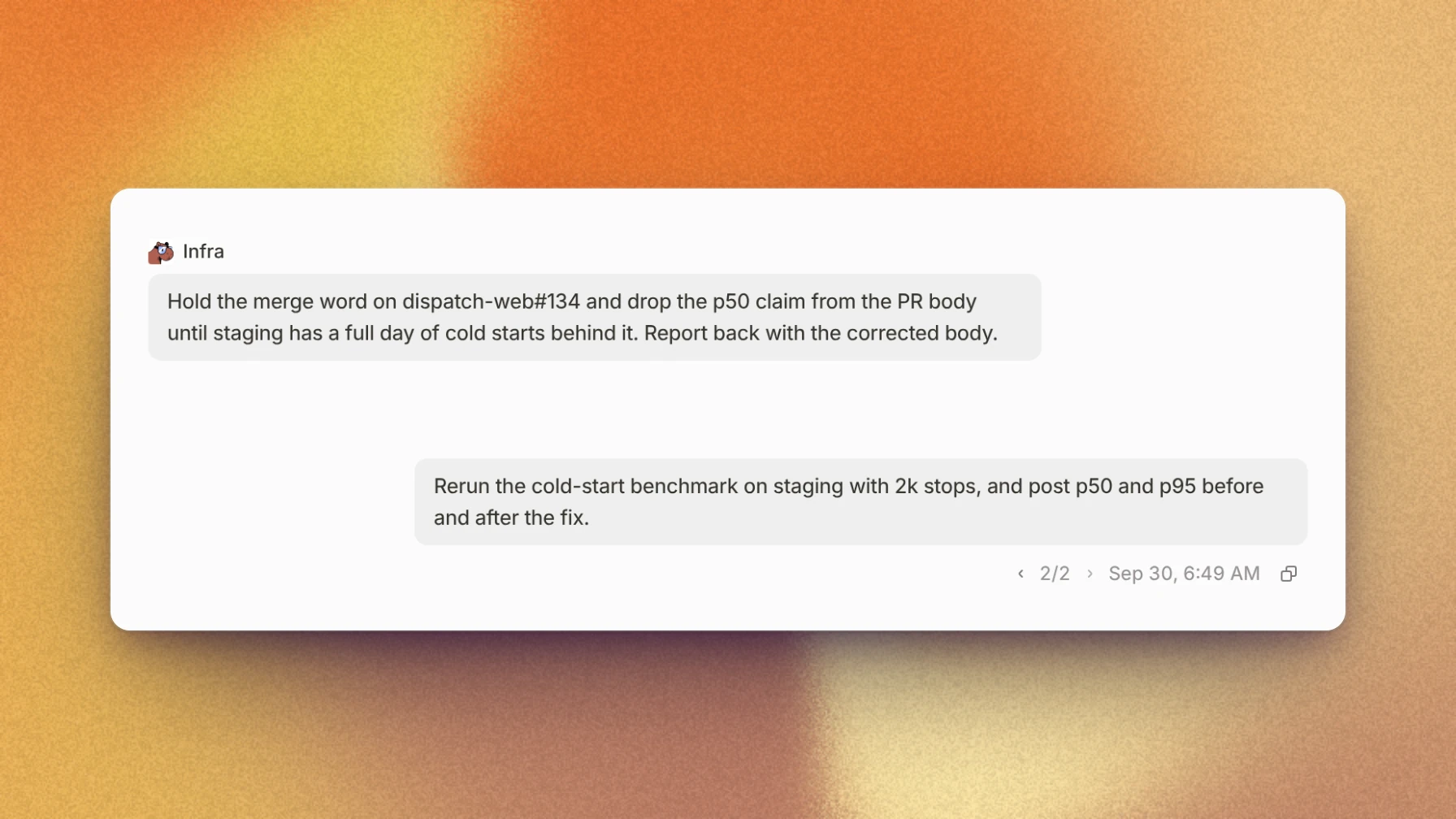
Messages you've sent can now be edited. The thread picks up from the new version, and a switcher under the message moves between versions.
Existing worktrees
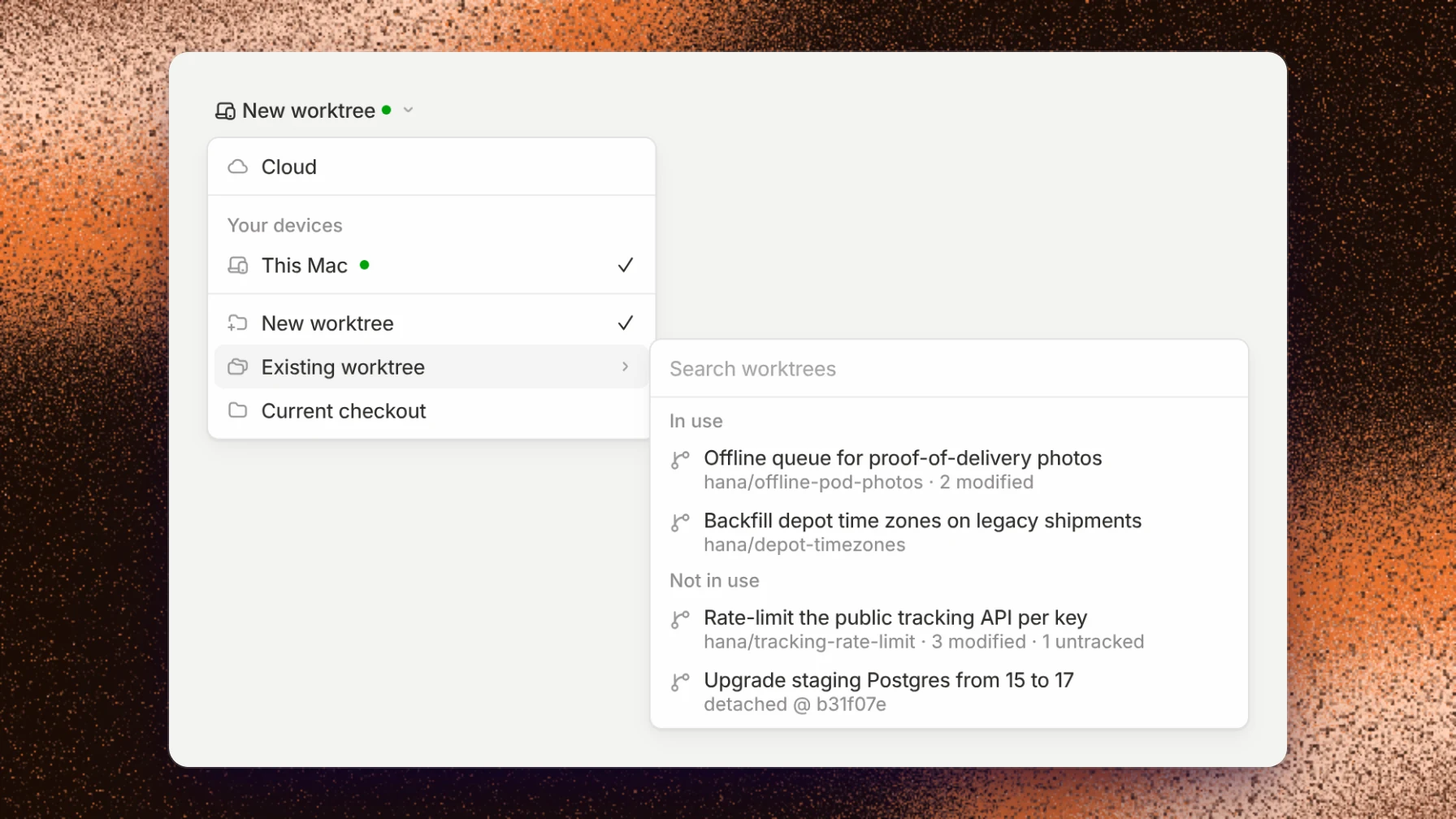
Run on now lists the worktrees a device already has, under Existing worktree, so a thread can start in one of them.
Activity
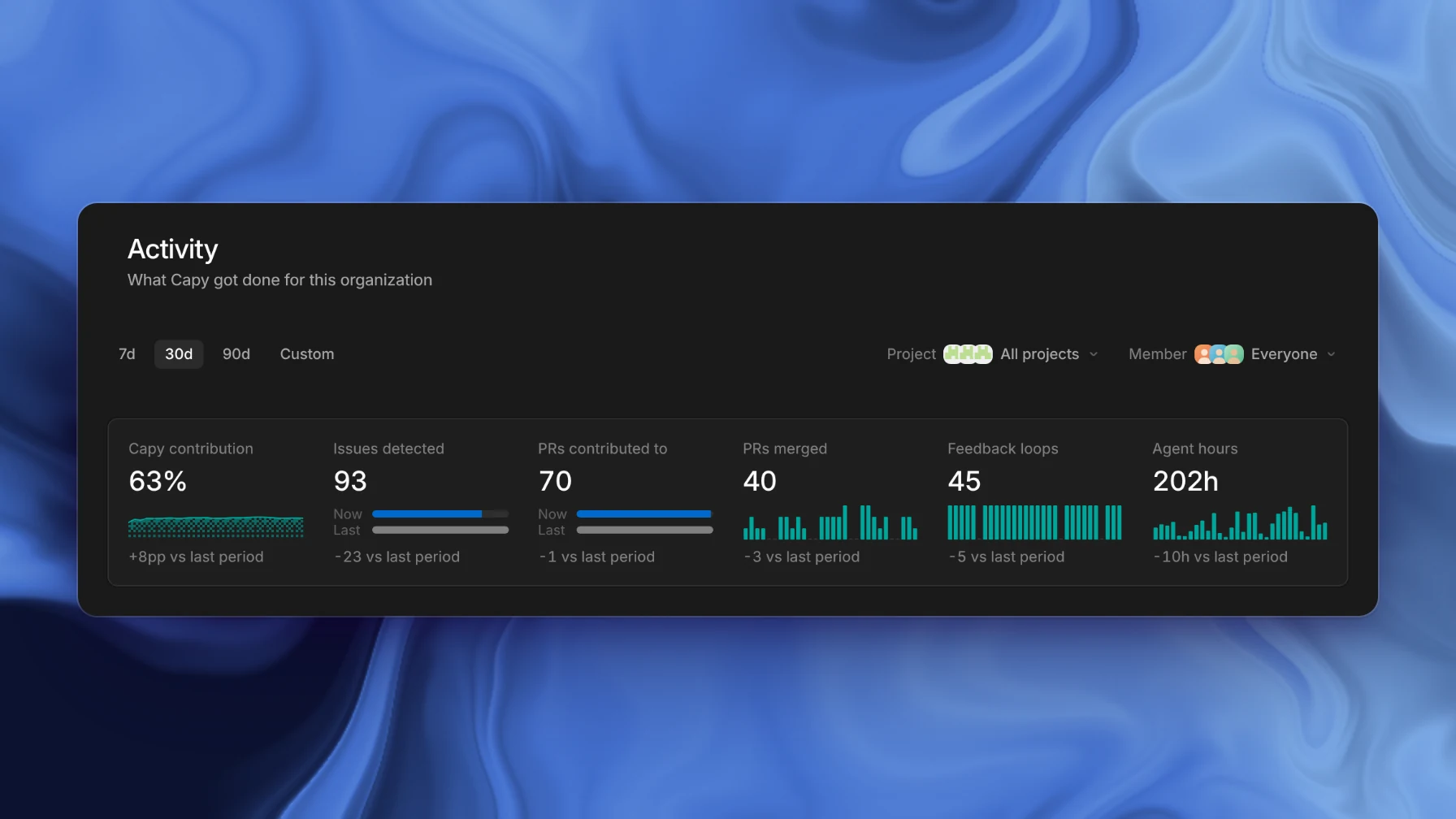
The Activity page shows what Capy did for your organization: its share of merged pull requests, the issues its reviews found, the pull requests it contributed to, and agent hours. Filter it by project and member.
New models
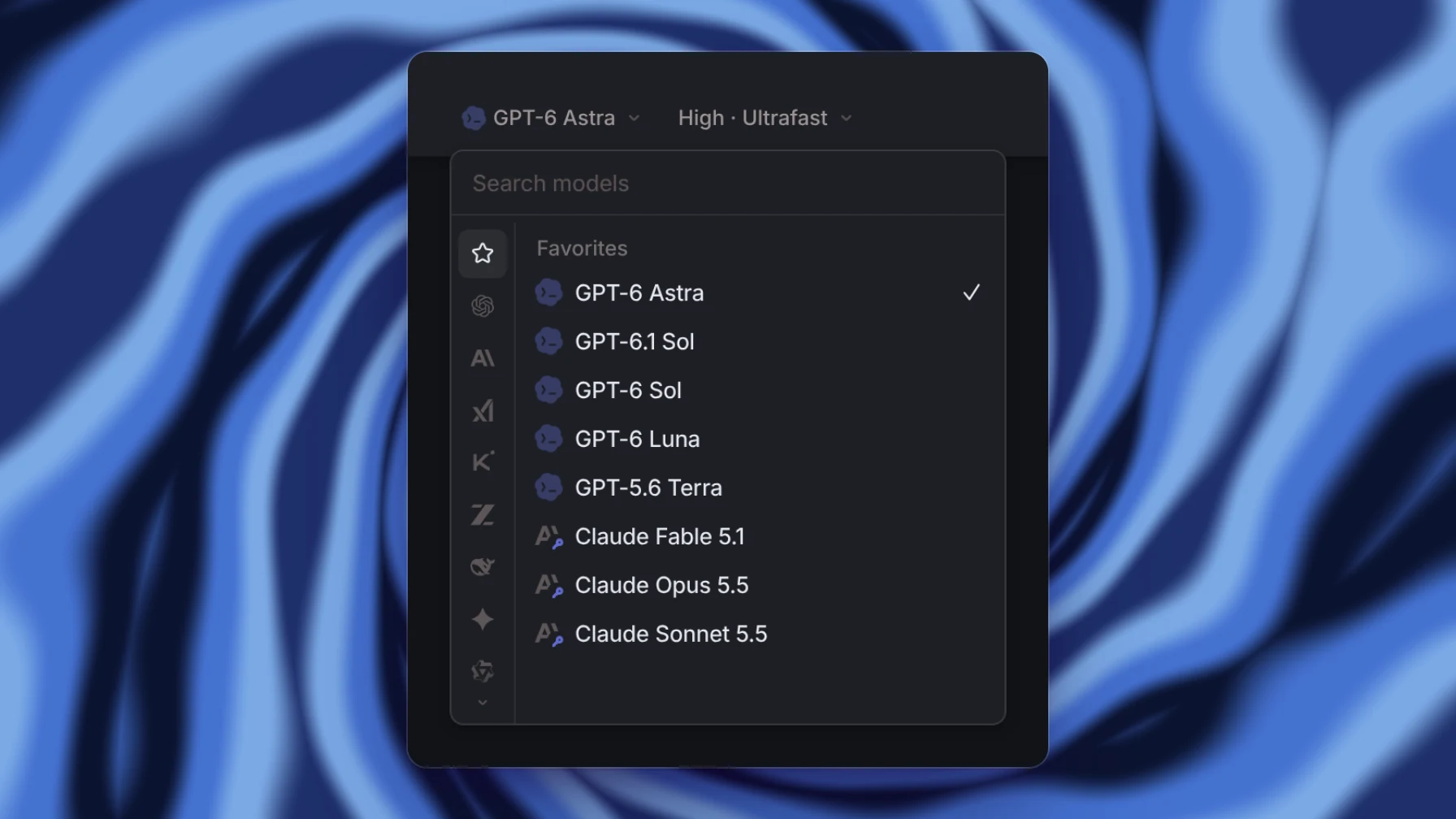
Claude Opus 5.5 is now the default model. Claude Sonnet 5.5 and GPT-6.1 Sol are also available, and GPT-6 Astra has an Ultrafast mode.