




Capy 0.7.0
Captains and Issues are GA
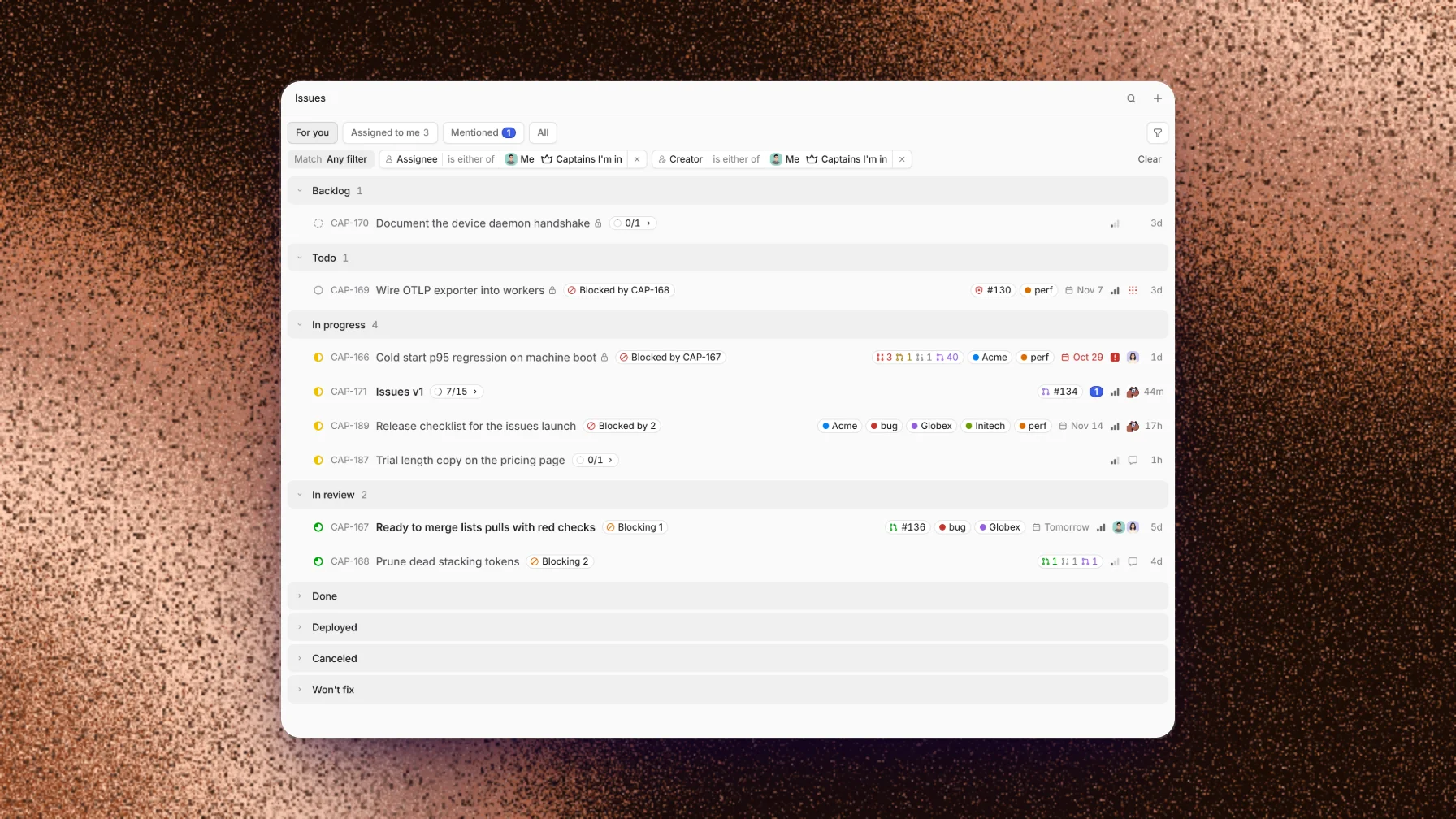
Captains and Issues are GA, on for every organization with nothing to turn on. A Captain runs a crew of threads for you, and Issues holds the work they pick up. The new Dock CLI runs Capy headless, so a server or any machine without a screen can host your threads. Settings also shows what a new thread loads and how much of the context window it uses.
This release also adds a searchable list of model providers, better requests, less flashing while a thread works, and a long list of smaller improvements and fixes.
Captains and Issues are GA
Captains and Issues are no longer experiments. Start a Captain with New Captain in the sidebar, and it directs a crew of threads for you.
Issues in the sidebar lists your organization's work. Start from For you, Assigned to me, or Mentioned, then filter by status, assignee, mentions, labels, due date, relations, and more. Search reads descriptions and comments as well as titles.
An issue can block another or relate to it, carry labels and a due date, hold sub-issues, and show its linked pull requests. Threads file, update, and close issues as they work, and the thread that owns an issue wakes when someone comments on it.
Dock CLI
The Dock CLI is Capy without the desktop app. One command turns a Linux or macOS machine, such as a build server, a cloud VM, or a spare Mac, into a device your threads run on, with the tools, credentials, and services already on it.
Install it with curl -fsSL https://downloads.capy.ai/stable/dock/install.sh | sh, run capy dock, and approve the code it shows under Pair a device. The machine then shows in Run on with your other devices, and you follow its threads from any browser.
Context breakdown
Loaded before the first message shows everything a new thread loads before you type: your organization's, project's, and your own instructions, each repository's AGENTS.md, and the skills list. It shows about how many tokens each part takes and what share of the model's context window they use together.
Change what goes in on the Instructions and Skills pages. The Skills page lists every skill a thread can use, and marks one that is Not loaded because it has no description, or Replaced by a skill of the same name closer to you.
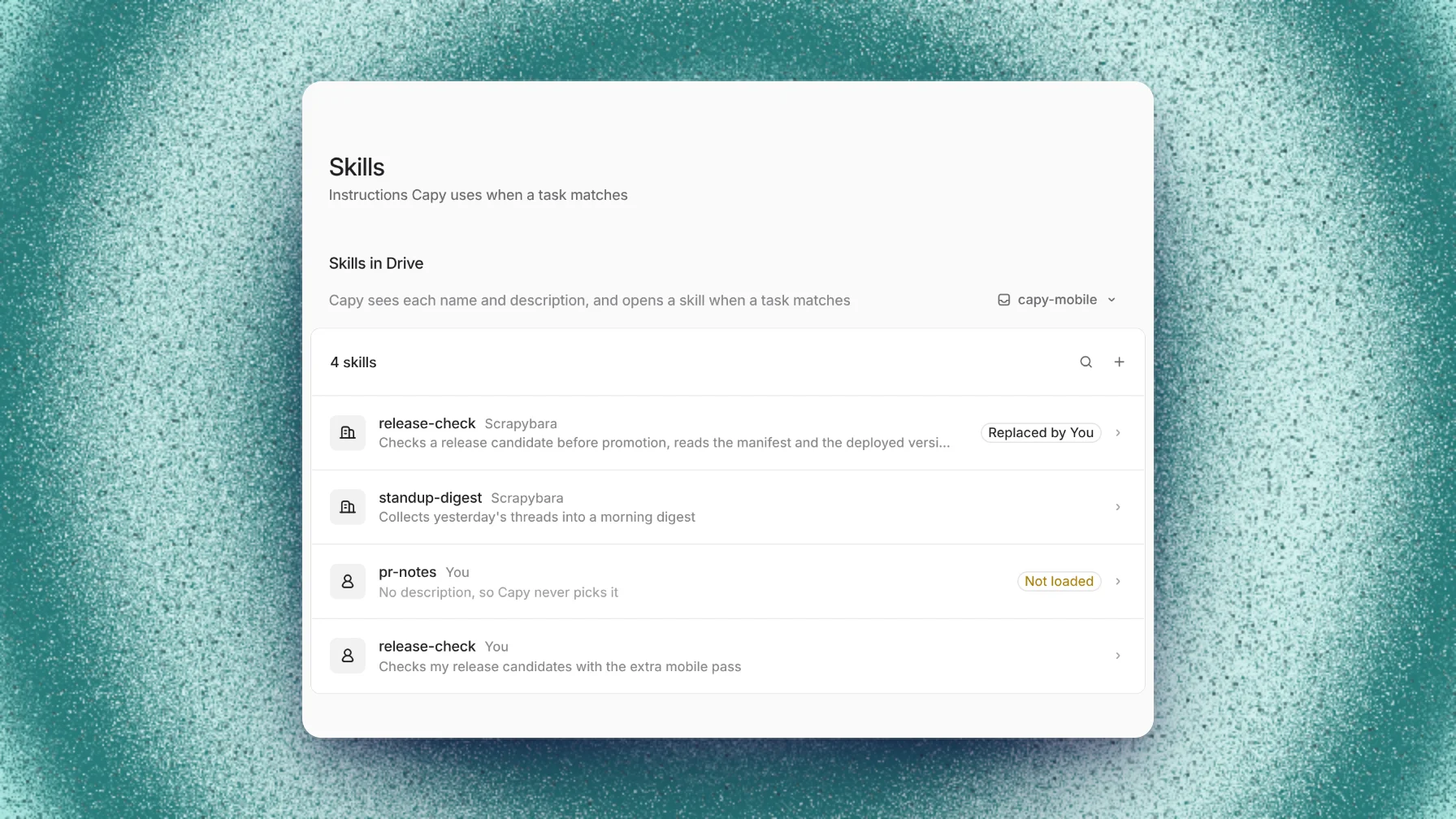
These pages sit under Agent in Settings, beside new Threads and Git and pull requests pages.
Find a model provider
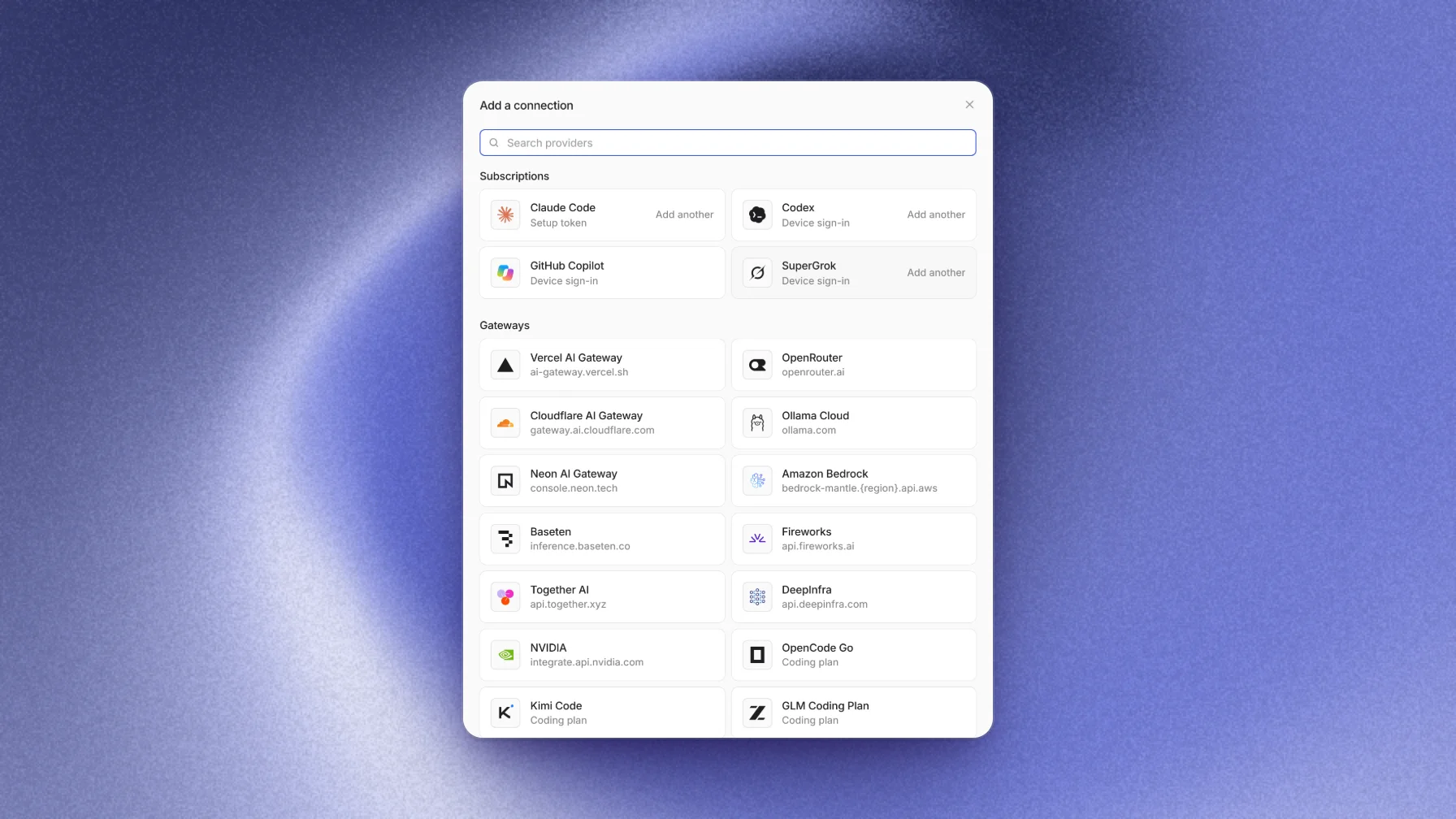
Adding a model connection lists every provider in one place. Search by name or host: "claude" finds Claude Code and Anthropic. Pick a provider, and its connect steps open right there. Together AI and DeepInfra keys are new, and Particle-1 is in the model picker.
Better requests
When Capy needs something from you, it says exactly what, such as "Waiting on you to merge capy#8426", in the thread, in the sidebar, and on the thread's tab. Environment variables and desktop requests open where you can answer them at once, and you can still answer in a message instead.
A request stays open until you answer it, and the thread keeps one line for it that reopens it. Dismiss a request you have handled, with Undo if you change your mind.
Less flashing
A working thread's steps no longer blink on and off while their timers tick. Opening a thread no longer replays its live step or regrows the right panel, files you have already opened show at once when you come back to them, and images keep their size while they reload.
Improvements and fixes
Threads and chat
- Reply to any message, your own and your teammates' included. The reply names who you replied to.
- Hover a message to see when it was sent.
- Capy transcribes voice messages, so every model can read them.
- A program's step sums up what it did, such as the issues it updated, and marks a command that failed.
- A failed step stays collapsed and says what failed, once.
- Commands that contain
>or&reach Capy unchanged from Slack and from other threads. - Opening a thread, or Mark as read, clears every badge in the sidebar.
- The waiting line jumps to the open request it names, even when that request is far up the thread.
- A thread that fails to load retries instead of showing an empty chat.
- Drop files to attach goes away when the drag ends.
Issues
- Mentions filters by any person, and Due date takes a range.
- Each issue in the list shows what blocks it and what it blocks.
- An issue folds its merged and closed pull requests together.
- Comments and field changes on an issue show at once.
- Paste or drop images into an issue comment, and mention Slack channels in it.
- Issues are in the public API.
Pull requests
- A pull request shows the same state everywhere it appears.
- Comments you post on a pull request show at once.
- Reviewers lists reviewers who were asked and haven't reviewed yet.
- Copy pull request link (⇧⌘,) copies a link that pastes into Slack as the pull request's number and title. ⌥⌘1, ⌥⌘2, and ⌥⌘3 open the overview, guide, and diff, and O then G opens the pull request on GitHub.
- Copy prompt for agent on a review finding copies it as a prompt for a coding agent.
- Test, database, and generated files are greyed out in diffs and left out of the line count. Choose which ones under Hidden in pull requests on the Appearance page.
- Capy can push to a contributor's fork pull request when the contributor allows edits from maintainers.
Models
- The Ultrafast and Daybreak switches show when any of your subscriptions offers them.
- Claude Code threads recover when a response stalls.
- Check on a key sends every custom header the key carries.
- Custom endpoints that list their models in a plain list connect.
- When a model can't run, the error names the switches that are off.
Settings and more
- The Email page turns off any email Capy sends you.
- New environment variables go to a thread, a new thread, or a project the same way everywhere. Paste a .env file, or use Import .env.
- An automation that runs in a standing thread can use Thread's current model.
- A new project gets a thread code that no other project in your organization uses.
- Project pickers show each project's icon.
- Connecting an MCP server keeps the headers and secrets you entered.
- Two edits to the same Drive file merge, and when they can't, the conflict copy goes in a hidden folder.
Desktop and mobile web
- Design mode in the desktop app's browser lets you pick an element on a page and attach it to your message.
- Clone in the desktop app finds the git tools set up in your shell.
- iPhone Safari no longer zooms in when you tap a field.
Speed
- The sidebar, the threads list, and the issues and pull request lists respond faster.
- Opening a thread no longer redraws the sidebar.