





Capy 0.9.1
Captains and threads in one sidebar
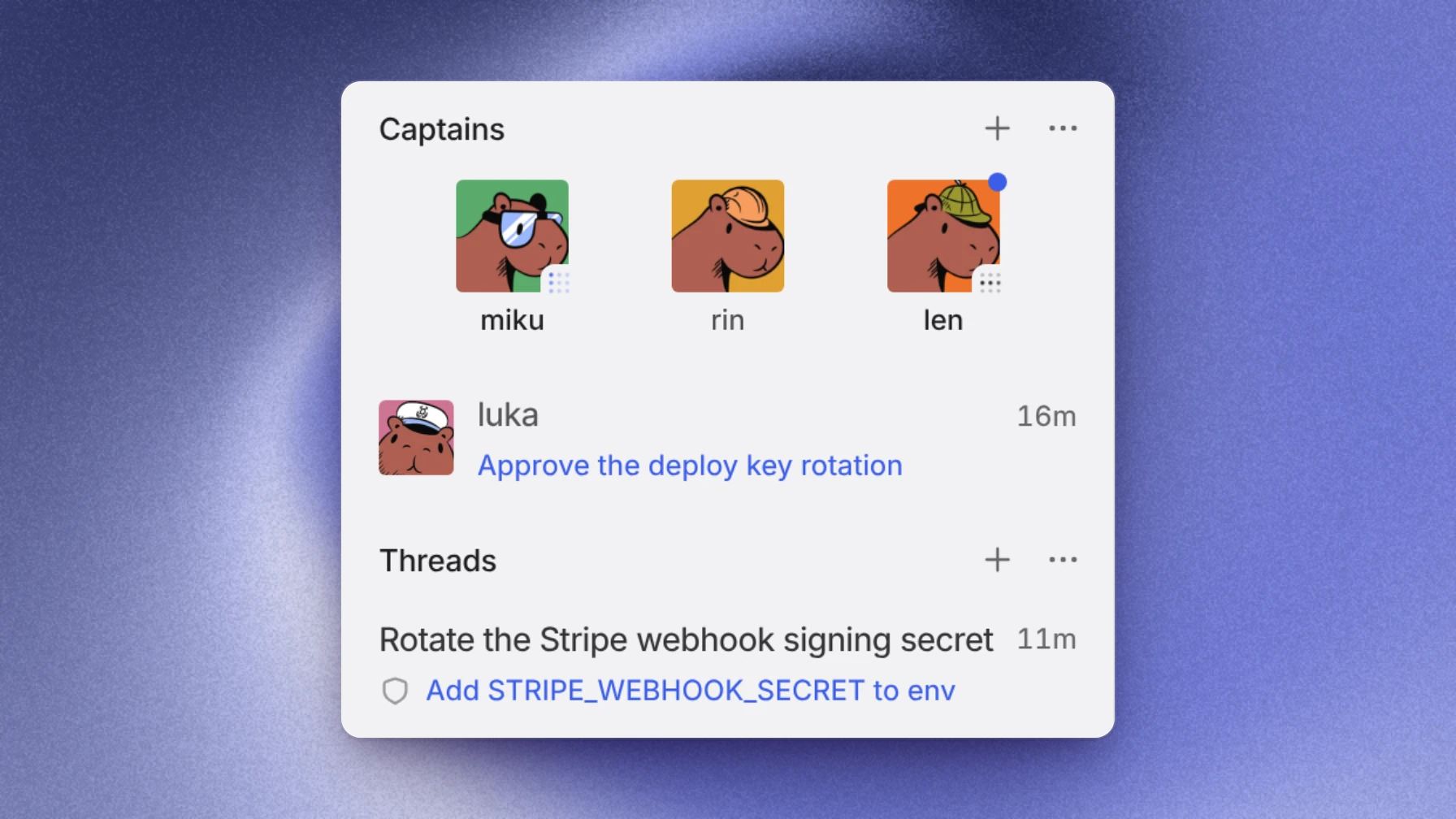
The sidebar now shows your Captains and your threads in one list, so you scroll from one to the other instead of switching. You can also group your threads by project or by folder.
This release also makes two-step verification a switch on your Security page, with a passkey as the second step, and opens the desktop app faster.
Captains and threads in one sidebar
The sidebar's new Hybrid layout is the default. Your Captains come first, with the pinned ones in a row and the question each one is waiting on. Your threads follow under Threads: pinned threads, then the ones waiting on you, then the rest by last activity, and a running thread keeps its place. A Captain's crew threads open under its row. Press ⌥S to jump to Threads, and again to go back to the top. To keep one list at a time, choose Split under Sidebar layout in your General settings.
Group threads by project or folder
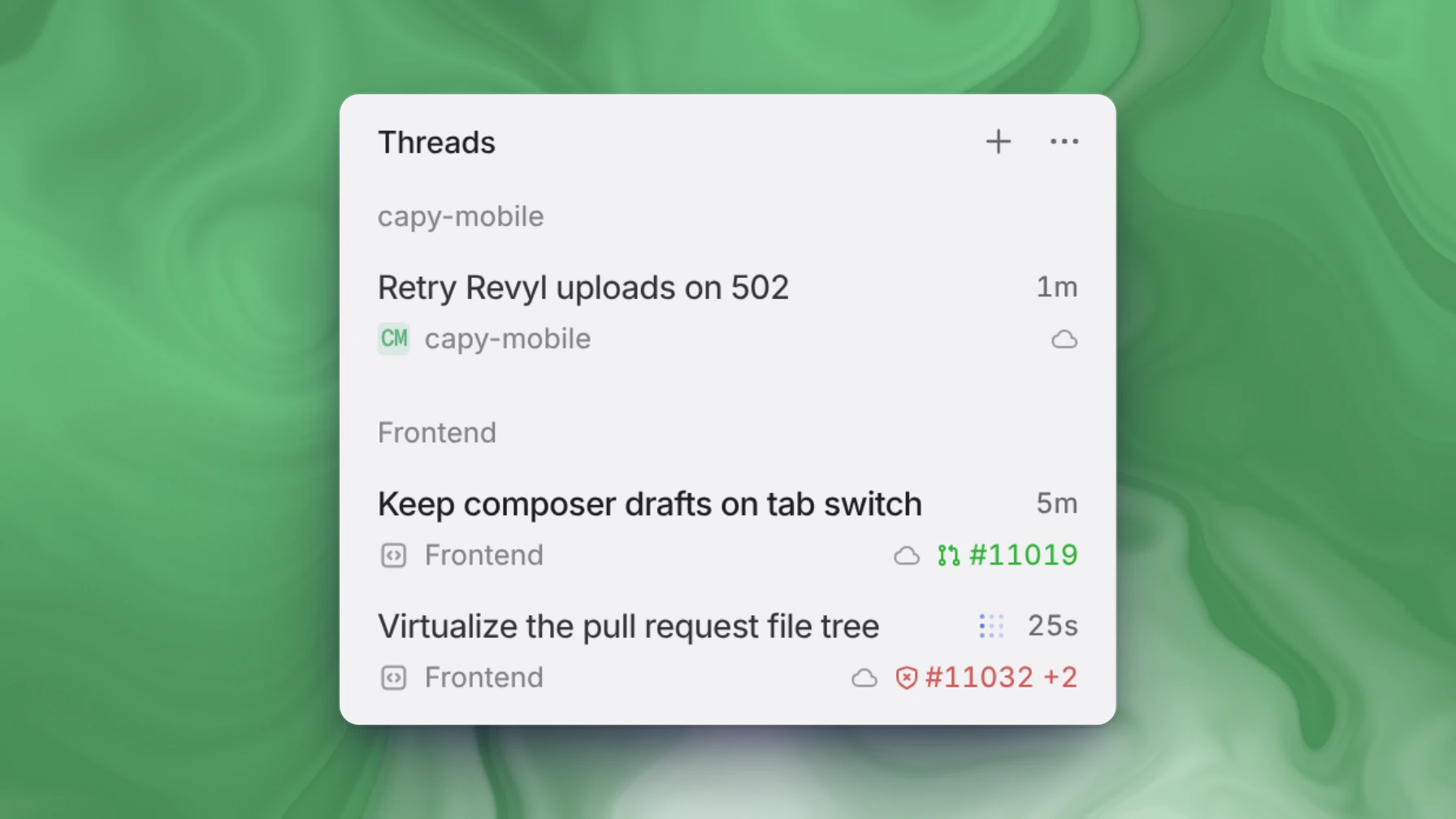
Choose Group by in the Threads ⋯ menu. Projects lists each project's newest threads under its name, and Folders lists your thread folders after your unfiled threads. None keeps one list. The Threads page groups the same way, and it can also group by Author.
Passkeys for two-step sign-in
Two-step verification is now a switch on your Security page. Turn it on to set up an authenticator app. When you sign in, you can finish the second step with a passkey, a code from your authenticator app, or a recovery code. Backup codes are now called recovery codes.
Also in this release
- The desktop app connects to Capy sooner when it opens.
- Threads on your computer start sooner, even with many worktrees, and spend less time between commands.
- Commands in a cloud thread return sooner.
- Threads that use Drive start each step sooner.
- Threads stream more smoothly while a request waits on you, and an image wallpaper keeps up when you resize the sidebar.
- Turn on Pages at top in your General settings to list pages like Issues and Pull requests as rows above your Captains and threads.
- Explore shows what's Popular, and Recommended for you lists plugins and skills that match your organization's stack.
- Through the API, you can create a thread in a Captain's crew, or move a thread into or out of one.
- Each Claude model has one row in the model picker, and a connected Claude Pro or Max subscription runs it first.
- Gemini 4 Hydrogen is available, and Claude Fable 5.2 has a Fast mode.
Fixes
- The model picker stays inside a short window, with its search field in view.
- In a narrow window, the model list's provider names no longer show through the picker's side panel.
- On Windows and Linux, the sidebar's heading lines up with its rows, and in Split the Captains and Threads switch sits in the desktop app's top row.
- A thread with one pull request shows that pull request's number with its #, in the sidebar, the tab preview, and a Captain's crew rows.
- Signing in with Google works again for organizations that use Google Workspace single sign-on.
- Members are no longer removed by mistake when an admin turns off a domain's single sign-on requirement.
- The Relations filter on the issue list names each option by what it matches.
- An issue you left at the bottom reopens at the bottom.
- In an issue list grouped by status, a sub-issue shows only under its parent.
- In a Captain's crew tab, a link to another crew thread opens it as a tab beside the Captain.
- A Drive file that Drive doesn't have yet opens its copy on the machine instead of showing File not found.
- Switching to a thread no longer makes its messages jump while the rest of it loads.
- The Working line stays in place and in view from the moment you send until the first output arrives.
- In a narrow window, messages no longer draw over the buttons above the message box.
- Typing into a new tab no longer drops characters while the tab pins itself.
- Controls in an inline visual keep even spacing and no longer scroll the chat.
- You can /subscribe yourself to a thread, and a slash command you type runs instead of going out as a message.
- Shell tabs send Ctrl, Option, and Command key combinations the way macOS terminals do.
- HTML files no longer flicker in the file viewer when the page is zoomed.
- The ⋯ menu on settings rows, such as passkeys and issue labels, shows without hovering.
- In a Captain's crew tabs, hovering a tab that has a question shows its close button.
- A Captain waiting on your answer still hears when a crew thread's pull request merges.
- A Captain with a large crew opens its issue list without an error.
- Threads on your computer work in repositories cloned with a filter.