





Capy 0.9.2
Thread previews by project, and two-step sign-in on desktop
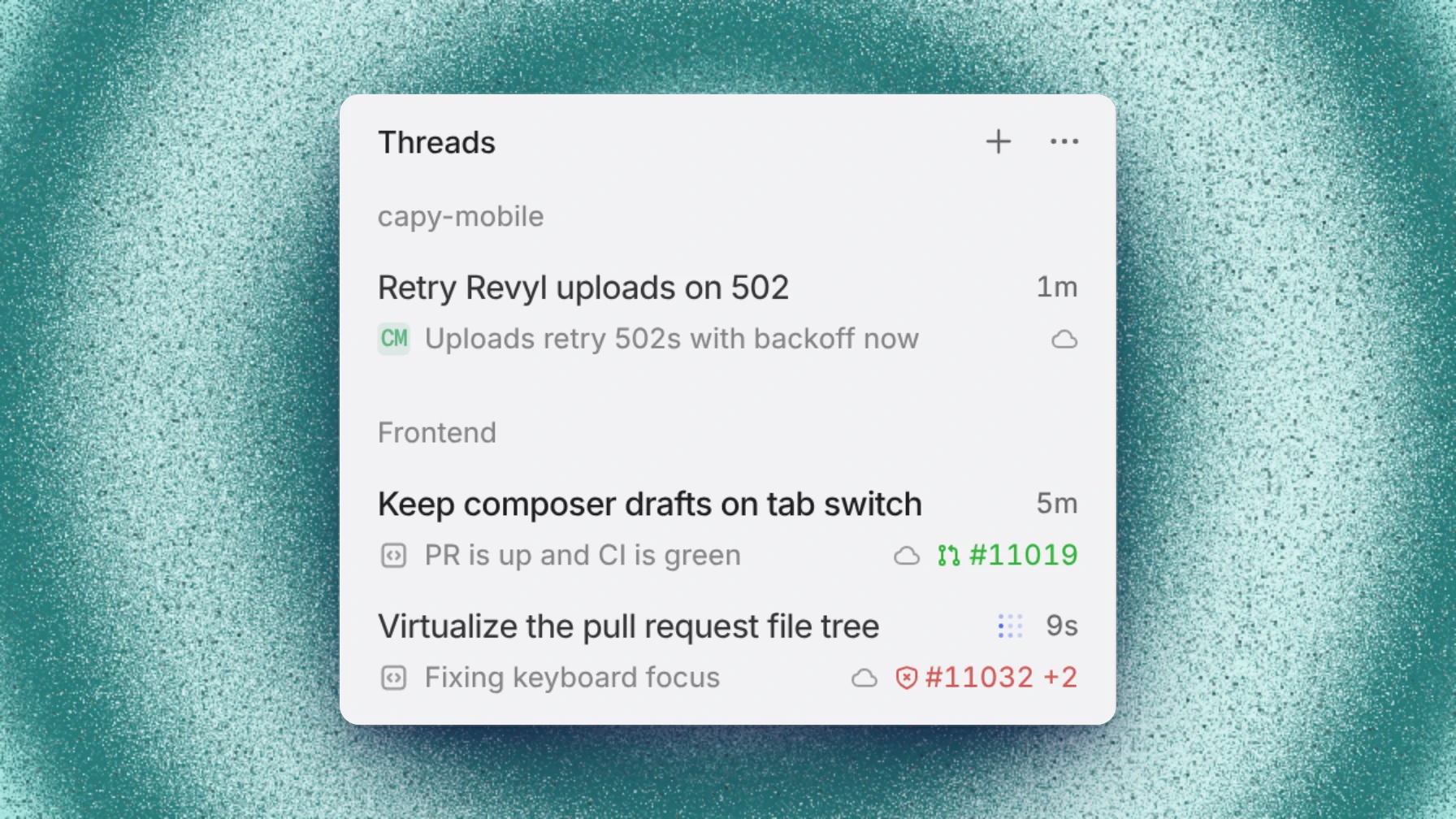
Threads grouped by project now show what each thread last said. Signing in to the desktop app with Google or single sign-on now continues to your second factor.
This release also keeps threads steady while you read them, and fixes sign-in, Drive, and folder issues.
Previews under project headings
When you set Group by to Projects, each thread row shows the thread's latest message from the agent where it used to repeat the project's name. Pinned threads, and the None and Folders groupings, still show the project.
Two-step sign-in on desktop
When your account has two-step verification, signing in to the desktop app with Google or single sign-on now continues to your second factor. Finish with a code from your authenticator app, a passkey, or a recovery code. If your account requires a passkey and you can't use one, the sign-in wall offers Use a recovery code.
Threads hold your place
A finished thread opens at rest, with no working line that vanishes a few seconds later. A thread you're reading stays where it is when its last turn closes, and when a long thread corrects its layout, the rows you were reading stay on screen.
Also in this release
- When your organization is out of credits, a thread pauses instead of failing and picks up again when credits arrive. Its row says whether the model or the cloud machine needs funding, and offers a way to keep going: Switch to a free model, the desktop app, credits, or a plan.
- In Settings → Models, an admin chooses what happens When included usage runs out: switch threads to a free model, or use Capy credits. Cloud machines still need credits or a plan.
- In the desktop app, Settings → Devices has a Worktree folder section where you choose where new worktrees go on that computer. Existing worktrees stay where they are.
- Audio mode loads only a recording's audio, so long screen recordings open sooner.
- GPT-6.2 Sol, GPT-6.2 Astra, and Inkling 2 Small are available.
Fixes
- Google and SSO sign-in on the desktop app continues to your second factor instead of failing.
- The desktop app ignores sign-in links it didn't start, so a stray link no longer emails you a code you didn't ask for or interrupts your sign-in.
- An account that requires a passkey can get back in with a recovery code from the sign-in wall.
- Require a passkey turns on only when your account has a passkey and every passkey on it is trusted.
- An admin signed in through single sign-on can turn Require single sign-on back on without a second factor.
- When an organization setting asks you to confirm it's you and your session can't, it tells you to sign in again instead of asking again and again.
- On Windows, the desktop app keeps opening
capy://links after an update. - In the desktop app, you can bind ⌘T, ⌘W, ⌘L, and other shortcuts a browser keeps for itself on the Shortcuts page.
- A finished thread no longer shows a working line that disappears a few seconds after it opens.
- A thread you're reading no longer scrolls to its end by itself when its last turn closes.
- When a long thread corrects its layout, the rows you were reading stay on screen.
- Renaming a folder to a name that isn't allowed keeps the dialog open and says why.
- A custom endpoint that lists a model without its date, such as
deepseek-v4.1-flash, matches that model in Capy, and Check access saves the id the endpoint lists. - On a gateway connection, typing a model id that isn't in Capy's model list no longer offers an add action that does nothing.
- DeepSeek V4.1 Flash and GLM-5.3-Flash with ads run in Captains, crew threads, and subagents.
- DeepSeek V4.1 Flash and GLM-5.3-Flash with ads no longer say "US and Canada only" to everyone when Capy can't tell which country you're in.
- A thread gets each CI result once, not twice.
- Files no longer disappear from a drive when a thread's machine saves it.
- A thread no longer deletes files from a full drive to make room.