




Running parallel coding agents without shared-tree collisions

Parallel coding agents collide over more than files: they share the git index, port 3000, the local database and the lockfile. Agents that only read can share a machine safely. An agent that writes needs its own checkout, and usually its own machine, so nobody runs tests against another agent's half-finished edits. In Capy, each cloud thread runs on its own VM, and every subagent either shares its parent's machine or boots a fresh one.
What two agents on one machine share
The files they edit are the obvious overlap. Everything below also works for one agent and breaks for two:
- The working tree and the git index. One agent's uncommitted edits show up in the other's test run, and a
git add -Afrom either one commits both agents' changes. - Ports and dev servers. Both start the app on port 3000. The second fails to bind, or worse, tests the first agent's server without noticing.
- Local databases and migrations. Both write to the same database, and both generate migration number 0042.
- Lockfiles and caches. A dependency change rewrites the lockfile and
node_modulesin the middle of the other agent's test run, and the build cache mixes outputs from both trees. - Branch names. Two agents that pick the same branch name reject each other's pushes, or overwrite each other if either one force-pushes.
Which work can share a machine
Exploring code, auditing a diff and summarizing logs change nothing another agent reads, so those agents can share. An agent that writes needs its own checkout. One that also runs servers, migrations or installs needs its own machine.
To decide, ask one question per agent: will it write anything another agent reads or writes while both run? Count files, ports, databases, lockfiles and branches. A yes means a separate machine. If you can't tell, isolate it, since a second machine costs less than an afternoon of debugging.
A worked example: a bug fix and a dependency bump
One agent fixes double rounding in report totals. Another bumps date-fns to 4.1. Both run on one machine.
- The bump runs
pnpm install, which rewritespnpm-lock.yamlandnode_modules. - The fix agent's tests now load the new
date-fns. Two date tests fail, and the fix agent starts repairing code it never touched. - Both agents start a dev server on port 3000. The bump agent's server fails to bind, so it checks its change against the fix agent's server.
- The fix agent runs
git add -Aand commits the bump's lockfile along with its own fix.
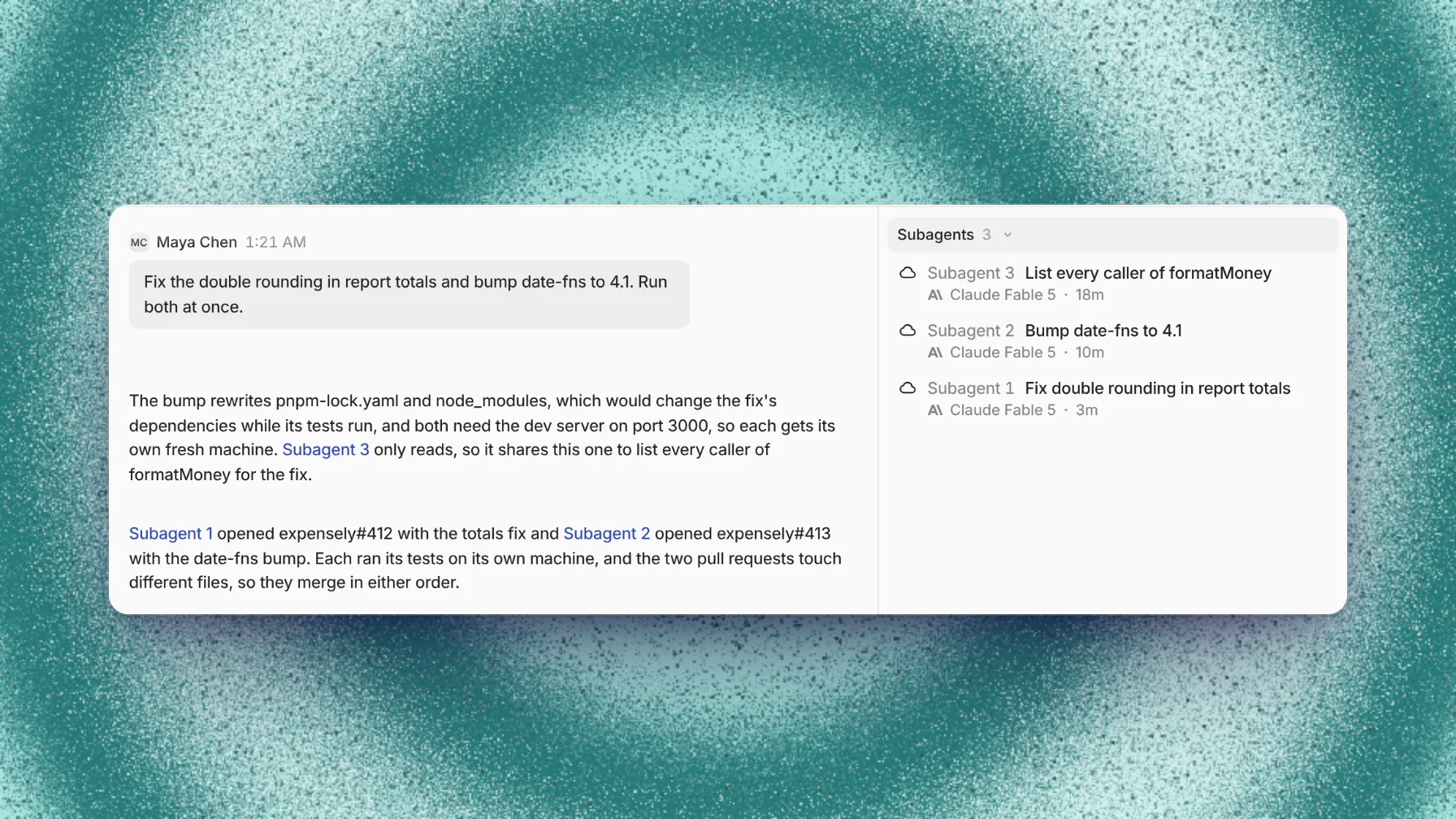
On separate machines, nothing in that list happens. Each agent installs its own dependencies, runs its own server on port 3000 and commits only its own change. A third agent, which lists every caller of formatMoney for the fix, only reads, so it stays on the parent's machine. The image above shows that split in a Capy thread.
Where Capy fits
Capy is a platform that orchestrates agent swarms, and it picks a placement every time it starts an agent:
- Every cloud thread runs on its own Linux VM, a Firecracker microVM isolated from every other machine.
- A subagent shares the parent's machine or boots a fresh one. Shared is for agents that only read. Fresh gives each writer a clean checkout, so writers can't collide with each other or with the parent.
- The placement is explicit: Capy names it when it starts the subagent, and the start result records it.
- A thread on your own computer works in a new git worktree by default, so your branch and uncommitted changes stay as they are. Its writing subagents get sibling worktrees on the same computer, or fresh cloud machines when they need their own ports and databases.
- A thread runs up to 8 subagents at once by default, and you can raise that to 100 in settings. A Captain runs many threads, each with its own subagents.
And where it doesn't:
- A merge conflict at the end still happens. Separate machines stop agents from overwriting each other while they work, but two changes to the same lines conflict when the second one merges. The thread that owns that pull request wakes on the conflict and resolves it.
- Machines don't share a filesystem. A file moves between them through git or an explicit transfer.
- Worktrees on one computer still share its ports, local databases and memory.
- Each awake machine uses machine time. Subagents on a shared machine add none.
Follow-up questions
Are git worktrees enough on one computer?
Worktrees separate the working tree, the index and the branch. They don't separate ports, local databases, global caches or memory. Agents that edit code and run unit tests can share a computer through worktrees. Agents that run servers or migrations need separate machines.
Why does a read-only agent share the machine?
It sees the working tree exactly as it is, uncommitted changes included, and it boots no new machine. That matters when the job is auditing work in progress. See shared vs fresh machines.
How many parallel agents can one thread run?
Eight at once by default, counted across the thread's whole subagent tree, and you can raise the limit to 100 in settings. A subagent can start subagents of its own, three levels deep by default. Past that, the useful number is how many independent pieces the work has.
Does each agent start from the same code?
A fresh machine starts from a clean checkout of the upstream branch or a branch you name, so it doesn't see the parent's uncommitted changes. Push what the fresh agent needs, copy the files onto its machine, or give the work to a shared agent.
Ship your next feature with Capy