





Orchestrating coding agents across a team

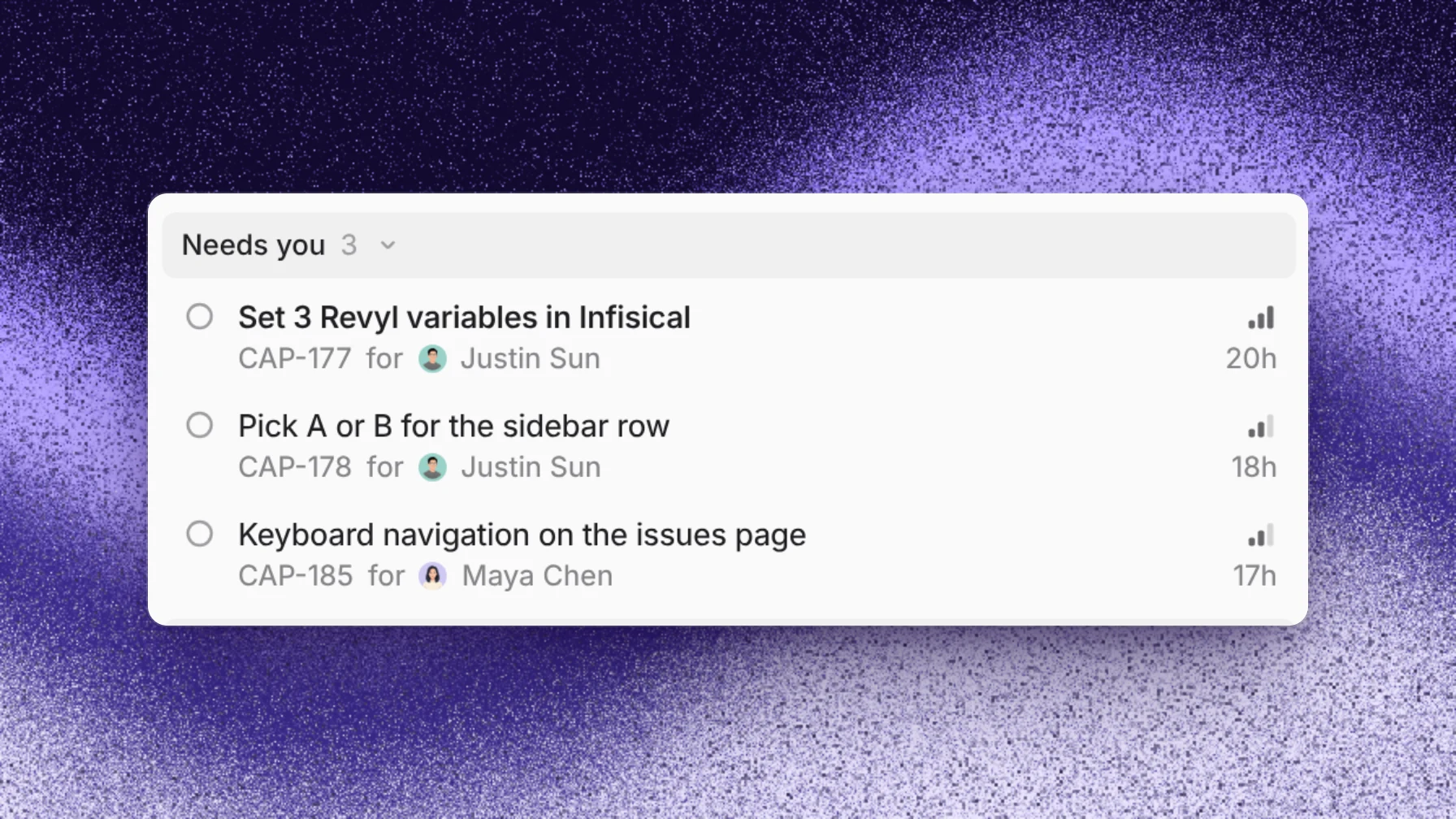
AI agent orchestration for a team starts with one place for requests and decisions. Work arrives from several people at once, through chat, Slack, Linear and schedules, so the coordinator needs one intake, one set of rules every agent reads, and an owner for every open question. In Capy, a Captain does this for one area: it runs a crew of threads, tracks the work as issues, lists each decision under the person who owns it, and keeps the crew rules in one file.
What changes when a team shares agents
One developer's agents answer to one person. A team's agents take requests from everyone: a message in the app, a Slack ping from whoever is on call, a Linear ticket, a job that runs every Monday. When each agent answers only the person who started it, nobody sees the whole queue. Two people ask for the same fix, a rule one engineer gave an agent never reaches the rest, and questions sit in threads nobody opens.
Splitting one large task across agents is a separate problem, covered in Multi-agent orchestration for a refactor. This page is about the layer above it, where many people send many tasks.
What a team's coordinator needs
- One intake. Every request reaches the same coordinator, which can spot duplicates and set the order.
- One rule set. "Reproduce the bug first" or "open pull requests as drafts" belongs in a file every agent reads, not in one engineer's chat history.
- An owner for each decision. A coordinator that asks everyone about everything gets ignored. Each question goes to the one person who can answer it, and the rest of the team can see the list.
- One coordinator per area. Platform and mobile each get their own. When they need each other's status, they read it instead of trading messages.
A worked example: a platform Captain for a week
Four engineers share a Captain called Platform for the small jobs in their area. Its access is set to everyone in the organization, so any of them can message it.
- Monday, 9 AM. An automation the Captain created wakes it with "Every Monday at 9am, look for flaky tests." It finds two and starts a crew thread for each. Both threads open fixes as pull requests.
- Monday, 11 AM. Priya, on call, posts
@Capy captain=Platform the deploy script times out on the eu clusterin Slack. The message goes to the Captain, which starts a third thread. - Tuesday. One flaky-test fix raises a retry timeout in shared config, which Marco owns. The Captain files an issue for it, assigns it to Marco and moves it to Needs you. Marco replies in the Captain's chat: "keep it at 30 seconds." The Captain records his answer on the issue, and the thread updates its pull request.
- Wednesday. Dana notices a crew thread changed code before reproducing the bug. She tells the Captain: "From now on, every thread reproduces the bug before it changes code." The Captain adds the rule to CREW.md, which every crew thread reads on every turn, so it now covers requests from all four engineers.
- Friday. The Captain's issues show two fixes merged, one pull request in review, and an empty Needs you list.
Nobody had to ask who was working on what. The image above is a Captain's Needs you list, with the person each item waits on.
Where Capy fits
Capy is a platform that orchestrates agent swarms. For a team, the coordinator is a Captain:
- A Captain directs a crew of threads for one area. Each crew thread is a full thread, with its own machine, pull requests and subagents.
- Sharing opens a Captain to everyone in your organization or to the people you name. Anyone who can see it can message it and manage its crew.
captain=<name>in a message to Capy in Slack or Linear sends it to that Captain, and automations wake a Captain on a schedule or hand it new tickets.- A Captain tracks its crew's work as issues. Its overview lists what's in progress and what needs you, and each decision names the person it waits on.
- CREW.md in the Captain's Drive holds the rules every crew thread reads on every turn.
- Captains can read and message each other, so the mobile Captain can check what Platform is doing without asking a person.
And where it doesn't:
- A Captain takes crew threads from one project. An area that spans projects needs a Captain in each one.
- A thread belongs to one crew at a time.
- A Captain always acts as its owner, whoever messages it. Crew threads use the owner's GitHub access and connected keys, not those of the person who asked.
- A cloud Captain uses machine time from your credits, even when its model runs on a connected subscription.
Follow-up questions
How is this different from an agent swarm on one task?
A swarm splits one goal into pieces that one orchestrator hands out. A team's coordinator takes many unrelated requests from many people and keeps their rules and decisions in one place. What is an agent swarm for engineering? covers the single-goal case.
Who can change a shared Captain?
Anyone who can see a Captain can message it, manage its crew and archive it. Only the owner can rename it, change its access, transfer it or delete it. The permissions table lists each action.
How do we stop a Captain from starting too much work?
Give it a rule, such as "Ask before starting more than two threads at once." A Captain acts on its own until a rule limits it.
Can a team's Captain run on our own hardware?
Yes. A Captain can run on a paired device that belongs to you or is shared with your organization, and its owner picks where crew threads run with Crew runs on.
Ship your next feature with Capy