





What is a background coding agent?

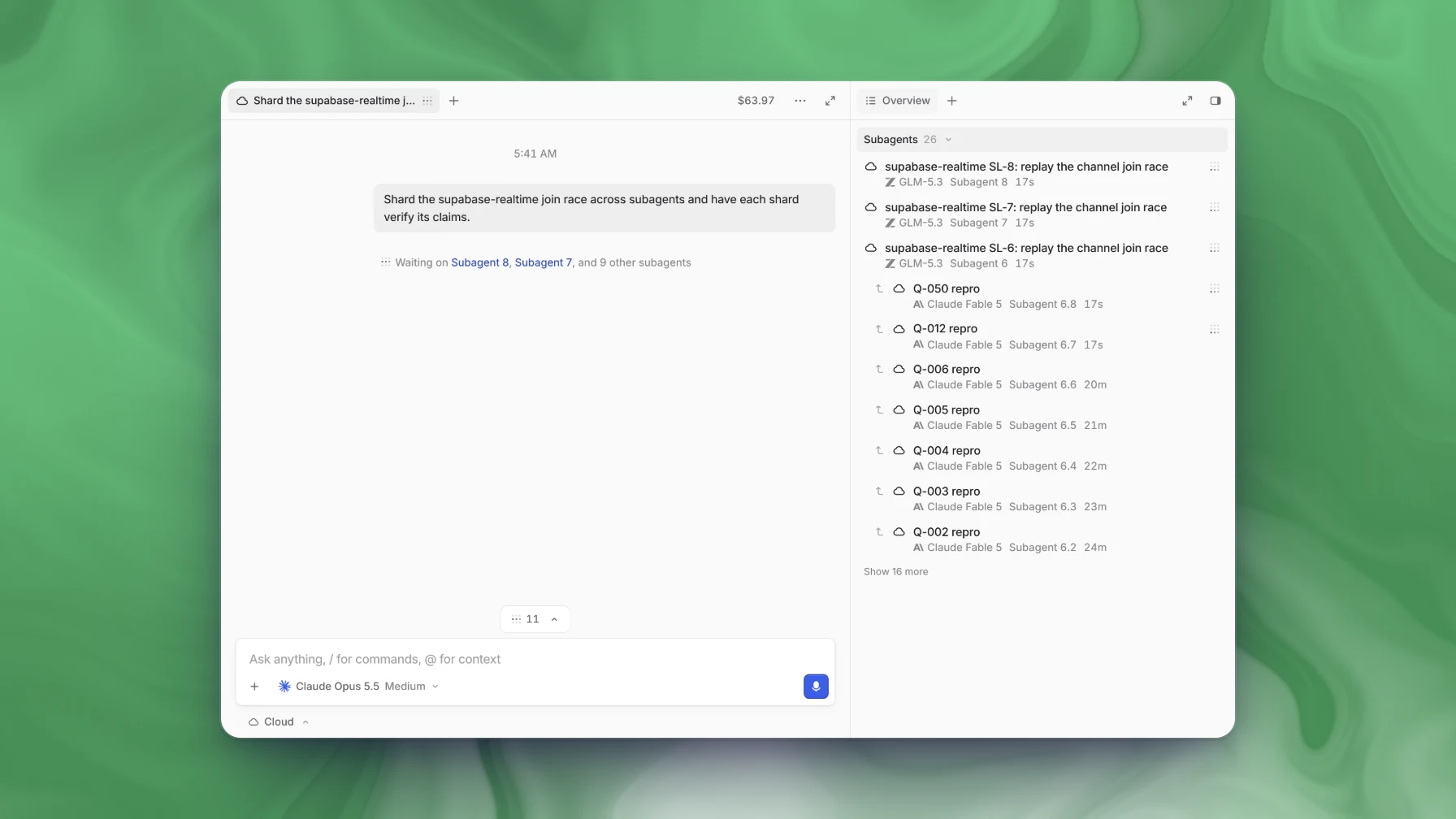
A background coding agent is a coding agent you delegate a bounded task to so it works asynchronously in its own environment and returns a pull request for review, instead of pairing with you step by step in an editor or terminal. It fits work with a clear finish condition, like bug fixes, test coverage, dependency updates and scoped refactors, while you stay focused on something else. In Capy, every cloud thread runs in the background by default on an isolated Linux VM, follows CI results and review feedback on its own, and waits for you to review and merge. Threads can also start on your own computer through the desktop app and move to the cloud whenever you want them to keep working away from your desk.
Foreground agents versus background agents
Editor and terminal agents run in the foreground. You watch the session, approve commands, inspect inline diffs and steer every step while the agent edits your local checkout. That loop is fast when you're exploring an unfamiliar problem or iterating on code you're writing now.
A background coding agent changes the attention model. You hand it a brief and move on while it works in an isolated environment:
- Attention. A foreground agent holds your focus for the whole run. A background agent interrupts you only when a pull request is ready or when it hits a decision a person must make.
- Checkout isolation. A foreground agent edits your working tree, blocking branch switches and unrelated builds until it stops. A background agent runs in its own cloud VM or git worktree, leaving your local branch untouched.
- Parallelism. Foreground pairing runs one interactive task per engineer. Background delegation lets you launch several independent fixes at once and batch-review the pull requests later.
For the mechanics that keep a thread running after you close your laptop, including wake events, machine sleep and long commands, see Keeping coding agents working after you close your laptop.
Repository setup decides the quality of background work
Because nobody watches every command in a background run, the repository's environment decides whether the agent proves its fix or guesses. When dependencies install cleanly, startup services bring up the database or dev server, and tests run on the machine, the agent catches bugs before opening a pull request. When setup fails, it burns turns repairing the environment or pushes broken code to CI.
Three pieces prepare a repository:
- Reproducible setup. Put install and refresh scripts in your project's dev environment (or commit
.capy/setup.jsonso setup changes go through review), and enable snapshots so fresh machines boot straight into a ready checkout. - Lean instructions. Put build, test, lint and PR rules in root
AGENTS.md, with package rules in nestedAGENTS.mdfiles. - Fast checks. Name the narrowest command that proves a change works, like a package test suite or typecheck, rather than running a slow global build on every edit.
Choosing and decomposing tasks
Good background tasks share three traits: a concrete starting point, a bounded scope and a verifiable finish condition. Reproducing a bug, adding tests, upgrading a library and fixing callers, updating docs after an API change, or adding an endpoint matching an existing pattern all fit well.
Decomposition turns background agents into steady throughput. Handing one agent a vague epic produces a sprawling diff nobody wants to review. Split work along three rules:
- One pull request per independent outcome. Keep each thread scoped to a change an engineer can review in one sitting.
- Parallel for disjoint files, stacked for dependencies. Give separate packages to parallel agents on fresh machines, and stack dependent changes so each pull request shows only its own diff.
- Plan before editing when scope is uncertain. Ask the agent to read the code, write a short plan naming the files it will touch and open questions, and wait for your go-ahead before editing.
A worked example: clearing three afternoon tasks without losing flow
At 1:30 PM, an engineer is mid-refactor on their laptop when three smaller items arrive: a CSV export bug from support, a stale SDK in the billing service and missing validation tests on a webhook route.
- 1:35 PM. Three short briefs. Instead of stashing the refactor and switching branches, the engineer starts three cloud threads. Each names the symptom or goal, the package to inspect and the test command that proves done.
- 1:42 PM. Parallel execution. The engineer stays in their local editor. Each background thread restores from the project snapshot on its own Linux VM, edits its package and runs its tests.
- 2:05 PM. One question, two pull requests. The CSV export thread hits an ambiguity, whether empty cells export as blank strings or
null, and flags Needs you. The engineer answers in one sentence and returns to the refactor while the SDK bump and validation test threads open pull requests. - 2:30 PM. Checks pass. CI clears both open pull requests and automated code review passes. The CSV export thread finishes its fix, passes its tests and opens its pull request too.
- 3:15 PM. Batch review. At a break in the refactor, the engineer reads all three small diffs, checks the test output and merges them.
Risks to manage and when not to use one
Background delegation brings failure modes that differ from interactive coding:
- Review queue buildup. Opening pull requests is faster than reviewing them. Keep diffs small, require green checks first and use automated code review to catch obvious bugs before a person reads the diff.
- Silent drift on vague prompts. Without clear acceptance criteria, an agent can spend twenty minutes building a clean fix for the wrong assumption. Ask for a plan first whenever intent is uncertain.
- Over-broad credentials. Commands run unattended on background machines, so use revocable, scoped credentials rather than broad personal tokens.
- Runaway spend. Oversized machines and open-ended tasks burn budget. Match machine size to the job and keep each thread bounded.
Stay in the foreground when you're still figuring out what to build, when a two-line edit takes thirty seconds by hand, when the change has no automated check and needs live manual inspection at every step, or when you're running an irreversible production change that calls for step-by-step judgment. To compare platforms, see compare cloud coding agents.
Where Capy fits
Capy is a platform that orchestrates agent swarms, and every cloud thread works as a background coding agent by default:
- Start background threads from the web or desktop app, Slack, Linear, a
@capycomment on a GitHub pull request, the API or an automation on a schedule, webhook or event. - Each cloud thread runs on its own isolated Linux VM prepared by your project's dev environment and snapshots, and threads can also run in a worktree on your own computer through the desktop app or a server via
capy dock. - Ask for a plan before any code changes, steer a busy thread without interrupting it (Message a working thread) and track each thread's Working or Waiting status and its Needs you flag in the sidebar (Read a thread's status).
- Split multi-part work across parallel or stacked subagents or hand an ongoing workstream to a Captain that coordinates a crew of threads and surfaces only what needs you.
- Capy review checks pull requests automatically when enabled, and Capy never merges a pull request unless you ask for that merge.
And where it doesn't:
- Background execution can't replace missing tests or broken setup. If a setup phase fails, the machine boots degraded and the agent spends extra turns repairing it by hand (How scripts execute).
- Awake cloud machines draw from your plan's included machine minutes first and then Capy credits, and your plan caps total running cloud machine memory.
- Threads on your own computer pause while the computer sleeps unless they move to the cloud. See Keeping coding agents working after you close your laptop for wake events, sleep and long commands.
Follow-up questions
Can I move a task between my laptop and the cloud?
Yes. A thread started on your computer through the desktop app can move to a cloud machine with Continue on, carrying your branch, unpushed commits and uncommitted changes (except gitignored files and untracked files over 2 MB), and move back later.
How do I steer a background agent if it heads the wrong way?
You don't have to wait for the turn to end. In Capy, Enter sends a Steer message that reaches the agent at its next step without stopping it, Option/Alt+Enter queues the next instruction for after the turn, and Cmd/Ctrl+Enter interrupts the current step right away (Message a working thread).
Should I use a background thread or an automation?
Use a background thread for one-off work you kick off yourself, such as a bug fix or scoped feature. Use an automation when the same stored prompt should run on a recurring schedule or whenever a GitHub, Slack or webhook event fires.
How many background agents should one engineer run at once?
Only as many as you can review thoroughly. Most engineers start with two or three small, independent threads while working on a main task, then scale up with subagents or a Captain once repository tests, AGENTS.md rules and automated code review cover the first pass.
Ship your next feature with Capy