





A security checklist for coding agents

AI coding agent security comes down to four controls: where the agent runs, which git credentials and secrets it can reach, where your code and prompts go, and which actions still need a person. Treat an agent as code running with the access you gave it, because anything on its machine can end up in its output. The checklist applies to cloud agents and laptop agents alike, and it complements your own vendor review rather than replacing it.
The threat model
Coding agents run commands. Anything an agent can read, it can print, and printed output lands in a transcript or a log. Agents also read text they didn't write, such as issues, web pages and dependency files, and that text can carry instructions aimed at the agent.
So the controls that work limit what the agent can reach, not what it means to do. A credential that isn't on the machine can't leak. An agent that can't merge has to get its change past a person.
The checklist
Ask these questions about all the coding agents you use, whether they run in a vendor's cloud or on a laptop.
- Isolation. Where do the agent's commands run? Look for a separate machine per task, so one task can't read another task's files. On a laptop, the agent runs as you and can reach everything you can.
- Git credentials. What can the agent push to, and as whom? Prefer short-lived access held by a server and limited to repositories you chose over a personal token sitting on the machine.
- Secrets. Which values are on the machine, and who put them there? Give each task revocable credentials scoped to the job, like a read-only database role. Assume the agent can print any value it can read.
- Network. What can the machine reach? Private services should need an explicit connection with its own access rules, and cloud access should use short-lived tokens instead of stored keys.
- Model data. Where do prompts, code and outputs go, and under whose agreement? Check whether your code trains anyone's models and what each model provider keeps.
- Approval boundaries. Which actions need a person? At minimum, merging to a protected branch and anything that touches production.
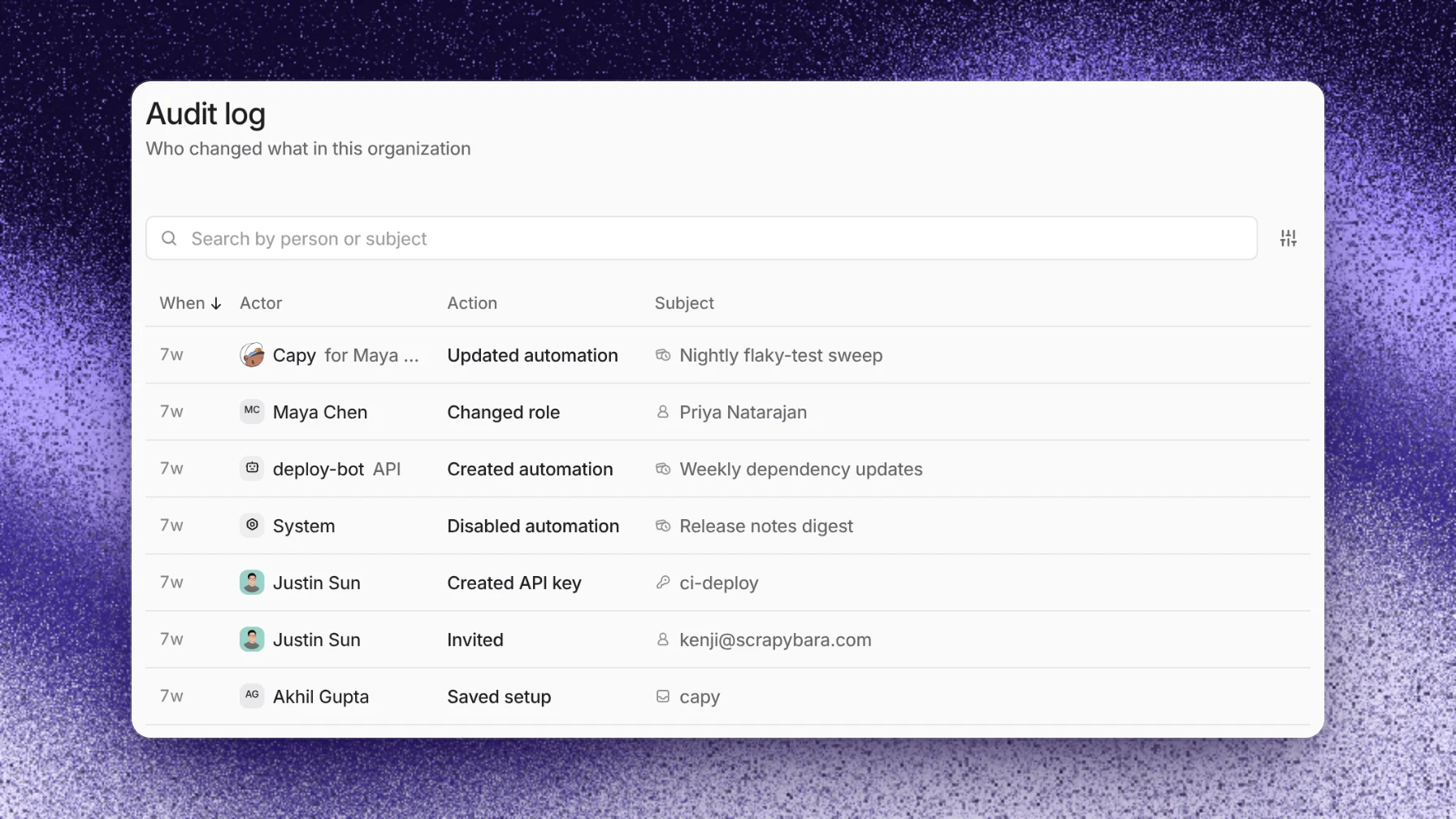
- Evidence. What can you show an auditor? Ask for the vendor's compliance reports, its subprocessors, and a record of what each task did.
A worked example: giving an agent a database
An agent needs a database to reproduce a bug. The fast option is pasting the production connection string into the project's shared variables. That puts a powerful credential on every machine in the project, and one verbose error message prints it into a transcript.
The safer setup takes a few more minutes:
- Create a read-only role on a staging copy of the database.
- Give it to the one task that needs it, not the whole project.
- Revoke the role when the pull request merges.
If that value leaks, the damage stops at read access to staging, for a few days at most.
Where Capy fits
Capy is a platform that orchestrates agent swarms. Here is its answer to each item:
- Isolation. Every cloud thread runs on its own isolated Linux VM. A thread on a paired device runs as you, and a linked folder sets where the agent starts but isn't a sandbox.
- Git credentials. Cloud machines hold no GitHub token. You choose which repositories the GitHub App covers, and its permissions are listed. Machines that run reviews can read but can't push.
- Secrets. Environment variables are encrypted at rest. The model sees each variable's name and whether it has a value, never the value. Code the agent runs on the machine can read values, and a command that prints one puts it in the transcript. Values come in three scopes: shared, personal and thread.
- Network. Machines join your tailnet through Tailscale, and your tailnet policy decides what they reach. OIDC federation gives each machine short-lived tokens that Capy refreshes on its own, and your cloud exchanges them for temporary credentials that expire on its schedule. The token names the organization, project, thread and machine, so on AWS and Google Cloud your audit log shows which thread acted.
- Model data. Capy doesn't use your non-public code, messages, files, or other content to train models that Capy develops or controls, unless you opt in or agree to it in writing. The models table shows each model's zero data retention status on Capy credits, and zero data retention for Capy's own storage is available on request. Book a call to set it up.
- Approval boundaries. Capy's instructions tell it never to merge a pull request or turn on auto-merge unless you ask for that merge. The only standing exception is a merge rule you commit to the repository's root
AGENTS.mdon its default branch. Your branch protection and rulesets enforce the boundary on GitHub's side. - Evidence. Capy is SOC 2 Type II. The report is on the Trust Center, and the Subprocessors page lists each provider.
And where it doesn't:
- It doesn't mask output. A command that prints a value puts it in the transcript, so scope what you hand over.
- Machines can reach the public internet and don't have fixed IP addresses. Capy doesn't publish its egress IP addresses, so contact support before you turn on an IP allow list, on GitHub or elsewhere.
- GitHub doesn't let you install the main app with fewer permissions than it requests. You limit it by choosing repositories, and for private dependencies Capy only needs to fetch, an admin can install the read-only Dependency reader app instead.
- On your own computer, the agent uses your files and your git credentials. Use a cloud thread when you want the isolation above.
Follow-up questions
Can the agent see my secret values?
The model can't. It sees variable names and whether each one has a value. Code the agent runs on the machine can read them, like any program you run.
Does Capy train models on our code?
No. Capy doesn't use your non-public code, messages, files, or other content to train models that Capy develops or controls, unless you opt in or agree to it in writing. On your own API key or subscription, requests go under your agreement with that provider.
Can an agent merge to our main branch?
Only when someone asks for that merge, or when your repository's root AGENTS.md grants a standing rule to merge. Your branch protection and rulesets apply to Capy's GitHub App like any other actor, unless you add the app to a bypass list. When Capy acts as you on GitHub, your own GitHub permissions apply.
What should we send our security team?
The SOC 2 Type II report from the Trust Center, the Data Processing Addendum, the Subprocessors list, and the security and privacy docs. For a full review, book a call.
Ship your next feature with Capy