





Giving coding agents cloud access without stored keys

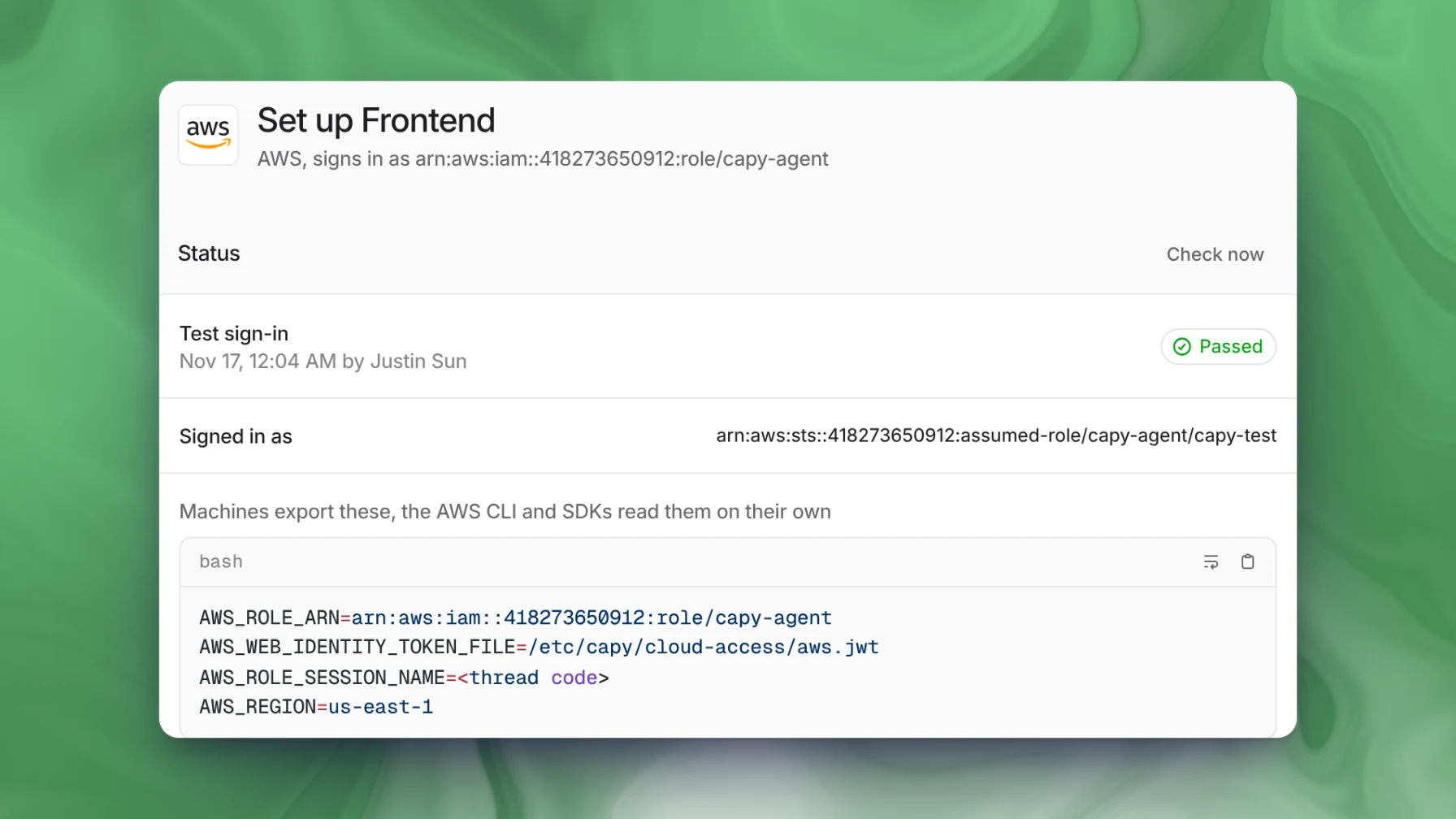
Coding agents can reach AWS, Google Cloud or Azure without a stored key through OIDC federation. The agent platform signs a short-lived token for each machine, and your cloud trades it for temporary credentials under a role you control. In Capy, you turn this on per project for Google Cloud, AWS, Azure, HashiCorp Vault or any OIDC service. Capy stores no cloud credential, and the token names the thread, so on AWS and Google Cloud your audit log shows which thread acted.
Why a stored key is the wrong default
A cloud access key in an agent's environment works from anywhere until someone rotates it. Every command the agent runs can read it, and anything the agent can read, it can print into a log or a transcript. Revoking it means rotating the key and then finding every place that still uses the old one.
OIDC federation removes the key. The machine holds only a short-lived token, and your cloud decides what that token is worth.
How OIDC federation works
- The platform is an issuer. It publishes its signing keys at a public URL, so your cloud can check its signatures.
- It signs a token for each machine. The token is a JWT whose claims name the organization, the project and the task.
- The cloud SDK exchanges it. The SDK reads the token from a file and sends it to your cloud's token service, for example
AssumeRoleWithWebIdentityin AWS. - Your trust policy decides. The token service checks the signature, then checks the issuer, audience and subject against your trust policy. If they match, it returns short-lived credentials for the role you mapped.
The trust policy is where you limit access. Match the subject to one project, so a token from any other project can't assume the role, and give the role only what the task needs.
A worked example: reading logs from a thread
Thread ENG-142 is debugging 502 errors from a checkout service on AWS, and the agent needs the service's logs. Someone on the team sets up AWS access for the project once:
- In Settings → Cloud credentials → AWS, they add the project with the role
arn:aws:iam::123456789012:role/capy-agent. - They run the Trust Capy commands in CloudShell. These create the IAM OIDC provider and a trust policy that accepts only this project's subject.
- They attach
CloudWatchLogsReadOnlyAccessto the role, then choose Verify. Capy signs in once with a test token and shows the assumed-role ARN.
On the machine, AWS_ROLE_ARN, AWS_WEB_IDENTITY_TOKEN_FILE and AWS_ROLE_SESSION_NAME are set, and the session name is ENG-142. The agent installs the AWS CLI and runs aws logs tail /ecs/checkout --since 1h. The CLI calls AssumeRoleWithWebIdentity itself. No long-lived key exists anywhere; the CLI holds temporary credentials that expire on your role's schedule.
CloudTrail shows ENG-142 as the session name on the calls the machine makes. The session name is a default a command can override, so for proof use the sign-in event, which records the token's subject. Capy signs the subject and the agent can't change it. When someone asks who read those logs, they open ENG-142 in Capy and see what the agent did and why.
Where Capy fits
Capy is a platform that orchestrates agent swarms, and it acts as an OIDC issuer for your organization:
- Each organization has its own issuer, so a trust you create for your issuer never accepts a token Capy signs for another organization.
- You turn on a cloud per project, and only that project's machines get a token. Each project can map to a different identity, such as a read-only role.
- Setup pages cover AWS, Google Cloud, Azure, HashiCorp Vault and generic OIDC.
- The token names the organization, project, thread and machine, so your cloud's audit log can show which thread acted.
- Capy refreshes the token while the machine is awake. The machine can't renew its own token, and a sleeping machine gets no new one.
- Capy stores no cloud credential, and it checks that the thread's owner is still a member before it signs a token.
And where it doesn't:
- Only cloud machines get tokens. Threads on your own computer use your own cloud logins.
- Capy never grants access. A broad role you attach is still broad, so scope each role to the task.
- After you revoke the trust, credentials that machines already hold last until they expire.
- A subagent's machine carries its parent thread's code, so your logs show the parent thread. On Azure the token's subject names the project but not the thread, so Azure's logs show the project.
- A service that needs a long-lived key still needs a variable.
Follow-up questions
Can the agent read the token?
Yes. The token file is readable by the machine's user, so the agent can read it, and with generic OIDC it passes the token to your service itself. Treat the role's permissions as what the agent can do.
What happens if a token is copied off the machine?
The machine can't renew its own token, because Capy pushes each new one. A copied token stops working when it expires, and the credential bought with it lasts as long as your cloud allows.
Can different projects get different access?
Yes. Each project has its own setup for each cloud, so a production project can map to a read-only role while a staging project maps to a broader one.
How do we cut off access at once?
Remove the statement from your trust policy or delete the OIDC provider in your cloud. That stops every new exchange. To stop Capy from sending tokens, remove the project in Capy. Capy deletes the token files at the machine's next refresh, and the last token expires on its own.
Ship your next feature with Capy