





Connecting cloud coding agents to private APIs

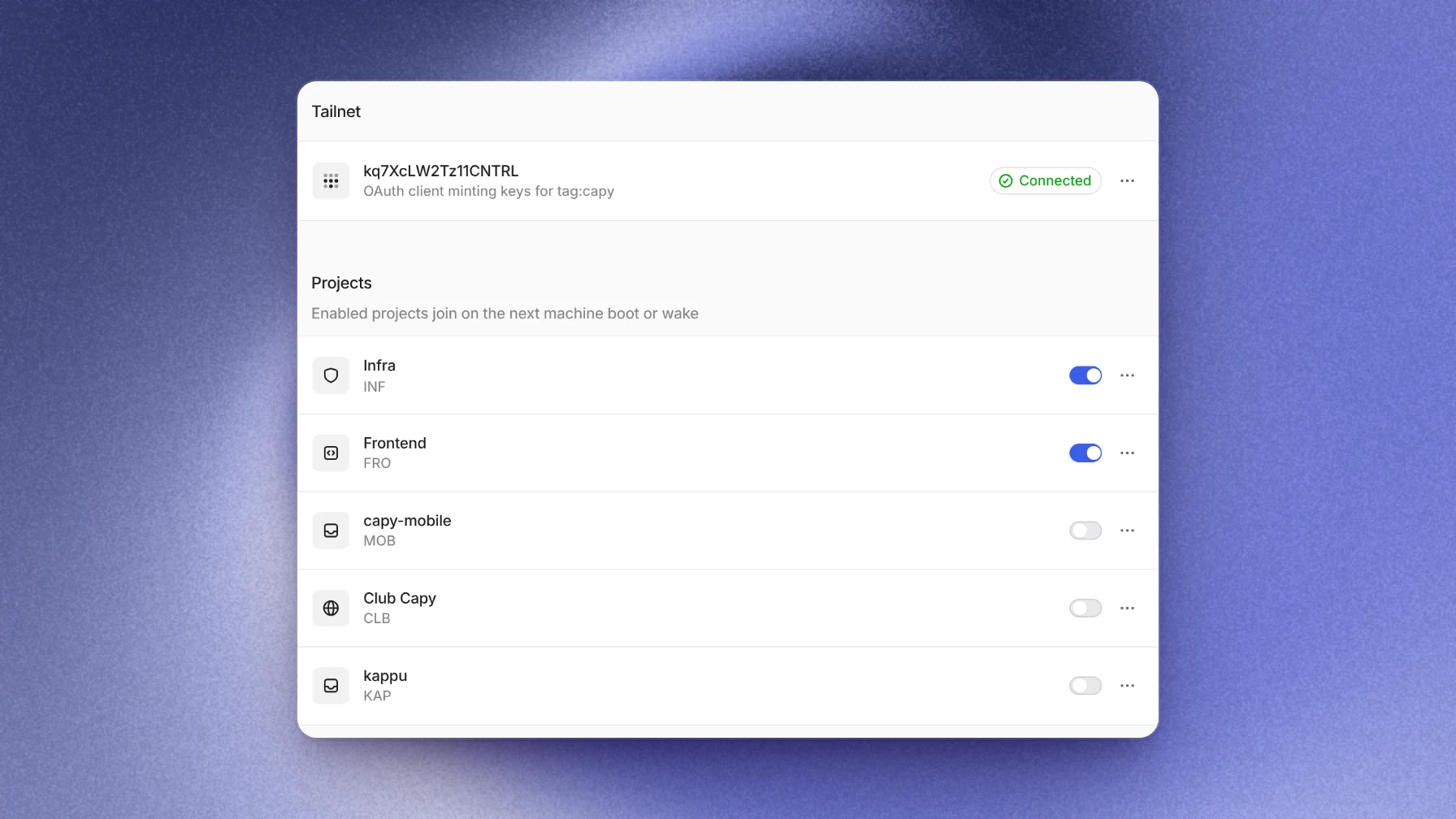
Cloud coding agents reach private APIs by joining your private network, not by exposing the API to the internet. With Tailscale, each machine joins your tailnet as an ephemeral node that carries a tag, and your ACLs decide which hosts and ports that tag can reach. In Capy, machines in the projects you enable join when they boot or wake, and Tailscale removes them after they go offline. The private API never has to face the internet, and no rule depends on a machine's address.
Why the usual options fall short
Coding agents in the cloud need the internal services your developers use every day: a staging API, a package registry, a test database. Each of the usual ways in has a cost:
- Make the service public with a token. The service is now on the internet, and the token is one more secret on the machine.
- Allow the agent's IP address. The service still faces the internet, and the allow list has to track the addresses of machines that come and go.
- Put VPN credentials in the environment. One long-lived credential is shared by every task, and it can reach everything the VPN reaches.
How a tailnet join works
Tailscale gives each machine an identity on your private network. For short-lived agent machines, the useful pieces are:
- A tag. Agent machines carry a tag, such as
tag:capy, that your ACL rules can name. - A narrow OAuth client. The platform holds an OAuth client that can only create auth keys for that tag.
- A key per machine. Each machine gets a single-use auth key that expires after a few minutes.
- An ephemeral node. The machine joins as an ephemeral node, and Tailscale removes the node after the machine pauses or is destroyed.
The tag is the stable identity, so your ACLs don't need to know any machine's address.
A worked example: testing against a staging API
A thread changes how the frontend shows invoices, and the agent has to test against the staging billing API at 100.101.102.103:8443. That API isn't on the internet. The production database at 100.101.102.50:5432 is on the same tailnet.
The admin adds one rule to the tailnet policy file:
"hosts": {
  "staging-billing": "100.101.102.103",
},
"acls": [
  { "action": "accept", "src": ["tag:capy"], "dst": ["staging-billing:8443"] },
]
Then they turn on the Frontend project in Capy's Tailscale settings. The next time the thread's machine wakes, it joins the tailnet. The agent runs tailscale ping 100.101.102.103 and then calls the invoices endpoint, and its tests pass against real staging data.
When a test fixture tries to reach the production database, the connection fails, because no rule lets tag:capy, or every source, reach port 5432. The agent reports that it has no access, and the database stays closed until someone writes a rule for it.
Where Capy fits
Capy is a platform that orchestrates agent swarms, and its Tailscale integration connects project machines to your tailnet:
- You connect with an OAuth client ID, secret and tag. Capy validates the client against your tailnet before it saves it, and stores the secret encrypted.
- A per-project setting decides which projects' machines join. Machines in other projects never join.
- Each machine joins as an ephemeral node named
capy-<machine-id>with your tag, and Tailscale removes it after the machine pauses or is destroyed. - Each auth key is minted for one machine, works once and expires after five minutes. It is written to a file only root can read, handed to Tailscale by file name, and deleted when the join finishes. It never appears in process arguments or environment variables.
- Machines get exactly the access your tailnet policy grants the tag. With no rule for the tag they reach nothing. A rule that accepts every source, like the one in Tailscale's starter policy, also covers Capy machines, so narrow it before you connect.
- A failed join never blocks a machine from booting. The machine runs without tailnet access and tries again on its next wake.
And where it doesn't:
- Machines don't have fixed public IP addresses, so an IP allow list can't single them out. A service that only accepts an allow list should accept traffic from your tailnet instead.
- Each Capy organization holds one Tailscale connection.
- Turning a project off or disconnecting stops new joins. It doesn't remove machines that have already joined: a joined machine stays on your tailnet while it runs, and can return after a pause, until Tailscale removes its node. To cut one off at once, remove its node in the Tailscale admin console.
- Only machines that boot or wake after you turn a project on join the tailnet.
Follow-up questions
Can the agent reach our whole tailnet?
Only the hosts and ports your ACLs grant its tag. Write rules for the specific services agents need, not for the whole tailnet.
Do agent machines pile up in our Tailscale machine list?
No. They join as ephemeral nodes, and Tailscale removes each one after its machine pauses or is destroyed. A machine that wakes joins again with a fresh key.
What does the OAuth client need?
Only the Keys → Auth Keys → Write scope, limited to your tag. Leave every other scope unchecked. The setup steps list the exact settings.
How do we cut off access in an emergency?
Do it in Tailscale, which takes effect at once. Remove the rules that grant your Capy tag access to cut off every Capy machine, or remove a single machine's node from the machines list. Then revoke the OAuth client so no new machine can join. Disconnecting in Capy stops new joins but doesn't remove machines already on your tailnet.
Ship your next feature with Capy