




How to run nightly dependency updates with a coding agent

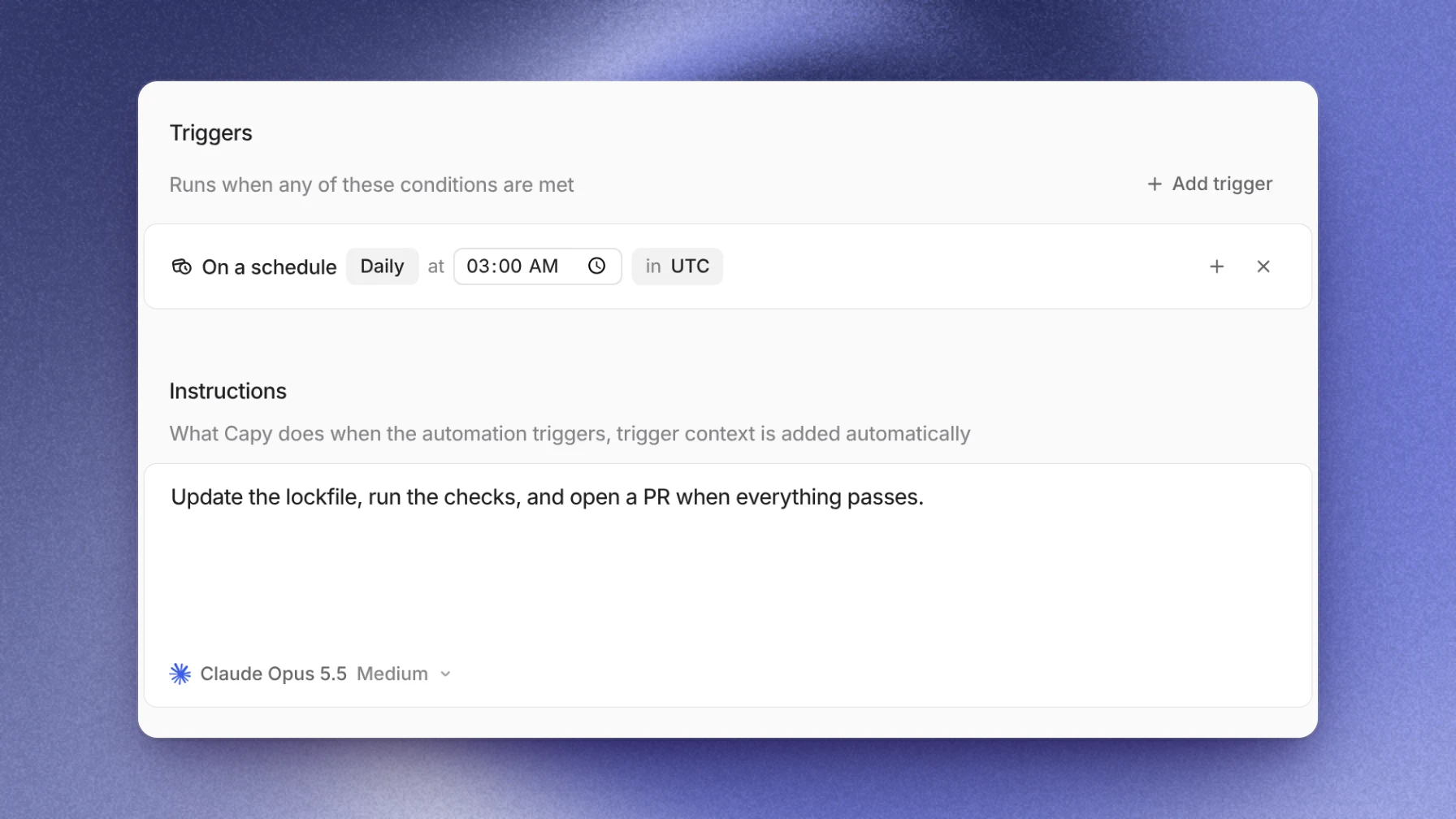
Create a Capy automation with a schedule trigger, say daily at 3:00 AM in your timezone, and a prompt that updates the lockfile, runs your checks and opens a pull request. Each run starts a fresh thread on a cloud machine. That thread owns the pull request, so failing CI and review comments come back to it, and the change merges only when someone on your team merges it.
Before you start
- The repository is in a Capy project. An automation belongs to one project, and every run starts its thread there.
- The project's machine can run your checks. The environment holds the setup scripts and commands a fresh machine runs. If
pnpm testfails on that machine, the agent has no way to tell a safe bump from a broken one. To get a first version, ask Capy in any thread to "set up this project's dev environment". - You know who the runs act as. Each run executes as one stored principal: the person who saved the automation, or a service user. Pick a service user for a job that should outlive any one teammate's account.
Set up the automation
- Open Automations and choose New automation. Asking in a thread works too: "create an automation that updates our dependencies every night at 3am Pacific". The agent has the same automation tools as the editor.
- Name it and check the Project row. Runs start their threads in that project.
- Add the schedule. Choose Add trigger, then On a schedule. Set it to Daily, pick the time and the timezone. Behind the row is a five-field cron expression,
0 3 * * *for 3:00 AM, in an IANA timezone. Capy rejects an invalid expression when you save. - Write the instructions. The next section has a prompt you can start from.
- Leave Runs in on New thread each run. Each night then gets its own thread and its own pull request.
- Choose who it runs as under Runs as. A service user's commits carry its display name and Capy's bot address.
- Check the model. The web editor saves the model its picker shows, and every run uses exactly that model until you change it.
- Set Max runs per day to 1. It's optional, and it stops a mistaken trigger from opening a pull request every few minutes.
- Save, then choose Run now from the automation's menu. The run uses the stored prompt, so you can test it without waiting for 3:00 AM.
A thread appears in the project. The agent sets up the machine, updates the packages, runs your commands and, when they pass, opens a pull request on GitHub.
A prompt to start from
The trigger already passes the event to the agent. The prompt only needs the job, the commands and the stopping rules:
Update the dependencies in this repository.
- Run `pnpm update` within the ranges in package.json. Don't change major versions.
- Run `pnpm install`, `pnpm lint` and `pnpm test`.
- If everything passes, open one pull request titled "chore(deps): nightly update"
  that lists each package that changed.
- If a package breaks the tests, leave it out, and name it and the failing test
  in the pull request description.
- If nothing changed, don't open a pull request.
Keep major upgrades out of this job. They usually need code changes and a decision about timing, so start a separate thread for each one.
After the pull request opens
The run's thread owns the pull request. A failing check wakes it, and it reads the log and pushes a fix to the same branch. With Capy review on for the repository, the review's findings reach that thread too, along with comments from your team.
Capy doesn't merge unless someone asks it to. The pull request waits for a reviewer, or for merge rules your team already runs on GitHub.
When a run goes wrong
- The automation turned itself off. Its run-as principal can no longer run in the project, for example a removed user or a disabled service user. Choose an eligible principal under Runs as and turn the automation back on.
- A run failed on the model. A pinned model never switches silently. If the principal lost access to it, or an admin turned it off, that run fails and the automation stays on. Pick another model and save.
- The agent couldn't run the tests. Fix the environment, then choose Run now again.
- A night has no run. If the scheduler falls behind, missed times fold into a single run. A run over Max runs per day is recorded as skipped. Ask Capy in a thread to list the automation's recent runs to see each one's outcome and reason.
- The thread stopped with "Your organization is out of credits". Runs use machine time, which bills Capy credits. Once an admin adds balance, send the thread a message to continue.
Limits
- A schedule fires at most once every five minutes.
- Cloud runs bill machine time in Capy credits, including runs whose model is on a subscription you connected.
- The agent proves only what your environment can run. Without tests, a green run means the install worked.
- Repositories must be on GitHub.com. Other git hosts aren't supported.
For why a run keeps going with nobody watching, read Keeping coding agents working after you close your laptop. The automations reference lists every trigger and setting.
Follow-up questions
Can it run weekly?
Yes. The cron expression 0 3 * * 1 runs at 3:00 AM every Monday in the timezone you set.
Can one automation cover several repositories?
Each run starts a thread with all of the project's repositories. Name the ones to update in the prompt, or create one automation per project.
Should I keep my dependency bot?
Keep it for plain version bumps if it works for you. The automation earns its place on updates that break code: the thread changes the calling code, runs your tests and lists what it left out.
Who hears about the pull request?
The run-as principal owns the thread, and their notification settings control its alerts. GitHub notifies the pull request's reviewers as usual.
Ship your next feature with Capy