





Aider alternatives
Seven coding agents compared with Aider across local CLIs, cloud machines, Captains, pull request review and pricing, plus when Aider still fits best.

Aider is an open-source terminal tool for interactive AI pair programming in git using your own API keys. Teams look at Aider alternatives when they want parallel cloud machines opening pull requests, a lab’s native CLI and editor apps, or approval-gated editing inside VS Code or JetBrains.
Pick Capy for parallel threads on your hardware or cloud machines up to 64 GB Hyper, Captains, native Issues and automatic GitHub PR review at $0 per seat. Pick OpenCode, Cline, goose or Codex CLI for open-source local tooling with your keys, or Claude Code and Amp when their surfaces fit. Stay with Aider when one terminal session, Ollama and one commit per edit fit how you ship.
Competitor facts below come from each tool’s own documentation, pricing page or repository, checked on November 23, 2026.
Aider pairs with you in the terminal, one conversation at a time
Aider puts AI pair programming inside your terminal on new or existing repositories. Setup takes two commands (python -m pip install aider-install followed by aider-install, or a one-line script from the installation docs), then you launch aider with a model and API key. It is Apache License 2.0 with roughly 50,000 GitHub stars. Its latest PyPI release is aider-chat 0.86.2 from February 12, 2026.
To orient models in large codebases, Aider builds a repository map of classes, functions and signatures ranked by a graph algorithm to fit a token budget (1k tokens by default via --map-tokens). Its git integration commits pre-existing dirty edits separately first, writes a Conventional Commits message for every change and appends (aider) to the commit’s author name, and lets you inspect with /diff or revert with /undo. Four chat modes separate planning from edits: code (default), ask (discussion only), architect (an architect model proposes changes and an editor model applies them) and help.
Aider spans 100+ languages, accepts voice, images and web pages, reads IDE comments, and runs linters and tests after edits to fix what fails. It connects to almost any LLM, including local Ollama models and free OpenRouter endpoints in its LLM docs. People look for alternatives when one interactive terminal becomes the bottleneck: when they want parallel isolated machines, automated pull requests and CI fixes, or triggers from Slack and Linear.
Capy starts free on your own hardware and scales into 64 GB cloud microVMs
Capy shifts from steering every edit to delegating whole tasks. Start threads from the web or desktop app, Slack (@Capy), Linear or the API. Threads run locally in a new git worktree, an existing worktree or your current checkout at $0 machine time, and move between your computer and the cloud as needed.
For servers and headless workflows, the Dock CLI (capy dock) is Capy without the desktop app. It pairs any Linux, macOS or Windows machine (a build server, cloud VM or spare Mac) so threads use the tools, credentials and services already installed there at $0 machine time while you steer them from any browser.
curl -fsSL https://downloads.capy.ai/stable/dock/install.sh | sh
Dock threads work in git worktrees under ~/.capy/worktrees; capy dock --dir ~/src/api links repos, capy dock dirs manages linked folders, and capy dock status and capy dock doctor check the host.
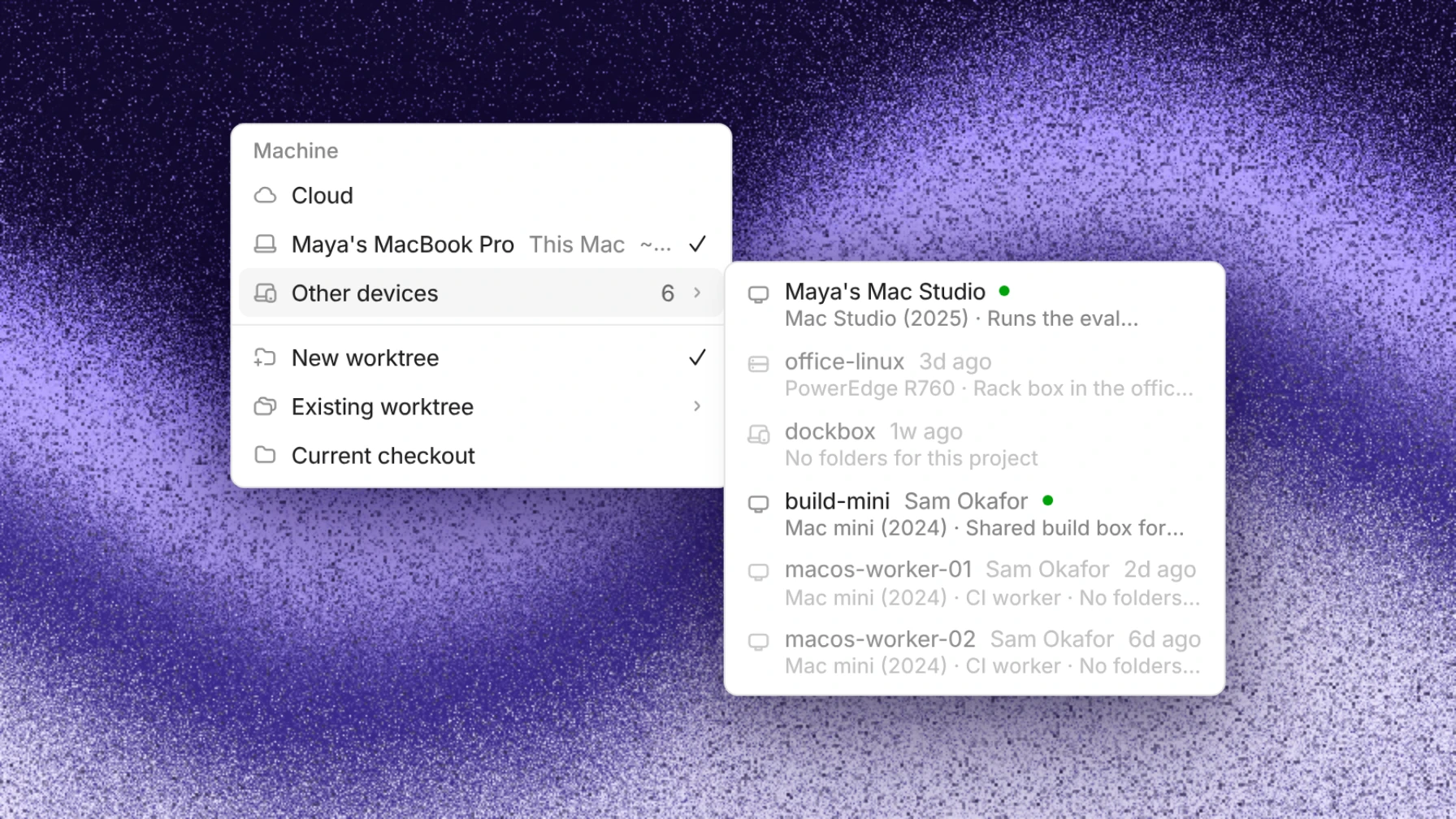
In the cloud, every thread runs in its own Firecracker Linux microVM on Ubuntu 24.04 with Docker Compose, the GitHub CLI and sudo preinstalled, and subagents can run on separate machines. Capy’s machine sizes scale from quick fixes to heavy builds:
| Size | vCPU | RAM | Disk | $/hr overage | Plans |
|---|---|---|---|---|---|
| Small | 1 | 4 GB | 64 GB | $0.10 | Lite and up |
| Medium | 2 | 8 GB | 64 GB | $0.20 | Lite and up |
| Large (default) | 4 | 16 GB | 64 GB | $0.40 | Lite and up |
| Ultra | 8 | 32 GB | 64 GB | $0.80 | Pro and up |
| Hyper | 16 | 64 GB | 128 GB | $1.60 | Max and up (self-serve) |
| Big Guy | 16 | 128 GB | 256 GB | $3.20 | On request |
Concurrent awake RAM caps scale per org: 128 GB on Lite (8 Large), 512 GB on Pro (32 Large), 1 TB on Max (64 Large), and 1 TB or as agreed on Enterprise. Local and Dock threads do not count against these limits.
Captains, native Issues and Drive coordinate parallel work beyond a local board
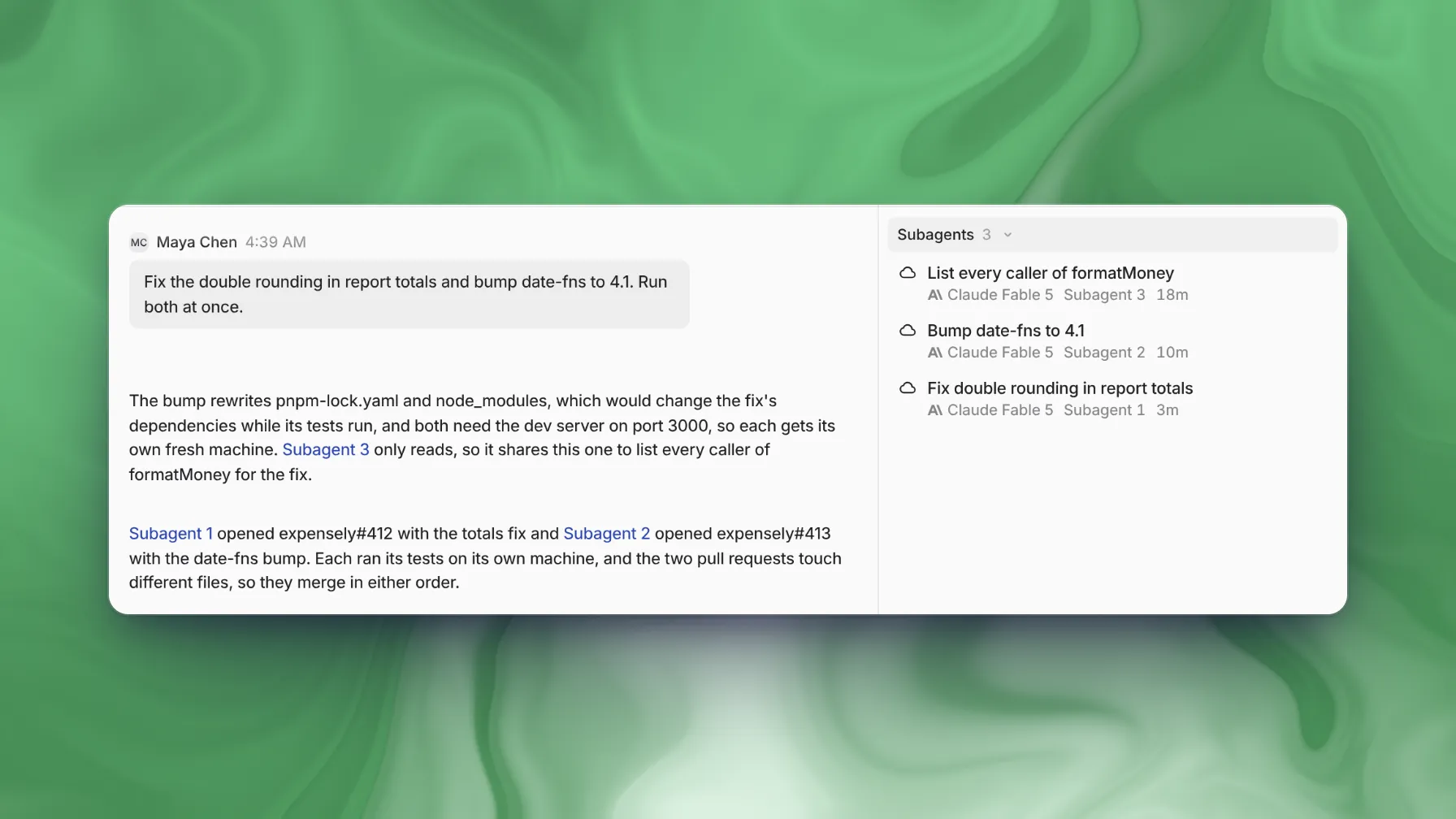
Within a thread, Capy splits independent work across parallel subagents on disjoint files, each opening its own pull request.
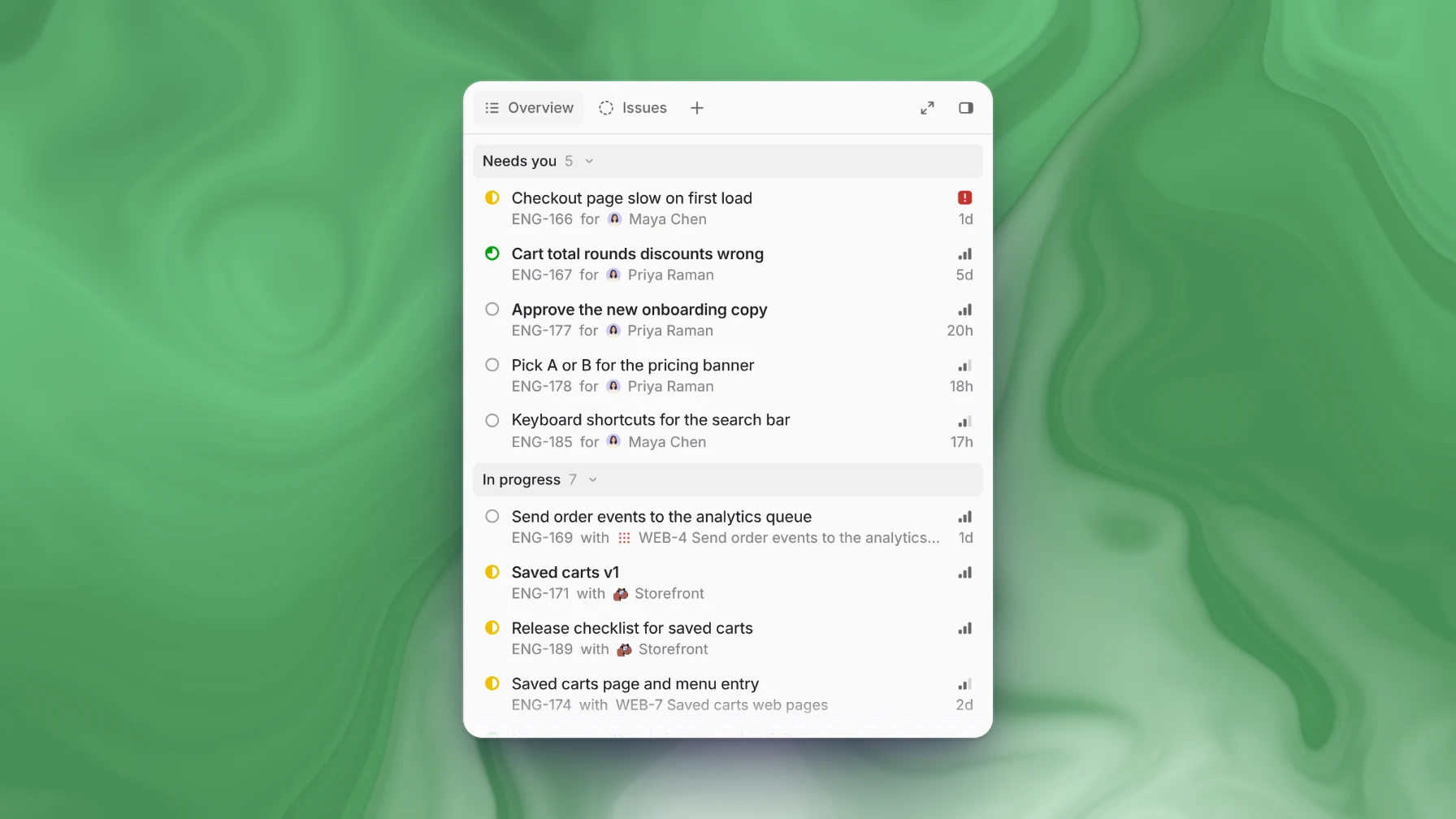
For larger streams of work, Capy Captains run as long-lived orchestrators. A Captain launches a crew of full threads (each with its own machine, model and subagents), reads their reports, and rewrites a digest of what needs you, what is new and what is in progress. Its Overview puts the first five “Needs you” decisions above active work, while the Digest tab holds the whole digest. The Captain tags you only for decisions, and you steer in chat (“merge #3780”, “hold the migration until Monday”). Each Captain owns a crew Drive holding AGENTS.md, CREW.md (read by every crew thread on every turn), NOTES.md, DIGEST.md, skills/, and reports/, renders/ and handoffs/.
Where Cline coordinates local CLI agents through a worktree Kanban board, Capy pairs the Captain Overview with a native Issues page. Each issue holds a title, description, state, assignees and custom org labels, attaches to threads and pull requests, and supports one parent so work splits into sub-issues showing how many are closed. Captains and threads create, update, comment on and close issues, and commenting wakes the owning thread.
Outside git, Capy Drive stores cross-repo instructions, skills, checklists, reference files and automation state across Organization, Personal, Project, Project + personal, Automation and Captain scopes. History tracks saved versions and the threads that wrote them for 24 hours, and Restore brings one back as a new version; storage scales from 1 GB on Free to 10 GB Lite, 25 GB Pro and 50 GB Max.
Automations also run stored prompts on cron schedules in your timezone, GitHub events, Slack messages, incoming webhooks or on demand, each as a normal thread with run history. Skills live in repos, Drive or plugins and trigger automatically or via $skill-name in the composer or Slack. On Pro, Max and Enterprise, threads can attach cloud iOS ($5.40/hr) and Android ($3.60/hr) phones while awake to build mobile apps on Revyl’s runners and tap through them.
Capy reviews pull requests in a real checkout and fixes failures automatically
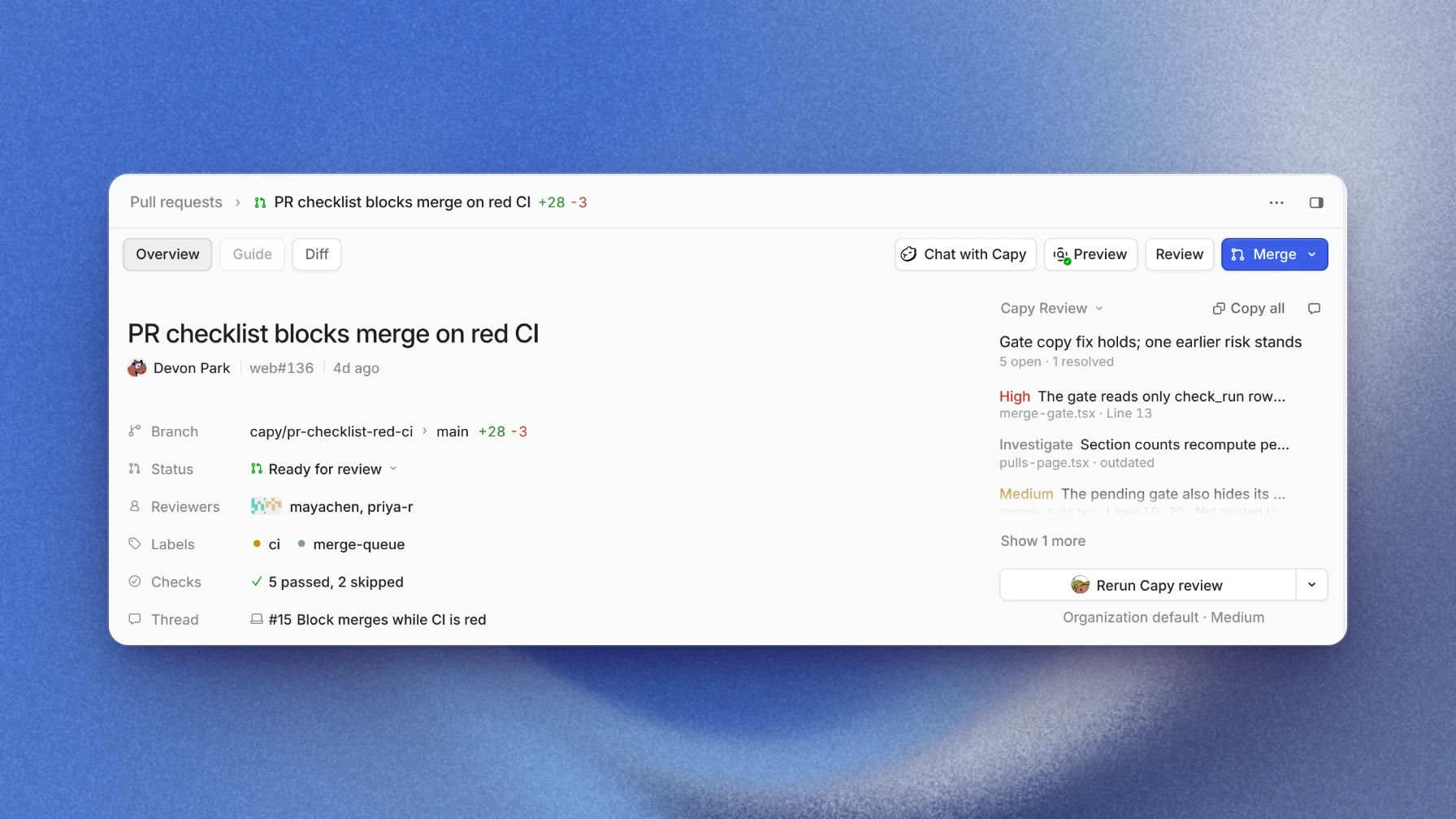
When a thread finishes work, Capy commits, pushes and opens a GitHub.com pull request without ever pushing to main, master, develop or release/*. Its dedicated review agent reads the diff in a real checkout at the PR’s exact head, enforces AGENTS.md rules, posts inline GitHub comments and records findings in Capy. Automatic review sets per repository to Off, Once or Every push, plus manual @capy review.
Findings carry triage states (Open, Resolved, Irrelevant): marking one resolved or irrelevant resolves the GitHub thread, and incremental re-reviews skip irrelevant findings. Owning Capy threads triage after every review, fix high-severity findings, repair failing CI, answer feedback and resolve merge conflicts before reporting ready. Capy’s Pull requests page lists every PR across projects filterable by Captain, and each PR view pairs Overview, diff, checks and findings with an auto-generated Guide (summary, before-and-after diagram and chaptered diffs; toggleable by admins).
Capy leads with $0 BYOK and charges $0 per seat on every plan
For cost-conscious Aider users, Capy pricing starts with Free at $0 for unlimited members: run local threads on your computer or Dock servers with your own API keys, gateways and supported subscriptions (Codex/ChatGPT, GitHub Copilot and SuperGrok) at zero charge or markup, plus 100 monthly review credits.
Paid plans stay one plan per organization with unlimited members and $0 per seat, returning each plan’s full price as monthly model usage on top of machine minutes and review credits:
- Lite ($20/mo, $16 annual). $20 of model usage, 30,000 machine minutes and 250 review credits (first 7 days $1 with a verified card).
- Pro ($100/mo, $80 annual). $100 of model usage, 150,000 machine minutes and 1,250 review credits.
- Max ($200/mo, $160 annual). $200 of model usage, 300,000 machine minutes and 2,500 review credits.
- Enterprise (custom). Adds BYOC on request, zero data retention on request, included SSO/SAML ($100/mo add-on on Lite, Pro and Max), admin audit log, and 24/7 support from Capy engineers in Slack Connect backed by an SLA on Capy Enterprise. SOC 2 Type II ships on every plan.
One machine minute equals one minute of 1 vCPU / 4 GB, scaling by 4 GB (Large uses 4 per minute, Ultra 8, Hyper 16, Big Guy 32). Max’s 300,000 minutes cover 1,250 hours on Large or about 312 hours on Hyper. Past included minutes, machine time costs $0.10 per 60 machine minutes ($0.10/hr Small, $0.40/hr Large, $1.60/hr Hyper, $3.20/hr Big Guy), and sleeping machines cost nothing.
On Capy credits, models from Anthropic, OpenAI, Google and xAI bill at the provider’s list price; Capy also lists models such as Kimi, DeepSeek and Qwen in its picker. Review credits cover both model and machine (Low 1, Medium 5, High 10). Under Flex defaults, first reviews run at Medium (5 credits) and follow-ups at Low (1 credit), so Lite’s 250 credits cover 50 first reviews ($0.40 per Medium review across Lite, Pro and Max, no seats). Past included credits, reviews bill Capy credits for actual model tokens and machine time and never use your own keys or subscriptions.
Claude Code brings Anthropic’s agent to the terminal, IDE and browser
Claude Code is Anthropic’s agentic coding tool for reading codebases, editing files, running commands and connecting to your tools across the terminal, VS Code, JetBrains, desktop and browser. Most surfaces require a Claude subscription or Anthropic Console account, while the CLI and IDE extensions also accept third-party providers. Per Claude pricing, Claude Code starts on Claude Pro at $20 a month ($17 annually) and is excluded from Free. Pick it when Anthropic’s native surfaces and billing match how you work.
Codex CLI pairs an open-source terminal agent with ChatGPT plans
Codex CLI inspects code, edits files and runs commands locally, with codex exec for scripts and CI pipelines. The project is open source under Apache 2.0. Per OpenAI’s Codex pricing, ChatGPT plans include a shared Codex allowance across web, CLI, IDE and iOS. Running on an API key bills standard API rates in the CLI, SDK and IDE without cloud features like GitHub code review or Slack. Pick Codex CLI for an Apache 2.0 terminal agent that scripts into CI on your ChatGPT allowance or API key.
OpenCode stays MIT-licensed across 200+ model providers
OpenCode is an open-source coding agent shipping as a terminal UI, desktop app, web app and mobile app (iPhone TestFlight and Android), with OpenCode Go available at $10 a month. Released under the MIT license, it puts broad model choice first. You can start with free models or bring any of 200+ providers listed on opencode.ai.
Cline puts an approval-gated open-source agent in editors, CLI and Kanban
Cline edits files, runs commands and drives a browser with explicit approval before every action across VS Code, JetBrains, a CLI (npm i -g cline) with headless CI mode, desktop and an SDK. Released under Apache 2.0, its Kanban feature runs parallel agents from a local web board with a git worktree per card. Cline Cloud Agents also run tasks on GitHub repos in cloud sandboxes that hand back a branch and pull request. Neither adds Capy’s Captain digest, native sub-issue hierarchy, shared Drive or a dedicated review agent with triage synced to GitHub. Per Cline pricing, individual developers pay only for inference using their own keys or the Cline provider; ClinePass adds $9.99/mo for open coding models, and Enterprise adds SSO, an SLA and team management.
goose runs locally as a Linux Foundation agent with MCP extensions
goose is a general-purpose local AI agent shipping as a macOS, Linux and Windows desktop app, CLI, and embeddable ACP / Open Intelligence Kit runtime. Stewarded by the Linux Foundation’s Agentic AI Foundation under Apache 2.0, it connects to 85+ providers including Anthropic, OpenAI, Gemini, OpenRouter and Amazon Bedrock, runs local models directly, and can use ACP agents like Claude Code and Codex as providers. YAML Recipes, parallel subagents and 70+ documented MCP extensions make goose a strong local option for both coding and general workflows.
Amp pairs a local CLI and cross-platform apps with hosted cloud orbs
Amp ships native apps for Mac, Windows, Linux, iPhone, iPad and Android. Its CLI runs on macOS, Linux and Windows via WSL, targeting your local machine, a hosted orb or a runner. Each thread runs in a cloud orb preloaded with your repo and tools so work continues after your laptop closes. Amp’s Android app is a concrete advantage on Android phones, while both Capy and Amp have iOS apps in TestFlight beta and Capy runs in any phone’s browser.
Per Amp pricing, Hobby is free with pay-as-you-go Amp-hosted orbs alongside your own keys and existing ChatGPT, Claude and other subscriptions. On Amp’s pricing page, Megawatt is $20 a month with included Amp credits and 45,000 minutes of Amp-hosted orbs (750 hours), Gigawatt is $200 a month with 480,000 orb minutes, Teams adds no seat fee, and Enterprise is custom. Self-hosted orbs and runners are free on non-enterprise tiers. On Capy, local threads via the desktop app and capy dock carry $0 machine time on every plan, paired with SOC 2 Type II and Enterprise BYOC, zero data retention on request, SSO/SAML, audit log and 24/7 SLA support.
Two tools from older Aider lists have shut down or changed scope
- Roo Code shut down its extension on May 15, 2026; its docs now point users to ZooCode (a community fork) and Cline.
- Gemini CLI moved free access and Google AI Pro and Ultra accounts to Antigravity CLI on June 18, 2026, leaving Gemini CLI for Gemini Code Assist Standard and Enterprise and Code Assist for GitHub on Google Cloud.
Where Aider still fits better
Aider stays the right tool when you want direct human control over every edit from a single terminal. Capy is closed source and supports GitHub.com only, whereas Aider is Apache 2.0 open source, requires no account, works on any git repo, and runs local Ollama models alongside free API tiers. Conventional Commits on every edit, instant /undo, and switching between /ask, /code and /architect give you tight diff control with zero platform setup.
You can run Capy beside Aider on the same git repositories
Both work on standard git repos: keep Aider in your terminal for interactive edits while delegating parallel tasks, issues and pull requests to Capy locally via capy dock or in the cloud.
Start on Capy Free ($0 locally, your keys and subscriptions, 100 monthly review credits), enable automatic review on a few repos, or try Lite ($1 for 7 days with a verified card) to test Captains, Issues and Drive beside Aider.
Frequently Asked Questions
What is the best Aider alternative?+
How do Aider and Capy compare?+
Does Capy have a free plan for BYOK users?+
Does Capy have a CLI?+
How big are Capy’s cloud machines and overage rates?+
Which Aider alternatives are open source and free with your own keys?+
Can I use Aider and Capy together?+
What happened to Roo Code and Gemini CLI?+
When should I stay with Aider?+
Sources
- Aider homepage
- Aider docs: Git integration
- Aider docs: Repository map
- Aider docs: Connecting to LLMs
- Aider docs: Chat modes
- Aider on GitHub
- Aider docs: Installation
- aider-chat on PyPI
- Capy docs: Dock CLI
- Capy docs: Machines
- Capy docs: Captains
- Capy docs: Drive
- Capy docs: Reviews
- Capy docs: Models and pricing
- Capy Enterprise
- Claude Code docs: Overview
- Claude pricing
- OpenAI docs: Codex CLI
- OpenAI docs: Codex pricing
- Codex on GitHub
- OpenCode docs
- OpenCode
- OpenCode on GitHub
- Cline docs: Overview
- Cline docs: Cloud Agents
- Cline pricing
- Cline on GitHub
- goose homepage
- goose on GitHub
- Amp docs
- Amp docs: CLI
- Amp docs: Apps
- Amp docs: Pricing
- Amp pricing
- Roo Code docs
- Gemini CLI on GitHub
Spotted something out of date? Tell us at support@capy.ai.
Run coding agents on your repos
Start free on your own computer with your existing keys, or move threads to cloud machines that open and maintain pull requests.


- Aider pairs with you in the terminal, one conversation at a time
- Capy starts free on your own hardware and scales into 64 GB cloud microVMs
- Captains, native Issues and Drive coordinate parallel work beyond a local board
- Capy reviews pull requests in a real checkout and fixes failures automatically
- Capy leads with $0 BYOK and charges $0 per seat on every plan
- Claude Code brings Anthropic’s agent to the terminal, IDE and browser
- Codex CLI pairs an open-source terminal agent with ChatGPT plans
- OpenCode stays MIT-licensed across 200+ model providers
- Cline puts an approval-gated open-source agent in editors, CLI and Kanban
- goose runs locally as a Linux Foundation agent with MCP extensions
- Amp pairs a local CLI and cross-platform apps with hosted cloud orbs
- Two tools from older Aider lists have shut down or changed scope
- Where Aider still fits better
- You can run Capy beside Aider on the same git repositories
- FAQ
- Sources