





1Code alternatives for parallel coding agents
1Code’s repository is archived and 1code.dev is offline. How Capy, Conductor, Devin Desktop, Codex, Claude Code desktop and Cursor replace it.

The 21st-dev/1code repository on GitHub was archived by its owner on July 7, 2026 and is now read-only.[1] Its last release was v0.0.84 on March 6, 2026, and 1code.dev is currently offline, returning HTTP 503 with “The deployment is currently unavailable” (DEPLOYMENT_PAUSED).[2][3]
Built by the 21st.dev team under the Apache 2.0 license, 1Code was an open-source client for running Claude Code, Codex and other coding agents locally or in the cloud, pairing an isolated Git worktree per chat with cloud sandbox background agents, a Kanban view, a built-in Git client and automations including PR auto-review.[1] Six active tools cover the main replacements today: Capy, Conductor, Devin Desktop, Codex in the ChatGPT desktop app, Claude Code desktop and Cursor.
Every fact about each product below comes from its own docs, site or repository, checked on November 20, 2026. The numbers in brackets link to the sources at the end.
What to look for in a 1Code replacement
1Code combined four capabilities in one client: an isolated Git worktree per chat, support for running Claude Code, Codex and other coding agents, cloud sandbox background agents, and workflow tools spanning a Kanban view, a built-in Git client and automations including PR auto-review.[1]
When picking a replacement, check those same four boundaries. First, verify whether each parallel session gets its own Git worktree automatically or requires toggling per session. Second, decide whether you need a client that runs the first-party Claude Code and Codex CLI binaries directly, or a platform that runs its own agent across multiple model providers. Third, confirm that cloud sandboxes or VMs keep running after your laptop closes. Finally, check how each tool handles diff review, pull request follow-up and scheduled or event-driven automations.
Capy pairs local git worktrees with cloud agent swarms
Capy is a platform for running coding agents for your team.[31] You can start a thread from the web app, desktop app, Slack (@Capy), a delegated Linear issue or the API.[31]
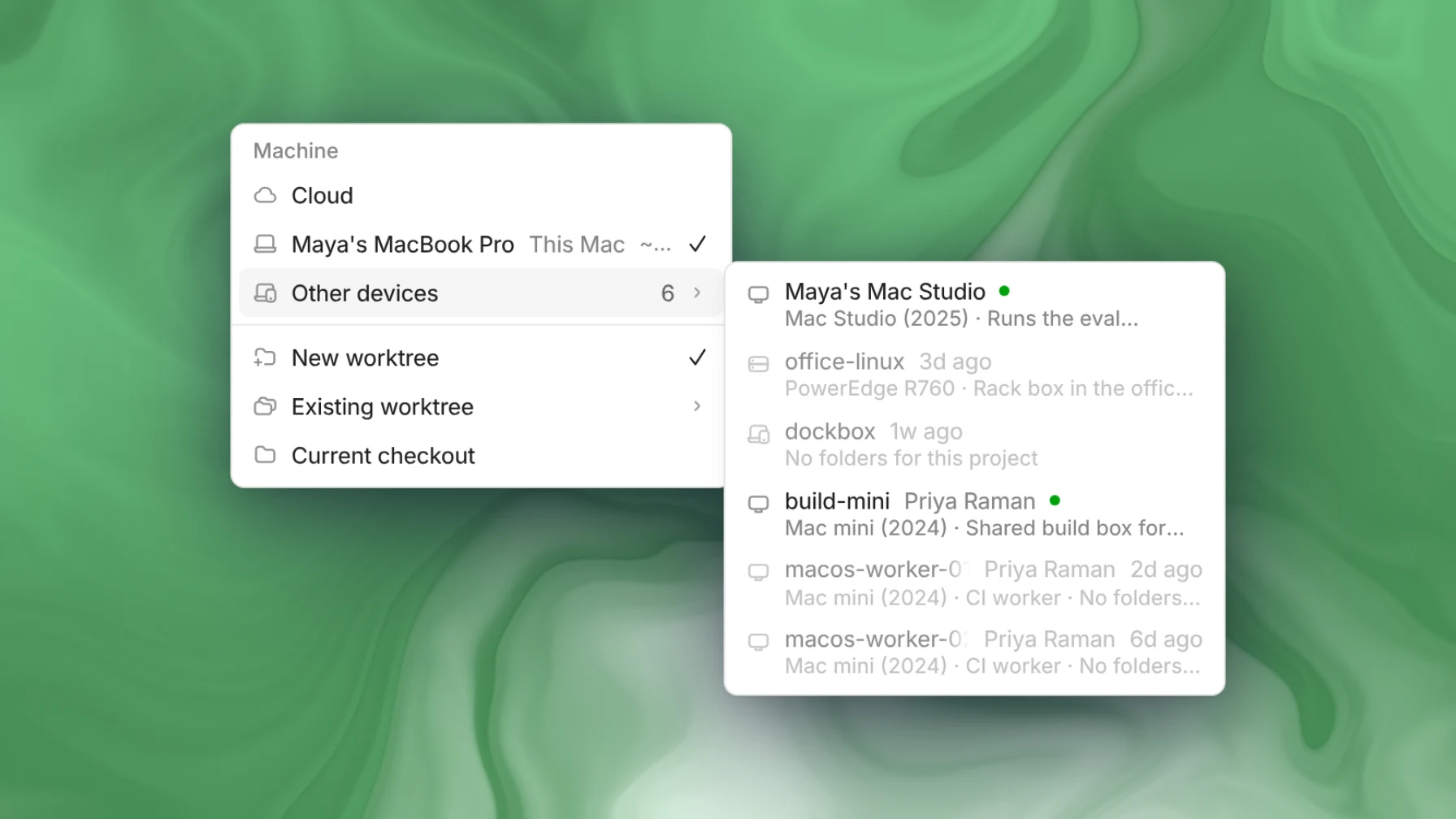
For local work, the Capy desktop app (macOS, Windows and Linux) runs a thread in a folder on your computer using the tools, credentials and services already installed there, and you can follow it from any browser.[4] From the Machine menu, you choose the cloud, another paired device or your current computer.[4] Checkout options cover New worktree (the default, creating a fresh git worktree from the latest base branch on your remote while leaving your own branch and changes as they are), Existing worktree and Current checkout.[4] Threads running on your computer carry no machine-time charge, while model usage costs the same as in the cloud.[4]
When work needs to keep going after you close your laptop, every cloud thread runs on its own Linux VM (a Firecracker microVM running Ubuntu 24.04) where the agent clones your repositories, runs commands and edits code.[4][5] “Continue on” moves a thread between a cloud machine and a paired device while keeping the conversation, subagents and pull requests with the thread.[4]
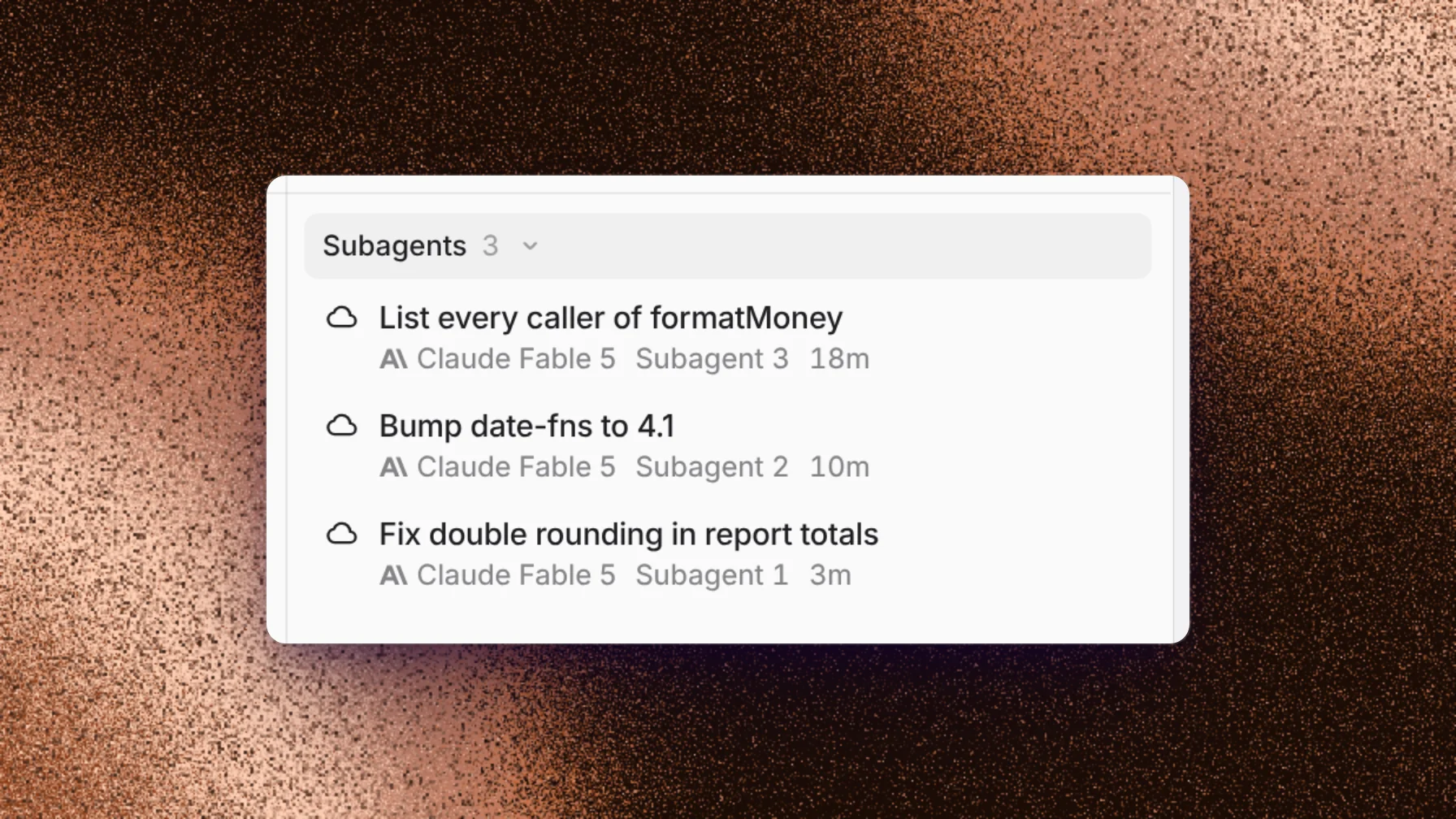
Multi-part tasks split across subagents that run in parallel, each with its own conversation and usually its own machine, while read-only subagents can share the parent’s machine.[6]
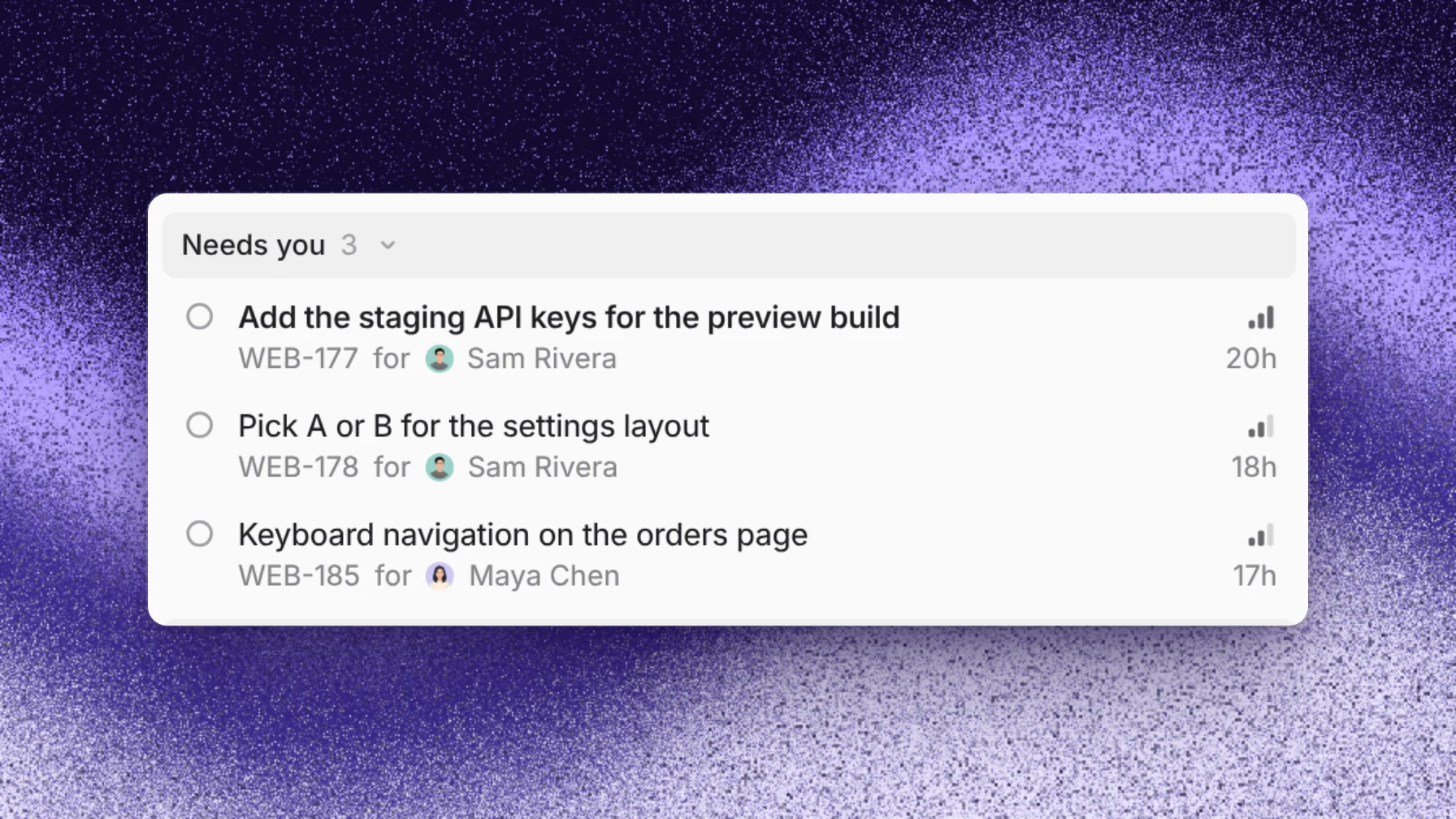
To supervise a set of parallel threads without watching every session, a Captain acts as a long-lived agent that runs a crew of threads for you, reads their reports and surfaces only what needs your attention.[7]
Automations run a stored prompt on a schedule, a webhook, or a GitHub or Slack event.[9] Once a thread opens a pull request, it owns that pull request through merge, fixing failing CI, answering review feedback and resolving conflicts.[32] Capy’s review agent posts findings on pull requests on GitHub.com, and the thread that opened the PR triages and fixes them.[8]
Capy charges no per-seat price: every plan, Free included, gives you unlimited members with no charge for inviting anyone.[10] Free includes 100 review credits a month with no machine minutes or model usage and runs locally with your own subscriptions and keys, while paid plans (Lite, Pro and Max) include monthly machine minutes, review credits and model usage.[10] Plans are Free, Lite at $20 a month, Pro at $100 a month, Max at $200 a month and custom Enterprise, with 20% off annual billing.[10] Models on Capy credits come from Anthropic, OpenAI, Google, xAI and other providers at providers’ list prices with no markup.[10] Your own subscriptions and API keys work on every plan, the free plan included, with no charge or markup on their tokens; you can connect a Codex, GitHub Copilot or SuperGrok subscription.[10]
If you already use Claude Code or Codex, the Capy desktop app can import your local sessions, Capy reads a root CLAUDE.md as a fallback for AGENTS.md, and you can copy skill folders into .agents/skills/ and import MCP servers from Claude Code mcpServers JSON or Codex TOML.[33][34]
Git hosting is the main boundary: Capy works with repositories on GitHub.com, and GitHub Enterprise Server and other git hosts are not supported.[35] Pick Capy when your repositories live on GitHub.com, you want both local git worktrees and Firecracker cloud VMs across macOS, Windows and Linux, and you want Captains, pull request ownership and unlimited team members across multiple model providers.[35][4][5][7][32][10]
Conductor is the closest match, and it’s joining Meta
Conductor’s pitch is direct: “Run a team of coding agents in the cloud.”[11] It runs Claude Code, Codex, Cursor and OpenCode in parallel, running those first-party agents under the hood with your own subscriptions and keys, and when the work is ready it helps you review the diff, open a pull request and merge.[11][12]
Each workspace is a separate checkout made with Git worktrees on its own branch.[13] Conductor is available for macOS; you sign in to Claude Code and Codex yourself (claude /login, codex login), while Cursor uses an API key.[14] Multiplayer lets you share a workspace link with teammates and prompt agents together in real time, alongside an iOS app and the Conductor API.[11]
Local workspace sessions run on your Mac and end if you close the app or shut down the Mac.[15] Cloud workspaces run in a Vercel sandbox (8 vCPUs, 16 GB RAM, 32 GB NVMe) so the agent keeps working after you close the app.[15] Cloud workspaces are on Pro, Teams and Enterprise plans with no extra fee for cloud right now, though usage-based cloud compute pricing is planned and Team plans are invite-only.[15]
Conductor’s ownership is changing. Its announcement states “Conductor is joining Meta” and promises “something new for you to use early next year”.[16] The announcement originally said Conductor Cloud would shut down; that line is now struck through and replaced with “Plans have changed! We’ll still be developing Conductor.”[16] Its FAQ says Conductor “will keep working as normal”.[16]
Pick Conductor when you work on macOS, want to run first-party Claude Code, Codex, Cursor and OpenCode agents directly in parallel Git worktrees with your own accounts, and are comfortable with its announced move to Meta.[14][12][13][16]
Devin Desktop brings a Kanban view and third-party CLI agents
Cognition renamed Windsurf to Devin Desktop, making the Agent Command Center the default surface for managing every local and cloud agent from a single Kanban view and adding Spaces to share context between agents.[17] Downloads cover Mac, Windows and Linux.[21]
The Agent Command Center manages local agents (sessions in your editor) and cloud agents (Devin sessions on their own VMs) in one place, and can send one OS notification when a session finishes or needs input (off by default).[18] Devin Local sessions can run in a new or existing git worktree: you pick the worktree when the session starts, and Merge brings changes back into your workspace.[20]
Through the Agent Client Protocol (ACP), Devin Desktop runs third-party agents including Codex CLI, Claude Agent, OpenCode, Junie and Gemini CLI.[19] With an external ACP agent, billing stays directly between you and that agent’s provider.[19] ACP agents are available on Free, Pro, Max and Teams plans, while on Enterprise they are off by default.[19] Pricing lists Free at $0 and Pro at $20 a month.[36]
Pick Devin Desktop when you want a Kanban view across Mac, Windows or Linux, alongside local git worktrees, cloud Devin VMs and third-party CLI agents over ACP.[17][21][20][18][19]
Codex in the ChatGPT desktop app covers local worktrees and cloud tasks
The ChatGPT desktop app runs projects in parallel from one desktop workspace on macOS, Windows and Linux, and lets you choose ChatGPT or Codex inside the app.[22]
Worktrees let Codex run multiple independent chats in the same project without interfering with each other while keeping the repository, worktree and commands on your computer or remote dev environment.[23] Handoff moves a chat between Local and Worktree, the ChatGPT mobile app lets you start, guide, approve and review worktree chats, and scheduled tasks can run on dedicated background worktrees.[23]
Codex Cloud runs coding tasks in the cloud so each task has its own workspace and keeps running while your computer is asleep; it works with repositories from a connected GitHub or GitLab account and can open a pull request.[24] Codex is included in ChatGPT Free, Go, Plus, Pro, Business, Edu and Enterprise plans and shares pricing, credits and usage limits with ChatGPT Work, with Pro plans at $100, $200 or $500 a month.[25] Codex runs OpenAI models.[25]
Pick Codex in the ChatGPT desktop app when your team already pays for ChatGPT plans, runs OpenAI models and wants local worktrees paired with Codex Cloud across GitHub or GitLab.[25][23][24]
Claude Code desktop runs parallel Claude sessions with built-in panes
In the Code tab of Claude Desktop, each conversation is a session with its own chat history and project folder, and the sidebar lets you run several sessions in parallel.[26] Sessions run on your machine, in the cloud or over SSH, with downloads for macOS and Windows and Linux in beta.[26]
Turn on Worktree before you start a session to run it in its own Git worktree as an isolated copy of the project.[26] By default Worktree is off, and you can make it the default for a saved local or SSH environment.[26] The app includes panes for chat, diff, browser, terminal, file, plan, tasks and subagents, plus a diff view for reviewing changes before creating a pull request.[26]
Claude Code desktop runs Claude.[26] On the Claude Team plan (2 to 150 people), a standard seat is $20 a month billed annually ($25 monthly) and a premium seat is $100 a month billed annually ($125 monthly).[37]
Pick Claude Code desktop when you only ran Claude Code in 1Code and want Anthropic’s own desktop app with parallel local, cloud and SSH sessions, Git worktrees and built-in diff and terminal panes.[26]
Cursor puts worktrees and cloud agents inside the editor
Cursor’s Agents Window is its agent-first interface for building with agents across repositories and local, cloud or remote SSH environments.[27] It offers multi-workspace support, a diffs view to review and commit changes and manage pull requests, parallel cloud agents (also accessible from phone, web, Slack, GitHub and Linear), handoff between local and cloud, cloud subagents and worktrees.[27]
Worktrees give an agent an isolated Git checkout so you can start several agents on the same repository without conflicts, with setup customized in .cursor/worktrees.json.[28] The UI worktrees feature is only in the Agents Window.[28] Cursor’s Cloud Agents (formerly Background Agents) run in isolated cloud VMs and keep working without your laptop.[29] On August 14, 2026, Cursor announced that it is now part of SpaceX.[30]
Pick Cursor when you want parallel Git worktrees, Cloud Agents and local code editing together inside one editor.[27][28][29]
How to choose
- Choose by agent runtime first. If you need a client that runs the first-party Claude Code or Codex agents directly, Conductor runs them in Git worktrees on macOS, and Devin Desktop runs Codex CLI and Claude Agent over ACP on Mac, Windows and Linux.[12][13][14][19][21] If you want one platform with local git worktrees, Firecracker cloud VMs, parallel subagents, Captains, PR review and automations across multiple model providers on GitHub.com, pick Capy.[4][5][6][7][8][9][35][10]
- Stick with a single-vendor client when you use one lab. Teams running only OpenAI models get local worktrees, mobile approvals, scheduled background worktrees and Codex Cloud on GitHub or GitLab inside Codex in the ChatGPT desktop app.[23][24][25] Teams running only Claude get parallel local, cloud and SSH sessions with Git worktrees and built-in panes in Claude Code desktop.[26]
- Check operating system, editor preference and team pricing. Conductor supports macOS only, while Capy and Devin Desktop ship downloads for macOS, Windows and Linux.[14][4][21] Cursor fits teams that want worktrees and Cloud Agents inside their editor.[27][28][29] On team billing, Capy includes unlimited members with no per-seat charge on every plan, Claude Team bills per seat, and Conductor Team plans are currently invite-only.[10][37][15]
- Weigh recent acquisitions. Conductor announced it is joining Meta while stating it will keep developing Conductor, and Cursor announced on August 14, 2026 that it is now part of SpaceX.[16][30] Keep those ownership changes in view when choosing where to move your workflow.
Frequently Asked Questions
What happened to 1Code?+
What is the closest 1Code alternative?+
Can I still run 1Code?+
Can I bring my Claude Code or Codex setup to Capy?+
What does Conductor joining Meta mean for users?+
Which 1Code alternatives support Windows and Linux?+
Sources
Checked against each product's own docs and pricing on November 20, 2026.
- 121st-dev/1code on GitHub
- 21Code releases on GitHub
- 31code.dev
- 4Capy docs: Desktop app and devices
- 5Capy docs: Machines
- 6Capy docs: Subagents
- 7Capy docs: Captains
- 8Capy docs: Reviews
- 9Capy docs: Automations
- 10Capy docs: Models and pricing
- 11Conductor
- 12Conductor docs
- 13Conductor docs: Workspaces and branches
- 14Conductor docs: Installation
- 15Conductor docs: Cloud FAQ
- 16Conductor: Conductor is joining Meta
- 17Cognition: Windsurf is now Devin Desktop
- 18Devin docs: Agent Command Center
- 19Devin docs: Agent Client Protocol
- 20Devin docs: Devin Local worktrees
- 21Devin docs: Welcome to Devin Desktop
- 22ChatGPT docs: ChatGPT desktop app
- 23ChatGPT docs: Worktrees
- 24OpenAI docs: Codex Cloud
- 25OpenAI docs: Codex pricing
- 26Claude Code docs: Desktop
- 27Cursor docs: Agents Window
- 28Cursor docs: Worktrees
- 29Cursor docs: Cloud Agents
- 30Cursor blog: Cursor is now a part of SpaceX
- 31Capy docs: Welcome
- 32Capy docs: Pull requests
- 33Capy docs: FAQ
- 34Capy docs: Instructions
- 35Capy docs: GitHub
- 36Devin pricing
- 37Claude pricing
Spotted something out of date? Tell us at support@capy.ai.
More comparisons
- Aider alternativesSeven coding agents compared with Aider: where each one runs, how each one charges, and when Aider is still the right tool.
- Best AI code review toolsEleven AI pull request reviewers compared on git hosts, automatic reviews, fix loops and pricing, from each product’s own docs.
- Best AI coding agents in 2026: 12 tools comparedWhere twelve hosted and open-source AI coding agents run, how each charges, and when to pick each one.
- Best cloud coding agents in 2026How Capy, Devin, Cursor, Codex Cloud, GitHub Copilot, Kiro and Jules handle cloud machines, parallel work, pull requests, testing and pricing.
- Capy vs AmpWhat Amp is after its Sourcegraph spin-out, how both run parallel cloud agents, and how their pricing, models and pull request loops compare.
- Capy vs CodeRabbitWhere each one reviews, how each one charges, and what happens to a finding after it posts.
- Capy vs CodexWhere each coding agent runs, which models it uses, and how each one bills.
- Capy vs ConductorWhere each one runs your agents, how they handle GitHub pull requests, and how each scales past a single Mac.
- Capy vs DevinHow each one runs teams of coding agents, where they execute, what they cost, and which git hosts and models each supports.
- Capy vs GitHub CopilotWhere each coding agent runs, what happens after a pull request opens, and how each one bills.
- Cursor alternatives for cloud agentsHow Capy, Codex, GitHub Copilot and Devin run cloud coding agents, what each costs, and when to stay with Cursor.
- Roo Code alternativesSeven coding agents that replace Roo Code after its May 2026 shutdown, across VS Code, terminals and cloud machines.
- Capy CaptainsHow a Captain runs a crew of threads, reads their reports and surfaces only what needs you.
Try Capy for parallel agents
Connect a GitHub.com repository and run threads in local git worktrees or cloud VMs, with your own Codex, GitHub Copilot or SuperGrok subscription.


- What to look for in a 1Code replacement
- Capy pairs local git worktrees with cloud agent swarms
- Conductor is the closest match, and it’s joining Meta
- Devin Desktop brings a Kanban view and third-party CLI agents
- Codex in the ChatGPT desktop app covers local worktrees and cloud tasks
- Claude Code desktop runs parallel Claude sessions with built-in panes
- Cursor puts worktrees and cloud agents inside the editor
- How to choose
- FAQ
- Sources