





Capy vs Devin
How each one runs teams of coding agents, where they execute, what they cost, and which git hosts and models each supports.

Capy and Devin both run coding agents in isolated virtual machines, split large tasks across parallel child agents, hand long-running work to persistent manager agents (Capy Captains and Devin Bots), and review pull requests.[1][2][3] They differ in where those agents run, which models they use, and how teams pay for them. Capy is a platform for running coding agents on GitHub.com: every plan includes unlimited members with no per-seat fee, runs agents in Ubuntu cloud machines or on your own computer, and works with your existing model subscriptions and API keys on every plan.[4][5] Devin spans Devin Cloud, Devin Desktop (formerly Windsurf), Devin CLI and Devin Review across GitHub, GitLab, Bitbucket and Azure DevOps, with Windows, Mac and Linux virtual machines and quota-based self-serve plans or Enterprise Agent Compute Units.[6][7][8][9]
Pick Devin if your repositories live on GitLab, Bitbucket, Azure DevOps or GitHub Enterprise Server, if your agents need Windows or macOS virtual machines, or if you want an IDE with agents built in.[8][10][9][6] Pick Capy if you work on GitHub.com, want unlimited members on every plan, and want to bring your own Codex, GitHub Copilot or SuperGrok subscriptions or API keys.
Every fact about either product below comes from its own docs, checked on November 20, 2026. The numbers in brackets link to the sources at the end.
Capy Captains and Devin Bots both manage teams of agents
Both platforms offer a persistent manager agent for work that outgrows a single coding session. In Capy, that agent is a Captain: a long-lived agent that runs other threads for you on work such as a feature spanning many pull requests or an ongoing queue of requests.[11] You tell a Captain what it’s for, and it starts threads, reads their reports, and tags you only when a decision or blocker needs your input. The threads a Captain runs are its crew, and each crew thread is a full Capy thread that can spawn its own subagents.[11]
Each Captain maintains a digest of what needs you, what’s new and what’s in progress, rewriting it as its crew’s state changes.[11] You steer it by replying in its chat, for example “merge #42” or “hold the migration until Monday”, or from Slack with captain=<name>.[11] Because a Captain stores its plan and rules in its own Drive (AGENTS.md, CREW.md with rules every crew thread reads on every turn, NOTES.md, DIGEST.md, skills/ and reports/), it picks up where it stopped across turns.[11] A Captain runs in the cloud by default with its machine sleeping between turns, or on a paired device, and you can wake it on a schedule with an automation or manage it through the public API. Common setups include a Feature Captain, a Triage Captain and a Janitor Captain.[11]
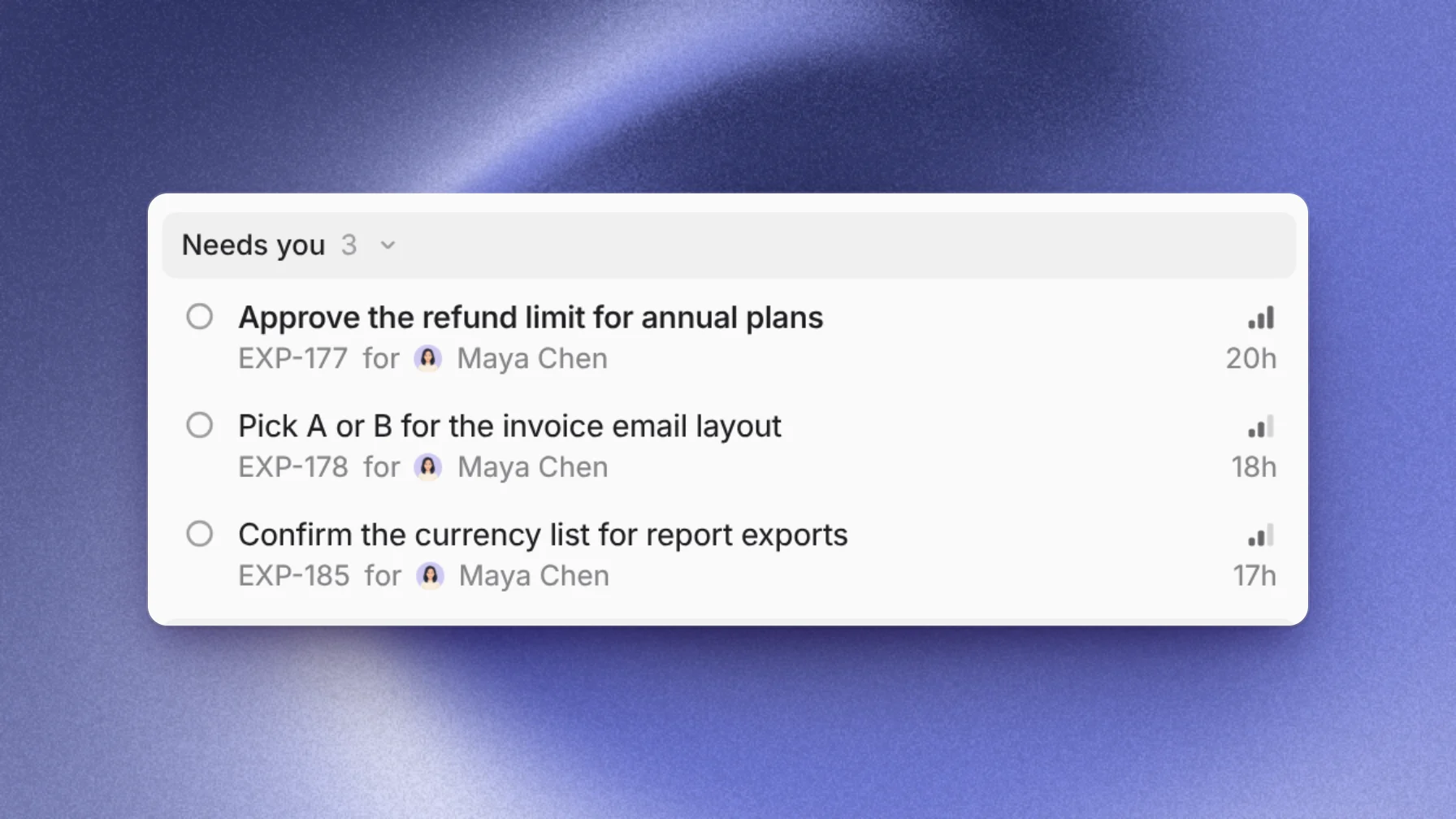
Cognition launched Devin Bots on November 17, 2026.[3] A Devin Bot is a persistent agent with its own memory and tools that leads multiple Devins in parallel on a large project or ongoing goal: it investigates, delegates work, evaluates results, keeps context across sessions and brings you only the decisions that need your judgment.[3] Devin Bots are available on Devin’s Max, Teams and Enterprise plans.[12] Outside of Bots, Devin can also turn sessions into reusable skills, maintain your organization’s knowledge, and run recurring or one-time scheduled sessions.[2] Capy likewise supports automations that run a prompt on a schedule, a webhook, or a GitHub or Slack event, and threads can start from the web or desktop app, Slack (@Capy), Linear (delegating an issue), or the API, with integrations for GitHub, Slack, Linear, Vercel and any MCP server.[17]
Both split work across parallel agents on isolated machines
Both products can divide one assignment into parallel workstreams so agents don’t edit files over each other. In Capy, any thread’s agent can spawn subagents: full child agents with their own conversations and tools, up to three levels deep.[1] A subagent shares its parent’s machine for read-only work or boots a fresh machine with a clean checkout for work that writes, preventing two writing agents from colliding.[1]
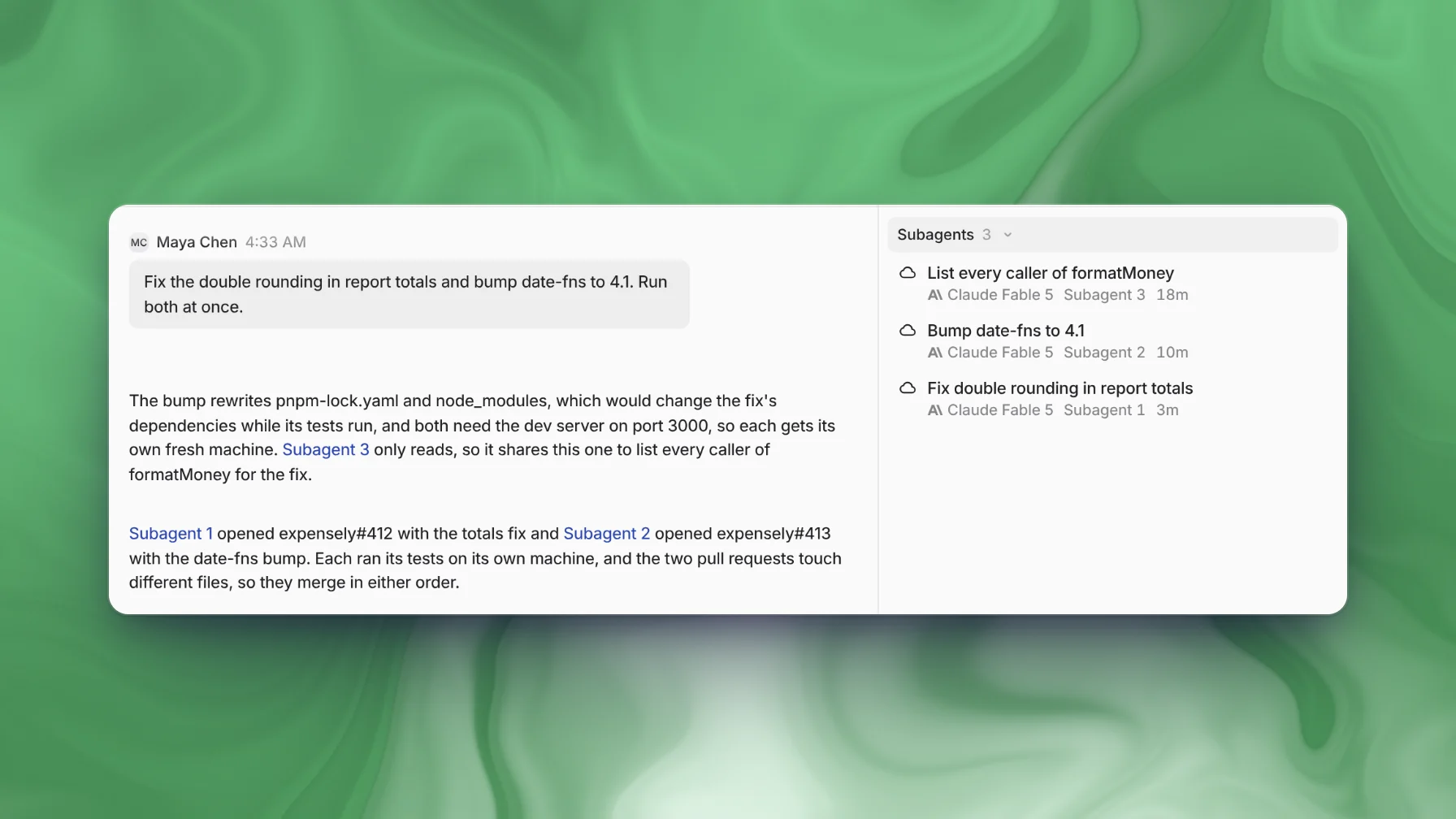
Devin handles parallel work through managed Devins.[2] A coordinator session breaks a large task down and delegates pieces to managed Devins running in parallel, with each child session in its own isolated virtual machine. The coordinator scopes the work, monitors progress, resolves conflicts and compiles the results.[2]
Capy pairs Ubuntu cloud machines with your computer, while Devin adds Windows, Mac and an IDE
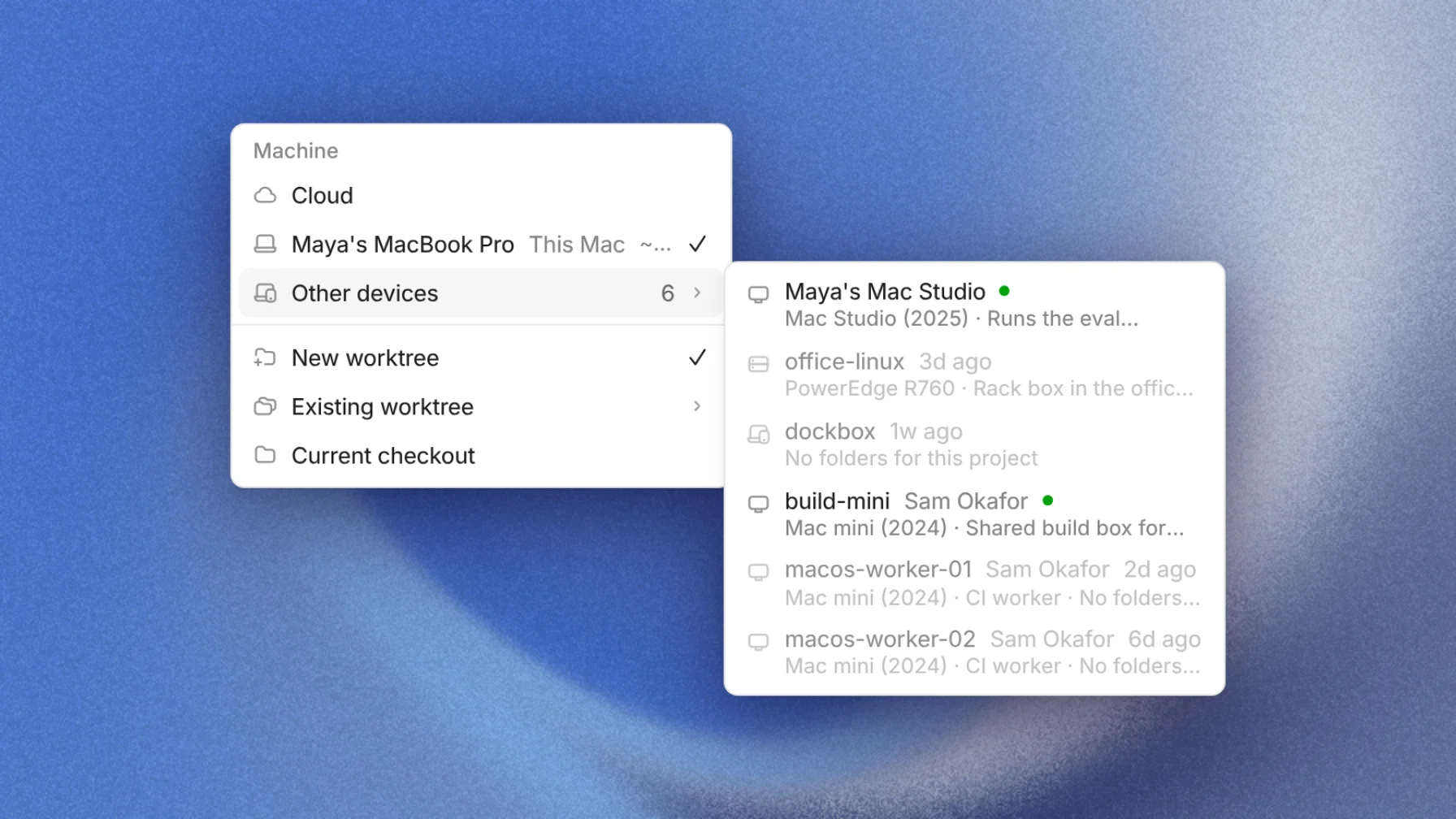
Capy’s cloud machines are Firecracker microVMs running Ubuntu 24.04, each isolated from every other machine.[14] Sizes run from Small (1 vCPU, 4 GB) to Big Guy (16 vCPU, 128 GB, on request), with Large (4 vCPU, 16 GB) as the default. Plans cap how many awake cloud machines run at once: 8 Large machines on Lite, 32 on Pro, and 64 on Max and Enterprise.[14]
Alongside the cloud, the Capy desktop app on macOS, Windows and Linux runs a thread directly in a folder on your own computer, using the tools and credentials you already have.[5] Threads running on your computer carry no machine-time charge, and you can move a thread between your computer and a cloud machine when you want it to keep working after you close your laptop.[5]
Devin runs every cloud session in its own virtual machine, spinning up Windows, Mac and Linux VMs as needed to build, test in its browser and record itself clicking through what it built.[9] Windows sessions consume about 9% more than equivalent Linux sessions, and Devin sleeps after 5 minutes of inactivity by default, using nothing while asleep.[18]
On the desktop side, Cognition renamed Windsurf to Devin Desktop on June 2, 2026.[6] It remains the same IDE under the Devin brand, which now covers Devin Cloud, Devin Desktop, Devin CLI and Devin Review.[6]
Capy has no per-seat fee and includes monthly usage on every plan
Capy offers five plans: Free, Capy Lite at $20 a month, Capy Pro at $100 a month, Capy Max at $200 a month, and custom Enterprise.[4] Annual billing takes 20% off, bringing Lite to $16 a month, Pro to $80 and Max to $160.[4] Every Capy plan includes unlimited members with no per-seat price and no charge for inviting teammates.[4]
Each paid Capy plan bundles machine minutes, review credits and model usage every month: Lite includes 30,000 machine minutes, 250 review credits and $20 of model usage; Pro includes 150,000 machine minutes, 1,250 review credits and $100 of model usage; Max includes 300,000 machine minutes, 2,500 review credits and $200 of model usage.[4] Free includes 100 review credits a month and runs locally with your own model subscriptions and API keys. Included usage resets every month and doesn’t roll over.[4] One machine minute equals one minute on a 1 CPU / 4 GB machine; the default Large machine uses 4 per minute, so Lite’s 30,000 machine minutes equal 7,500 minutes on a Large machine, and sleeping machines use none. Past your included allowance, machine time costs $0.10 per 60 machine minutes in credits.[4]
Devin splits billing into two models: self-serve plans built on included quotas plus prepaid on-demand credits, and Enterprise billed in Agent Compute Units (ACUs) at the rate in your order form.[7] Self-serve plans are Free ($0), Pro ($20 a month), Max ($200 a month) and Teams (starting at $80 a month for up to 100 users).[12] Free gives a light agent quota with limited model availability, unlimited inline edits and Tab completions, and access to Devin Review and DeepWiki.[12][15] Pro adds increased quotas on daily and weekly allowances, full model availability, Devin Cloud and extra usage at API pricing; Max adds Devin Bots, significantly higher quotas and a weekly allowance with no daily cap.[12][15] Both Pro and Max are single-user plans that can’t be shared, and Pro subscribers can’t invite members.[15]
Paid allowances refresh automatically on a daily and weekly schedule, and message cost varies with the model, task size, complexity and reasoning required.[12] Usage accrues from the number and complexity of actions Devin performs plus VM time, which is typically a small fraction.[18] Past the allowance, prepaid on-demand credits keep sessions going, roll over and never expire; once both allowance and credits run out, sessions pause until the allowance refreshes or you add credits.[15] For multiple developers, Devin Teams starts at $80 a month for up to 100 users and adds SAML or OIDC SSO, cost controls with 3 usage tiers, and Free mode (up to 2 cloud sessions per member at a time at no cost, powered by Cognition’s SWE-2 model).[12][15] On Enterprise, ACUs are separate from self-serve quotas and credits, admins cap spend with Budgets, and the tier adds SCIM, role-based access control, Jira and Microsoft Teams integrations, a dedicated deployment option and VPC deployment.[19][12][15]
Capy runs your model subscriptions and API keys on every plan
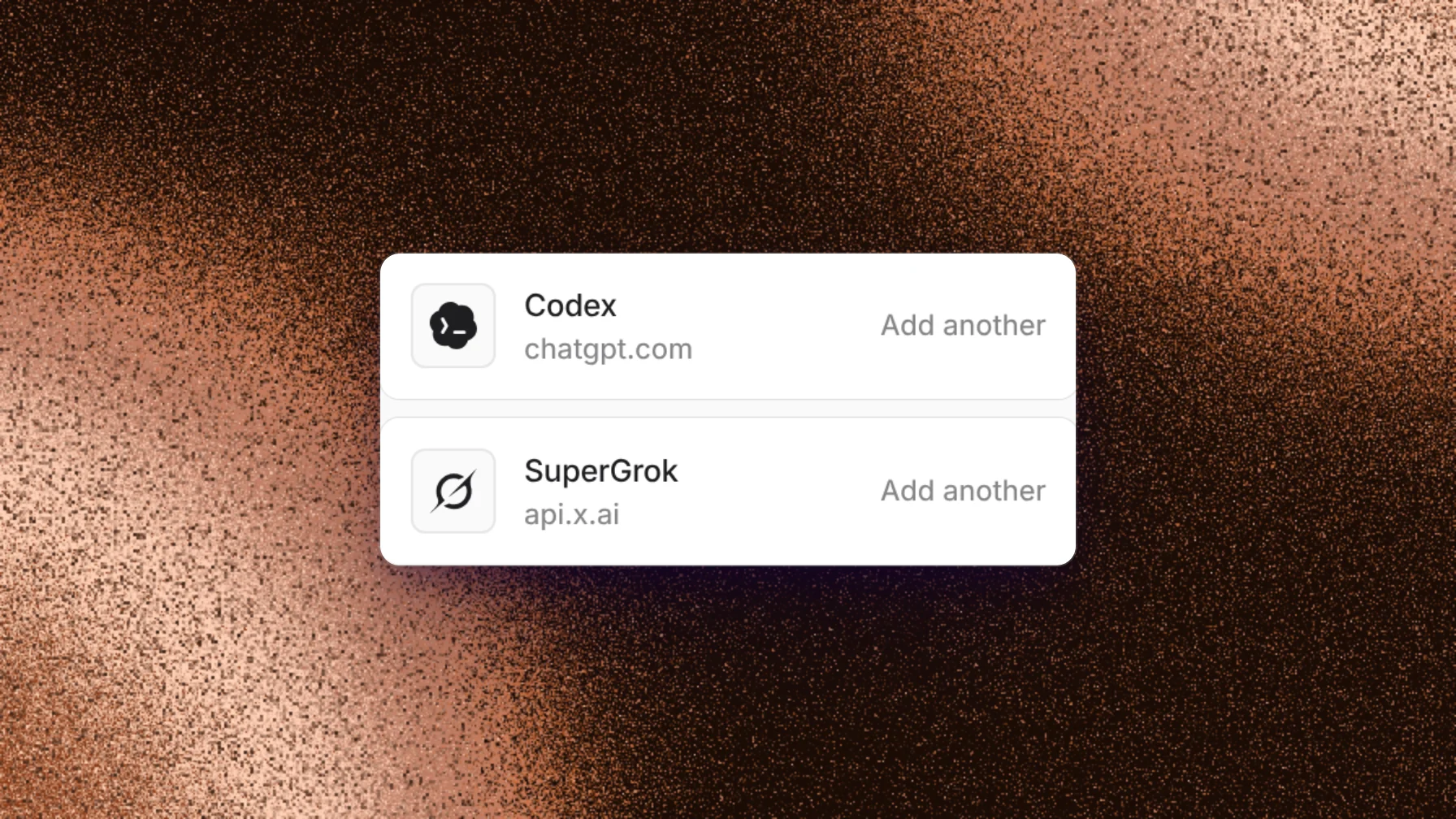
If your team already pays for coding models, Capy lets you connect your own subscriptions (Codex, GitHub Copilot and SuperGrok) and API keys on every plan, including Free, with no charge or markup on their tokens.[4] When a thread runs on a cloud machine using your connected subscription or key, machine time still bills Capy credits.[4] When you run models directly on Capy credits, Capy bills them at each provider’s list price with no markup.[4]
Devin also lets you bring an existing subscription, with narrower scope. On self-serve Pro, Max and Teams, you can link a personal ChatGPT Go, Plus or Pro plan so OpenAI GPT model usage bills to that plan instead of your Devin quota.[13] Linking a ChatGPT plan covers OpenAI’s GPT models only and isn’t available on Devin Free or Enterprise.[13]
Capy reviews GitHub.com and fixes its own PRs, while Devin Review covers more hosts
Both platforms include pull request review, with different host coverage and follow-up loops. Capy reviews pull requests on GitHub.com only; GitHub Enterprise Server and other git hosts aren’t supported.[16] Its review agent reads the diff in a real checkout at the pull request’s exact head and posts inline GitHub comments, each naming a failure scenario with a category, severity, confidence, and file and line.[20] It enforces the conventions in your AGENTS.md files, and you can run it automatically per repository, from the dashboard, by commenting @capy review, or through the API.[20]
Capy reviews spend your plan’s monthly review credits first, covering both the model and the machine: 1 credit at Low effort, 5 at Medium and 10 at High.[20] Flex is the default mode, running a pull request’s first review at Medium and follow-up rounds at Low.[21] Past the allowance, reviews bill Capy credits and never run on connected subscriptions or API keys.[20] When a Capy thread opened the pull request, that same thread triages every review round: it marks false positives irrelevant, confirms fixed findings resolved, and fixes high-severity findings before reporting the pull request ready, with incremental re-reviews.[20]
Devin Review groups related changes in a pull request, explains them beside the diff, and points out potential bugs and security issues at Normal or Ultra effort.[10] It works across GitHub (including GitHub Enterprise Server and Enterprise Cloud), GitLab, Azure DevOps, Bitbucket Data Center and Bitbucket Cloud, and you can trigger one on GitHub or GitLab by commenting /devin review.[10] Devin Review starts with a free 14-day trial from your first review and uses credits after that.[10] Anyone can review a public GitHub pull request at devinreview.com with no account and at no cost, and on self-serve plans, running out of credits stops Automations and switches Devin Review to its diff viewer.[15]
Pick Devin for other git hosts, Windows and Mac VMs, or a built-in IDE
Devin is the better fit when your stack reaches outside GitHub.com or Linux cloud runners. If your repositories live on GitLab, Bitbucket or Azure DevOps, or if you need pull request review on GitHub Enterprise Server, Devin supports them and Capy doesn’t.[8][10][16] The same holds when your build or test suite requires Windows or macOS virtual machines in the cloud, where Devin spins up Windows and Mac VMs alongside Linux.[9]
Devin also fits teams that want an AI IDE bundled under the same roof through Devin Desktop (formerly Windsurf), or organizations on Enterprise that need Jira, Microsoft Teams, SCIM, role-based access control, a dedicated deployment or deployment in their own VPC.[6][15][12] For a solo developer who wants a flat monthly price with daily or weekly usage allowances plus unlimited inline edits and Tab completions, Devin’s Pro ($20 a month) and Max ($200 a month) plans are straightforward to budget.[12][15]
You can run Capy beside Devin before you switch
Both tools connect to the same GitHub repositories, so you can try Capy on real work before changing anything about your Devin setup.[16][8] Start on Capy’s Free plan with the desktop app and your own Codex, GitHub Copilot or SuperGrok subscriptions and API keys, or start on Capy Lite ($20 a month) to test cloud machines and invite your whole team with no per-seat charge.[4][5]
Give both tools a representative task from your backlog, or point a Captain at a queue of small issues while Devin runs on your usual repos.[11] Both can review the same GitHub pull requests side by side too: comment @capy review on a pull request where Devin Review already runs, and compare their inline comments on your own code.[20][10] Once you’ve seen how each fits your workflow and monthly bill, keep the one that fits your team best.
Frequently Asked Questions
Is Capy or Devin better?+
What are Capy Captains?+
How much does Capy cost?+
How does Devin pricing work now?+
Is Windsurf part of Devin now?+
Can I use my own model subscription?+
Which git hosts does each support?+
Sources
Checked against each product's own docs and pricing on November 20, 2026.
- 1Capy docs: Subagents
- 2Devin docs: Advanced capabilities
- 3Devin blog: Introducing Devin Bots
- 4Capy docs: Models and pricing
- 5Capy docs: Desktop app and devices
- 6Devin docs: Devin Desktop FAQ
- 7Devin docs: Billing
- 8Devin docs: Integrations
- 9Devin homepage
- 10Devin docs: Devin Review
- 11Capy docs: Captains
- 12Devin pricing
- 13Devin docs: Use your ChatGPT plan in Devin
- 14Capy docs: Machines
- 15Devin docs: Self-serve plans
- 16Capy docs: GitHub
- 17Capy docs: Welcome
- 18Devin docs: Usage
- 19Devin docs: Enterprise billing
- 20Capy docs: Reviews
- 21Capy: Code review
Spotted something out of date? Tell us at support@capy.ai.
More comparisons
- 1Code alternatives for parallel coding agents1Code’s repository is archived and 1code.dev is offline. How Capy, Conductor, Devin Desktop, Codex, Claude Code desktop and Cursor replace it.
- Aider alternativesSeven coding agents compared with Aider: where each one runs, how each one charges, and when Aider is still the right tool.
- Best AI code review toolsEleven AI pull request reviewers compared on git hosts, automatic reviews, fix loops and pricing, from each product’s own docs.
- Best AI coding agents in 2026: 12 tools comparedWhere twelve hosted and open-source AI coding agents run, how each charges, and when to pick each one.
- Best cloud coding agents in 2026How Capy, Devin, Cursor, Codex Cloud, GitHub Copilot, Kiro and Jules handle cloud machines, parallel work, pull requests, testing and pricing.
- Capy vs AmpWhat Amp is after its Sourcegraph spin-out, how both run parallel cloud agents, and how their pricing, models and pull request loops compare.
- Capy vs CodeRabbitWhere each one reviews, how each one charges, and what happens to a finding after it posts.
- Capy vs CodexWhere each coding agent runs, which models it uses, and how each one bills.
- Capy vs ConductorWhere each one runs your agents, how they handle GitHub pull requests, and how each scales past a single Mac.
- Capy vs GitHub CopilotWhere each coding agent runs, what happens after a pull request opens, and how each one bills.
- Cursor alternatives for cloud agentsHow Capy, Codex, GitHub Copilot and Devin run cloud coding agents, what each costs, and when to stay with Cursor.
- Roo Code alternativesSeven coding agents that replace Roo Code after its May 2026 shutdown, across VS Code, terminals and cloud machines.
- Capy CaptainsHow a Captain runs a crew of threads and surfaces only what needs your decision.
Run Capy on your repos
Run agents locally or in the cloud with your own subscriptions and unlimited teammates.


- Capy Captains and Devin Bots both manage teams of agents
- Both split work across parallel agents on isolated machines
- Capy pairs Ubuntu cloud machines with your computer, while Devin adds Windows, Mac and an IDE
- Capy has no per-seat fee and includes monthly usage on every plan
- Capy runs your model subscriptions and API keys on every plan
- Capy reviews GitHub.com and fixes its own PRs, while Devin Review covers more hosts
- Pick Devin for other git hosts, Windows and Mac VMs, or a built-in IDE
- You can run Capy beside Devin before you switch
- FAQ
- Sources