





Roo Code alternatives
Seven coding agents that replace Roo Code after its May 2026 shutdown, across VS Code, terminals and cloud machines.


The Roo Code extension shut down on May 15, 2026.[1][2] Its GitHub repository was archived read-only the same day after v3.54.0, as the Roo team shifted focus to Roomote, a cloud coding agent you can self-host.[2][3][4] Roo Code was an open-source VS Code extension with customizable modes, an Orchestrator that coordinated tasks across modes, and model-agnostic support for dozens of providers.[1] Its shutdown notice now points extension users to Zoo Code, a community fork, and Cline, the project Roo Code originated from.[1]
Your best replacement depends on whether you want to keep working inside VS Code or move agents onto isolated machines. Pick Zoo Code for the shortest path with Roo’s modes intact, Cline or Kilo Code for an open-source agent across more editors and CLIs, or Roomote to self-host the cloud agent Roo’s creators build today. Pick Capy or Amp if you want cloud machines that run coding tasks in parallel, or Aider for a terminal pair programmer tied directly to git.
Every fact about each product below comes from its own site, docs or repository, checked on November 20, 2026. The numbers in brackets link to the sources at the end.
Zoo Code keeps Roo Code’s modes alive in VS Code
Zoo Code is the community fork started by developers who contributed to Roo Code, continuing active development after the Roo team wound down the extension to focus on Roomote.[1][4] Licensed under Apache 2.0, the repository remains active with commits on November 20, 2026 and release v3.98.0 shipped on November 15, 2026.[4][17] Its maintainers state they will keep shipping model updates, bug fixes and new features.[4]
It preserves Roo Code’s core workflow: Code, Architect, Ask, Debug and Custom Modes, along with MCP servers.[4] Since forking, Zoo Code has added Semble for semantic code search, stronger Orchestrator workflows with parallel task coordination, a Destructive Command Guard that blocks dangerous commands during long autonomous runs, and new providers including its own Zoo Gateway.[4] Zoo is preparing a subscription for the Zoo inference service and offers a free two-week pilot open to anyone with a Zoo Gateway balance, with limited seats behind a waitlist.[18] Moving over takes an export of your settings file from Roo Code followed by Import Settings in Zoo Code, though that file can contain API keys and should be stored carefully.[5]
Pick Zoo Code when you want Roo Code’s modes and workflow in VS Code with the shortest migration from an existing setup.
Cline brings the original codebase to more editors and a CLI
Roo Code originated from Cline, and Roo Code’s own shutdown notice lists Cline alongside Zoo Code as a path forward.[1] Cline positions itself as one open-source agent runtime that runs as an IDE extension, a desktop app, a CLI and an SDK you can embed in your own products.[6] On the editor side, it works in VS Code, Cursor, Windsurf, JetBrains, Antigravity, Zed and Neovim via ACP.[7]
Cline splits work into Plan and Act modes, letting you align on a strategy before the agent makes changes.[6] Every action requires your explicit approval by default, with an option to turn on auto-approve when you want longer runs.[6][7] It connects to Claude, GPT, Gemini, local Ollama or LM Studio models and any OpenAI-compatible endpoint with your own key, reads .clinerules files for project standards, supports MCP servers, responds from Slack, Discord, Telegram or Linear, and runs headless in GitHub Actions or GitLab.[6] Cline also offers Kanban in research preview, a local web app that runs CLI agents in parallel with a separate terminal and git worktree per task card, auto-commit and linked dependency chains.[19]
For individual developers, the open-source version is free with no subscriptions or seat fees; you pay only for model usage through your own keys or the Cline provider.[20] ClinePass adds an optional $9.99-a-month subscription offering 2x to 5x usage on popular open coding models compared to standard API rates, and Enterprise plans are custom-priced with SSO, an SLA, dedicated support, centralized billing and RBAC.[7][20]
Pick Cline when you want the open-source project Roo Code started from, running across more editors and a CLI at no subscription cost for individuals.
Kilo Code spans editors, terminals and cloud agents under MIT
Kilo Code is an MIT-licensed open-source coding agent available across VS Code, Cursor, Windsurf and other Open VSX editors, JetBrains, a CLI, a desktop app, cloud agents, Slack and a code reviewer.[8][21] Like Roo Code, it organizes work into specialized agents for Code, Plan, Ask and Debug alongside custom agents, and supports parallel isolated worktrees for both local and cloud runs.[8][21] For teams coming from Roo Code, Kilo Code’s May 15, 2026 migration guide maps .roorules to AGENTS.md and .roomodes to .kilocodemodes, carries MCP config over, and says a built-in wizard auto-converts legacy config files on first launch.[22]
Model access covers more than 500 models billed at provider rates with zero markup, alongside bring-your-own-key setups and local models.[8][21] Kilo Code is free for individuals with usage billed separately, $15 per user a month on Teams, and custom-priced on Enterprise with SSO, audit logs and an SLA.[9] Optional Kilo Pass credit subscriptions start at $19 a month with bonus credits, while credit purchases carry a 5% processing fee.[9] Cloud compute bills per second at $0.60 to $1.20 an hour for Cloud Agent and $0.33 an hour for Code Review.[9]
Pick Kilo Code when you want one open-source agent across VS Code, JetBrains, the terminal and the cloud with access to 500+ models at provider rates.
Roomote is the self-hosted cloud agent from Roo Code’s creators
Visiting roocode.com today brings up Roomote, built by the creators of Roo Code and described as “the cloud coding agent you actually own.”[23][10] Licensed under Apache License 2.0, Roomote is open source, self-hostable and always single-tenant.[10][11] It runs your dev environment, verifies its own work, reviews code with a different model, hands back pull requests with live previews, supports unlimited parallel tasks and runs automations on a schedule.[10]
Roomote is model-agnostic and BYOK, using a model subscription or provider API key you supply.[10][11] It connects to GitHub, GitLab, Azure DevOps, Gitea and Bitbucket, and works from Slack, Teams, Discord and Telegram.[10] Because it runs on infrastructure you control, such as your own hardware, a homelab, Railway or Render, you manage the host, networking, sandboxes and maintenance yourself.[11] Its self-hosting guide lists a dedicated Ubuntu 24.04 or Debian 12+ server with 4 CPUs, 8 GB of RAM, 60 GB of disk and a public HTTPS URL as the starting point.[24]
Pick Roomote when you want what the Roo Code team builds now: a self-hosted, single-tenant cloud agent that works on any major git host.
Capy runs parallel agents on cloud machines and your computer
Capy is a platform built around “agent swarms for your engineering team.”[25] It is not open source. You start threads from the web or desktop app (macOS, Windows and Linux), Slack, Linear or the API, with integrations for GitHub, Slack, Linear, Vercel and any MCP server.[25] Every cloud thread runs in its own Firecracker microVM on Ubuntu 24.04 with passwordless sudo and Docker with Compose.[12] Concurrency scales by plan, from up to 8 Large machines running at once on Lite to 32 on Pro and 64 on Max.[12]
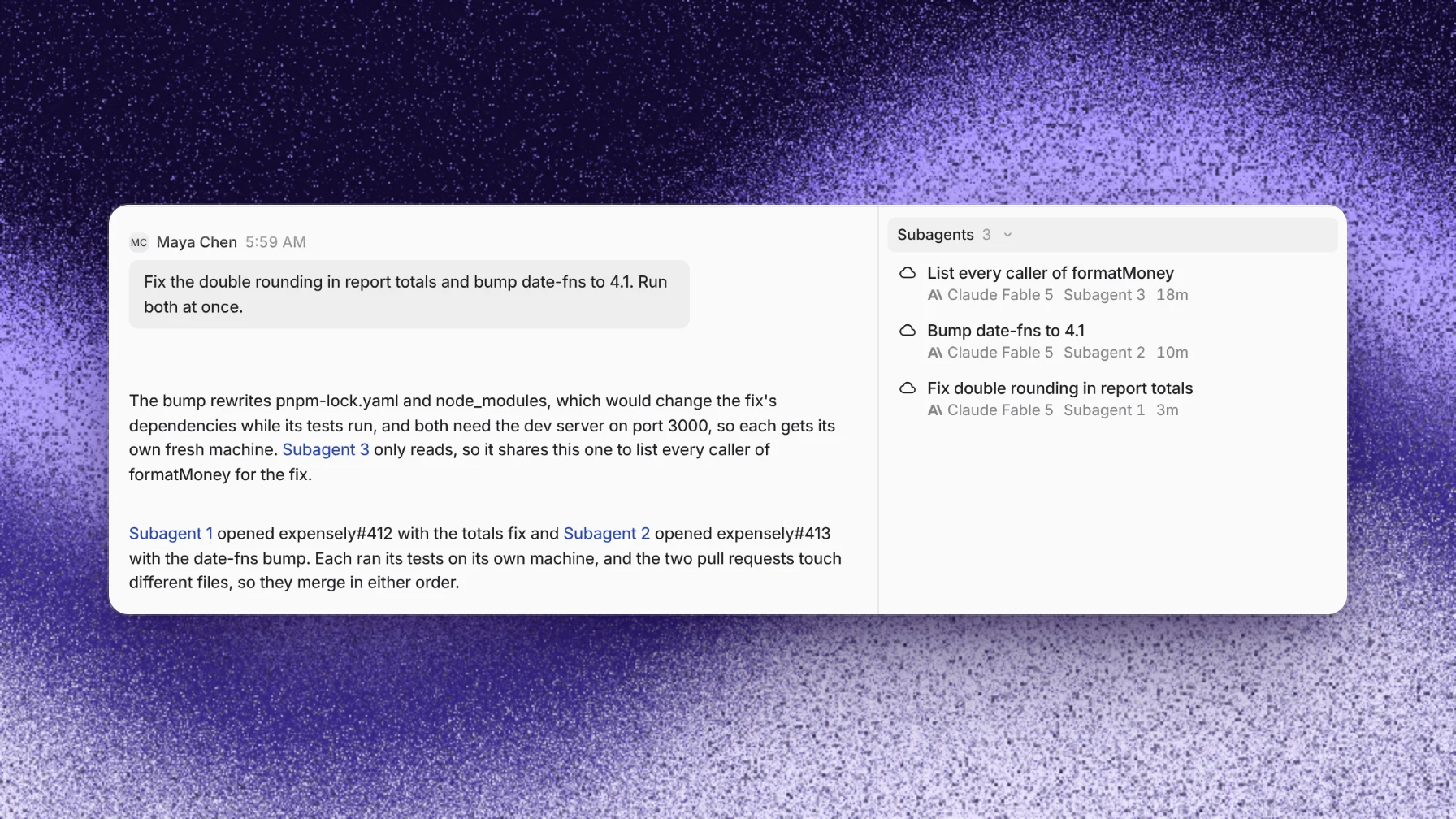
Inside a thread, the agent can spawn subagents up to three levels deep that work in parallel, each with its own conversation and tools.[13] Read-only subagents share the parent’s machine, while subagents that write code get a fresh machine with a clean checkout so their edits stay isolated.[13] For work that outgrows a single thread, a Captain acts as a long-lived agent managing a crew of threads, reading their reports and surfacing only what needs your call in a digest.[26]
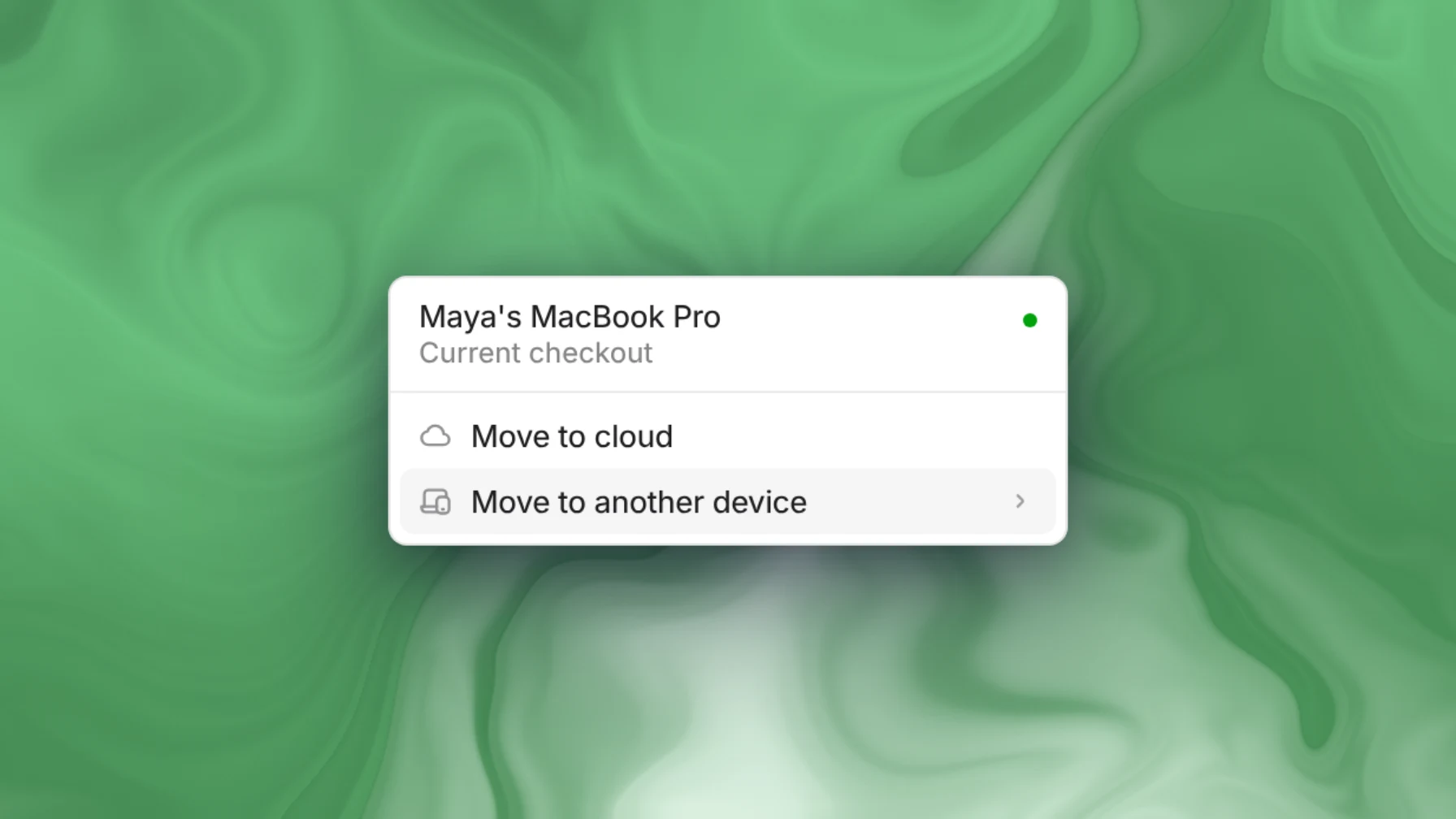
Through the Capy desktop app, you can also run a thread directly in a folder on your own computer using your local tools and credentials, with no machine-time charge.[14] You can move a thread from your computer to a cloud machine and back as the task changes.[14]
Once code is ready, Capy opens the pull request on GitHub, and the owning thread fixes failing CI, answers review feedback and resolves conflicts.[27] Capy also includes a review agent for GitHub.com pull requests, backed by monthly review credits (100 on Free, 250 on Lite, 1,250 on Pro and 2,500 on Max) where Low uses 1 credit, Medium uses 5 and High uses 10 to cover both model and machine; Flex defaults to Medium on a pull request’s first review and Low on follow-ups, and reviews never draw from your connected keys or subscriptions.[28][15]
Plans are Free (running locally with your subscriptions and keys plus 100 monthly review credits), Lite at $20 a month, Pro at $100, Max at $200 and custom Enterprise, with 20% off annual billing.[15] Every plan, Free included, has unlimited members and no per-seat price. Paid plans (Lite, Pro and Max) include monthly machine minutes, review credits and model usage, while Free includes 100 review credits a month with no machine minutes or model usage.[15] You can connect Codex, GitHub Copilot and SuperGrok subscriptions, gateways such as OpenRouter and Ollama Cloud, provider API keys and any OpenAI-compatible custom endpoint on every plan with zero charge or markup on their tokens; models on Capy credits bill at providers’ list prices with no markup, and cloud machine time past a plan’s monthly machine minutes bills Capy credits.[15]
Pick Capy when you want multiple agents running in parallel across cloud machines or your own computer, opening and finishing GitHub pull requests, with no per-seat fees and your own keys on any plan.
Amp pairs cloud orbs with apps across desktop and mobile
Amp describes itself as “a coding agent and development environment built for the frontier,” routing work across several models for what each handles best.[16] For every thread, Amp spins up an orb: a machine configured with your code and tools so you can send a prompt, close your laptop and let the agent keep working.[16] Puck launches and coordinates agents, and Amp is available on the web, through apps for Mac, Windows, Linux, iPhone, iPad and Android, and in a CLI.[16]
Amp’s Hobby tier is free with pay-as-you-go Amp-hosted orbs, Individual is $20 a month including 45,000 minutes of Amp-hosted orbs, Teams adds no extra charge and Enterprise is custom-priced.[29] Self-hosted orbs are free on Hobby, Individual and Teams.[29] You can run on your ChatGPT or Claude subscriptions or your own API keys with no Amp token fees, and paid credits bill actual model usage with no markup on providers’ API prices for individuals and non-enterprise workspaces.[29][30]
Pick Amp when you want per-thread cloud orbs alongside apps on desktop and mobile, starting on a free tier powered by your own subscriptions.
Aider stays inside your terminal and commits every change
Aider is an Apache-2.0 terminal tool built for AI pair programming directly in a git repository.[31] It connects to almost any LLM, including local models, maps your entire codebase for context, writes automatic git commits with clear messages and runs linters and tests after making changes.[31]
One caveat to factor in before adopting it today is release cadence: Aider’s latest release on GitHub is v0.86.0 from August 9, 2025.[32]
Pick Aider when you want an open-source terminal pair programmer that commits each edit to git, and you are comfortable with a project whose last GitHub release dates to August 2025.
Roo Code vs Capy
Roo Code and Capy solve different stages of AI-assisted development. Roo Code lived inside VS Code as an open-source extension where you steered one editor session across Architect, Code and custom modes, and its repository has been archived read-only since May 15, 2026.[1][2] Capy is an active platform, and it is not open source. It runs multiple agents at once across cloud Firecracker microVMs or your own computer, coordinates parallel subagents and Captains, and carries changes through GitHub pull requests, CI fixes and code review.[12][13][26][27][28]
Where the two overlap most is model flexibility. Roo Code let developers plug in dozens of providers with their own keys.[1] Capy keeps that bring-your-own-model approach on every plan, Free included: you can connect Codex, GitHub Copilot and SuperGrok subscriptions, gateways such as OpenRouter and Ollama Cloud, provider API keys and any OpenAI-compatible custom endpoint with zero charge or markup on their tokens.[15] When a thread falls back to Capy credits, models bill at providers’ list prices with no markup; threads on your own computer via the desktop app incur no machine-time charge, while cloud machine time bills Capy credits after your plan’s monthly machine minutes.[15][14]
How to move off Roo Code
Start by deciding whether you want to stay in your editor or shift to background agents. If you want to keep your existing VS Code setup and custom modes, export your settings file from Roo Code and load it through Import Settings in Zoo Code, storing the exported file carefully because it can include API keys.[5] If you had a paid Roo Code subscription and still have billing questions, Roo Code’s docs direct inquiries to billing@roocode.com.[1]
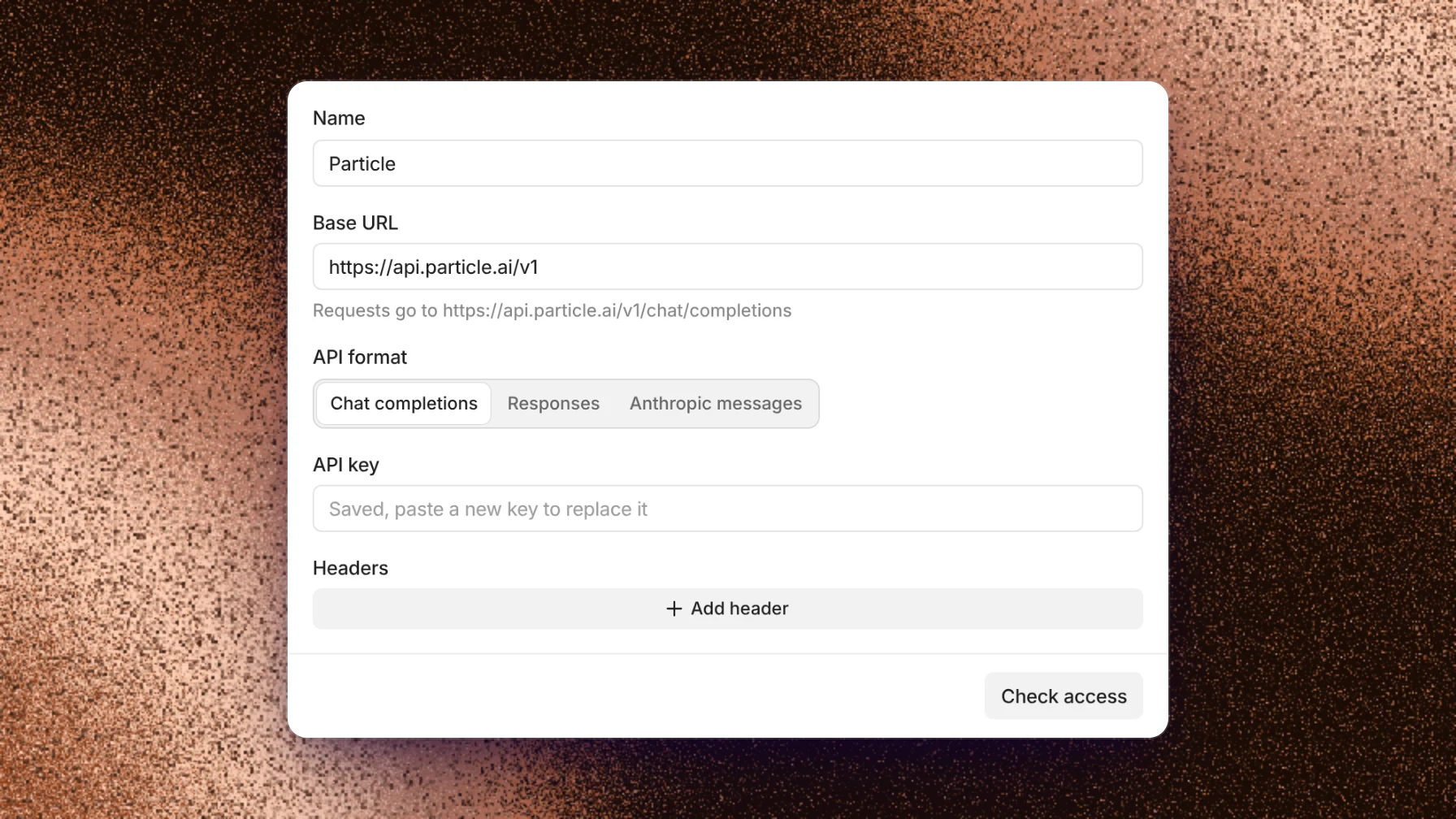
Teams switching to Cline can bring their own API keys, add MCP servers and capture project conventions in .clinerules files across VS Code, JetBrains, Neovim or the CLI.[6][7] Teams ready to move work off a single editor can self-host Roomote on an Ubuntu 24.04 or Debian 12+ server, or start on Capy’s Free plan locally with existing keys and subscriptions before running parallel threads on cloud machines.[24][15][14]
If you remember Continue from older lists of Roo Code alternatives, it is omitted here because Continue’s site now notes that it was acquired by Cursor, though its open-source codebase remains freely available.[33]
Frequently Asked Questions
Is Roo Code discontinued?+
What is the best Roo Code alternative?+
Is Zoo Code the same as Roo Code?+
Roo Code vs Capy: what’s the difference?+
How do Roo Code alternatives compare on pricing?+
Can I migrate my Roo Code settings and modes?+
What is Roomote, and can I self-host it?+
Sources
Checked against each product's own docs and pricing on November 20, 2026.
- 1Roo Code docs
- 2Roo Code on GitHub
- 3Roo Code releases
- 4Zoo Code on GitHub
- 5Zoo Code docs: Roo to Zoo migration
- 6Cline homepage
- 7Cline docs: Overview
- 8Kilo Code homepage
- 9Kilo Code pricing
- 10Roomote homepage
- 11Roomote docs
- 12Capy docs: Machines
- 13Capy docs: Subagents
- 14Capy docs: Desktop app
- 15Capy docs: Models and pricing
- 16Amp manual
- 17Zoo Code releases
- 18Zoo Pass
- 19Cline Kanban on GitHub
- 20Cline pricing
- 21Kilo Code on GitHub
- 22Kilo Code: The Great Roo Migration
- 23roocode.com
- 24Roomote docs: Self-hosting
- 25Capy docs: Welcome
- 26Capy docs: Captains
- 27Capy docs: Pull requests
- 28Capy docs: Reviews
- 29Amp pricing
- 30Amp docs: Pricing
- 31Aider on GitHub
- 32Aider releases
- 33Continue homepage
Spotted something out of date? Tell us at support@capy.ai.
More comparisons
- 1Code alternatives for parallel coding agents1Code’s repository is archived and 1code.dev is offline. How Capy, Conductor, Devin Desktop, Codex, Claude Code desktop and Cursor replace it.
- Aider alternativesSeven coding agents compared with Aider: where each one runs, how each one charges, and when Aider is still the right tool.
- Best AI code review toolsEleven AI pull request reviewers compared on git hosts, automatic reviews, fix loops and pricing, from each product’s own docs.
- Best AI coding agents in 2026: 12 tools comparedWhere twelve hosted and open-source AI coding agents run, how each charges, and when to pick each one.
- Best cloud coding agents in 2026How Capy, Devin, Cursor, Codex Cloud, GitHub Copilot, Kiro and Jules handle cloud machines, parallel work, pull requests, testing and pricing.
- Capy vs AmpWhat Amp is after its Sourcegraph spin-out, how both run parallel cloud agents, and how their pricing, models and pull request loops compare.
- Capy vs CodeRabbitWhere each one reviews, how each one charges, and what happens to a finding after it posts.
- Capy vs CodexWhere each coding agent runs, which models it uses, and how each one bills.
- Capy vs ConductorWhere each one runs your agents, how they handle GitHub pull requests, and how each scales past a single Mac.
- Capy vs DevinHow each one runs teams of coding agents, where they execute, what they cost, and which git hosts and models each supports.
- Capy vs GitHub CopilotWhere each coding agent runs, what happens after a pull request opens, and how each one bills.
- Cursor alternatives for cloud agentsHow Capy, Codex, GitHub Copilot and Devin run cloud coding agents, what each costs, and when to stay with Cursor.
- Capy CaptainsA long-lived agent that runs a crew of threads and surfaces only what needs your call.
Run Capy agents on your repos
Start parallel threads on cloud machines or your own computer, and bring your own keys on any plan.


- Zoo Code keeps Roo Code’s modes alive in VS Code
- Cline brings the original codebase to more editors and a CLI
- Kilo Code spans editors, terminals and cloud agents under MIT
- Roomote is the self-hosted cloud agent from Roo Code’s creators
- Capy runs parallel agents on cloud machines and your computer
- Amp pairs cloud orbs with apps across desktop and mobile
- Aider stays inside your terminal and commits every change
- Roo Code vs Capy
- How to move off Roo Code
- FAQ
- Sources